Comparing Versions
View changes between automation and subroutine versions using visual diff comparisons, comparing the latest version against earlier versions or any two saved versions.
Automation and subroutine versions can be compared to see what has changed, in a "visual diff" manner.
Compare Latest Version
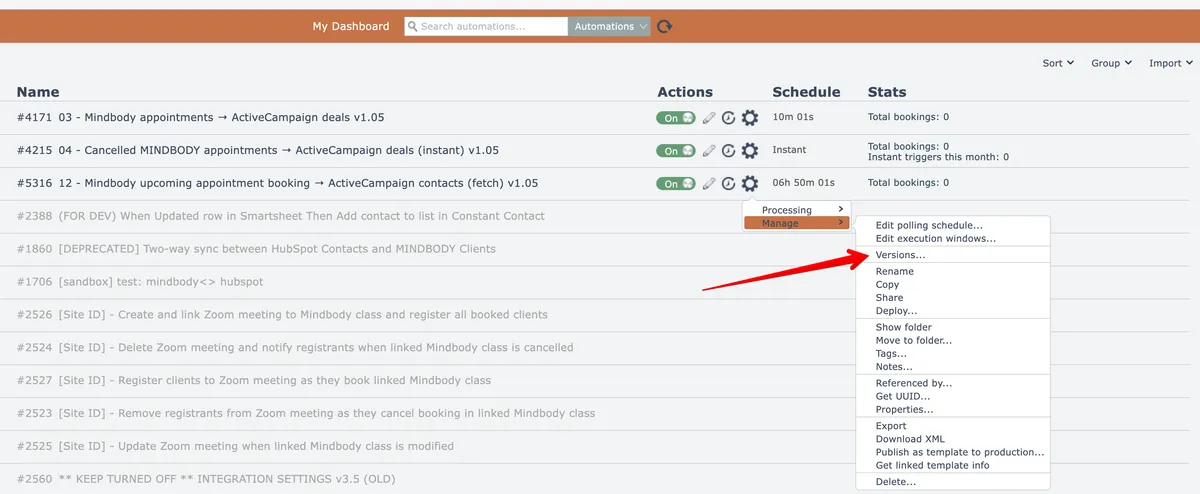
There are two ways to start a comparison. To compare the latest version of an automation with an earlier version, start by accessing the Versions menu option from the automation's gear icon:
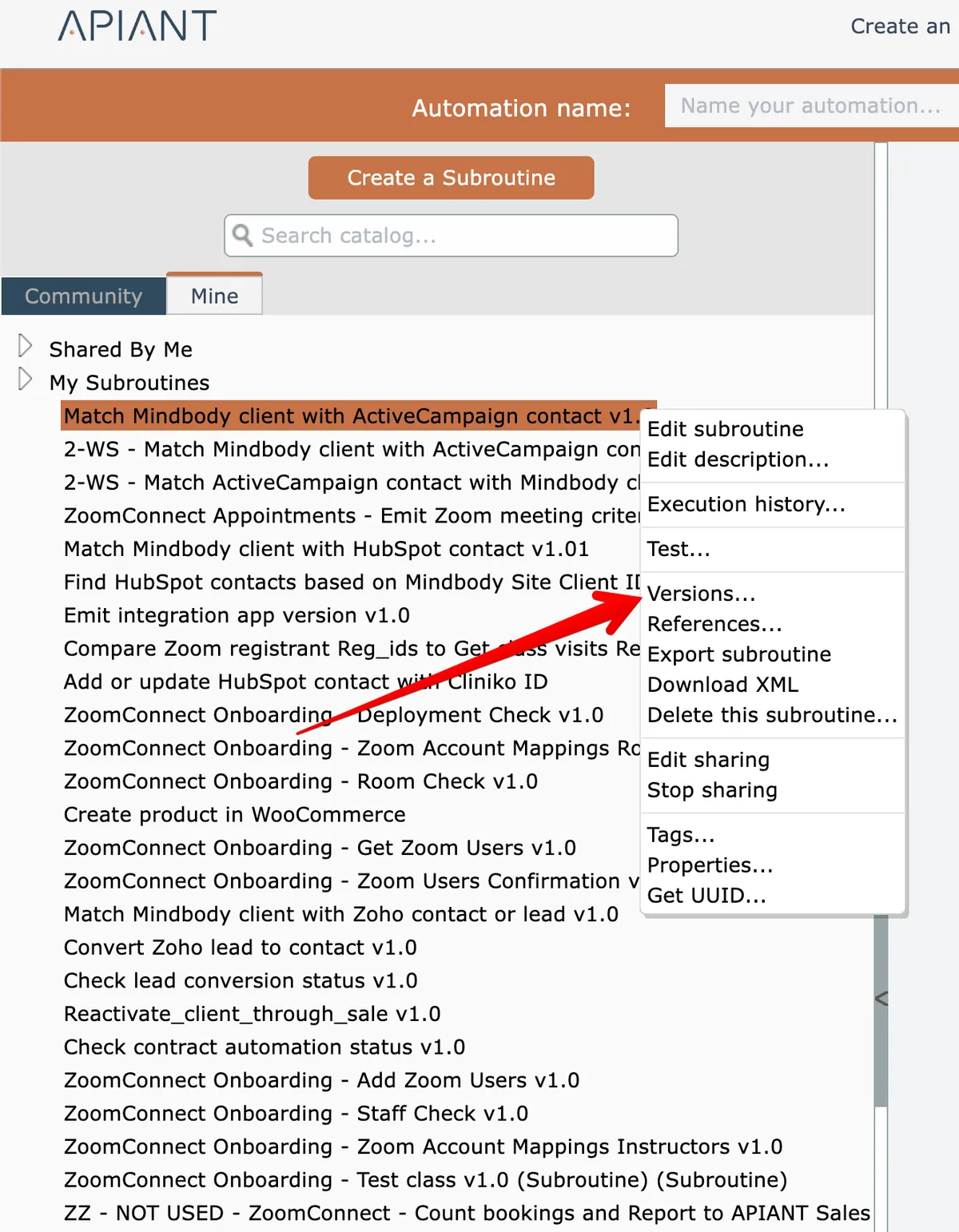
For subroutines, right click on the item in the subroutine catalog to access its Versions option:
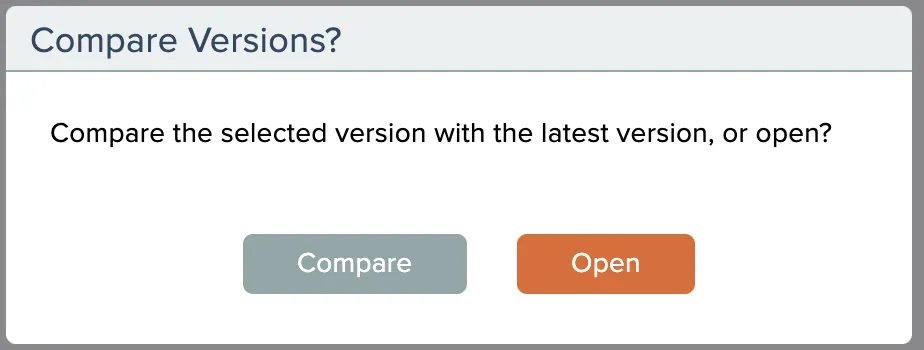
Then click the Compare button to compare the latest version with the selected version:
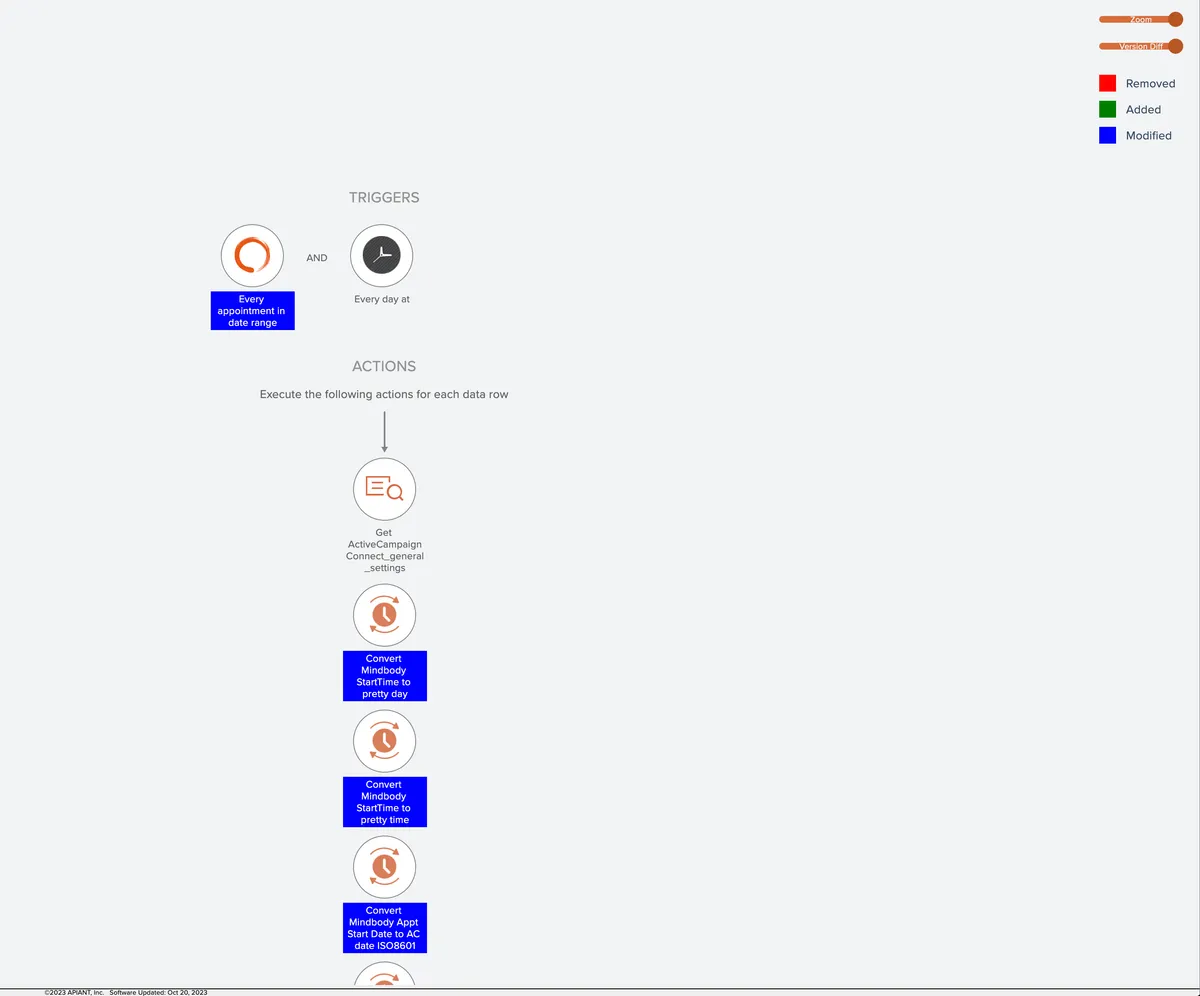
The latest version opens and display a slider at the top right. A legend also appears at the top right indicating the colors used to represent changes between the two versions:
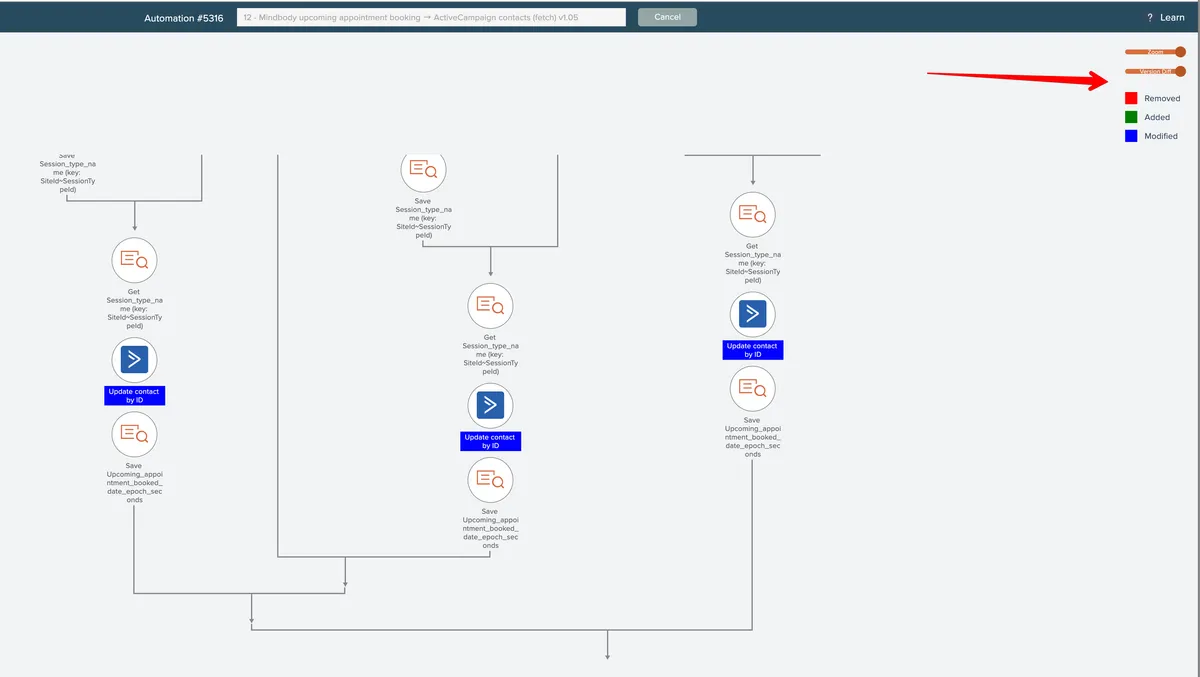
Notice how three items in the screenshot above are blue, indicating they have changes in the latest version vs. the older version.
Moving the slider towards the left will make the older version slowly appear.
Item details such as action field mappings cannot be viewed while comparing versions.
Compare Any Two Versions
Any two saved versions can be compared. Begin by opening a saved version of an automation or subroutine. When the system asks if you want to compare versions, click Open to open the selected version:
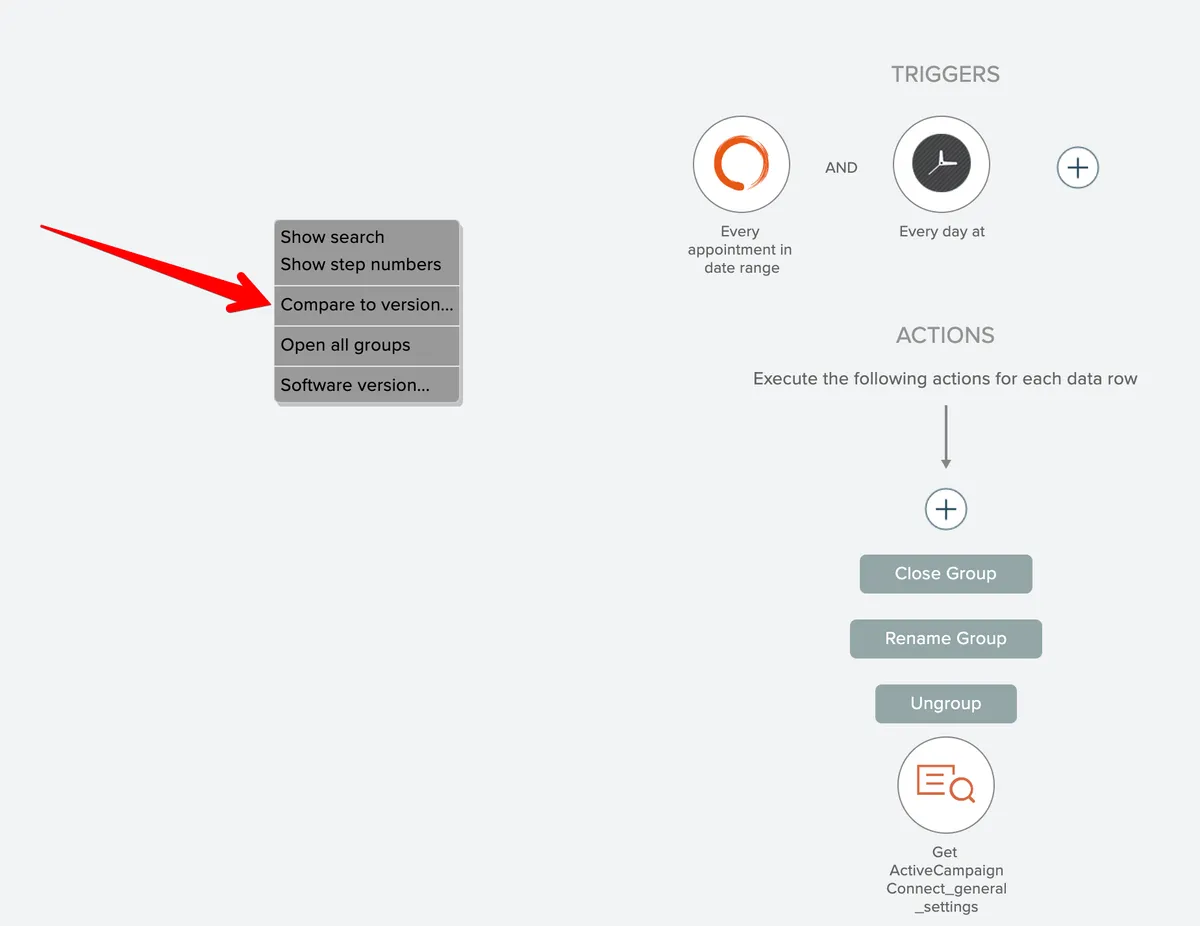
Then right-click on the editor background and choose the Compare to Version menu option:
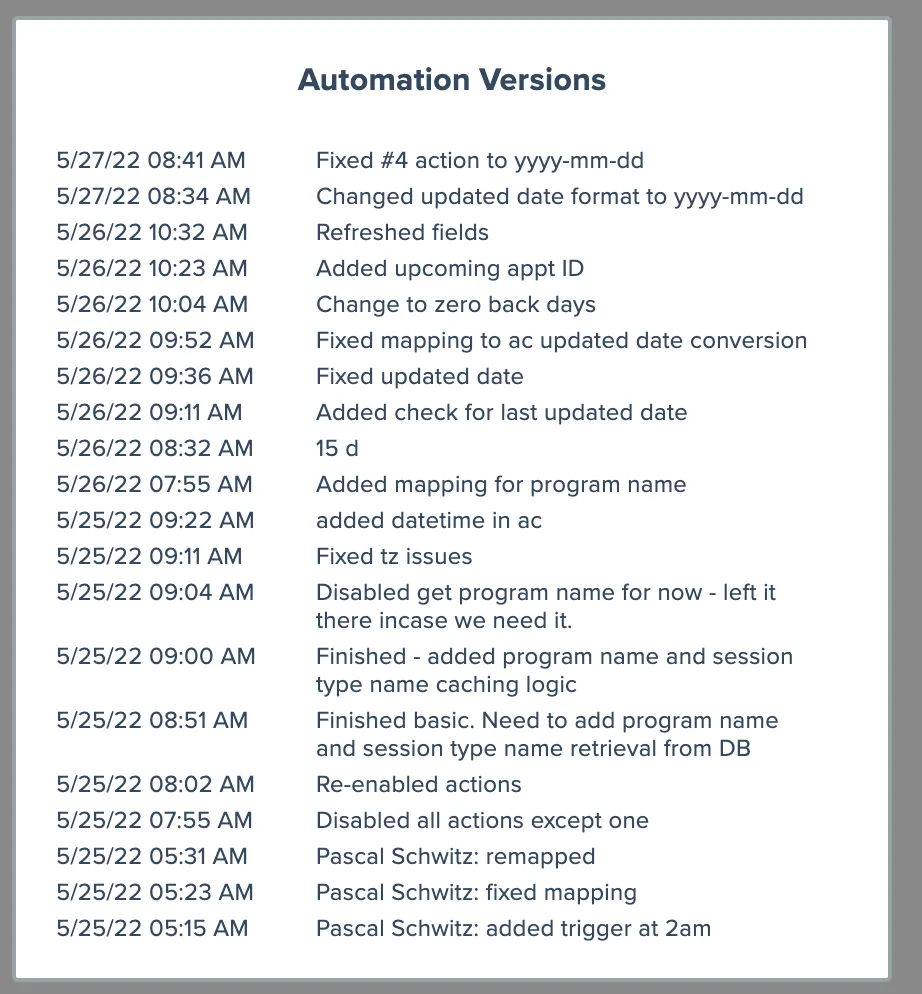
Then selected the desired version to compare against the loaded version:
Then the editor displays the changes made between the two versions: