
Executing a subroutine
Configure and call subroutines from automation workflows by selecting the execute subroutine action, choosing a subroutine, mapping input fields, and accessing output values in subsequent steps.
From an automation, either search for the "execute subroutine" action or find it under the System Utility category:
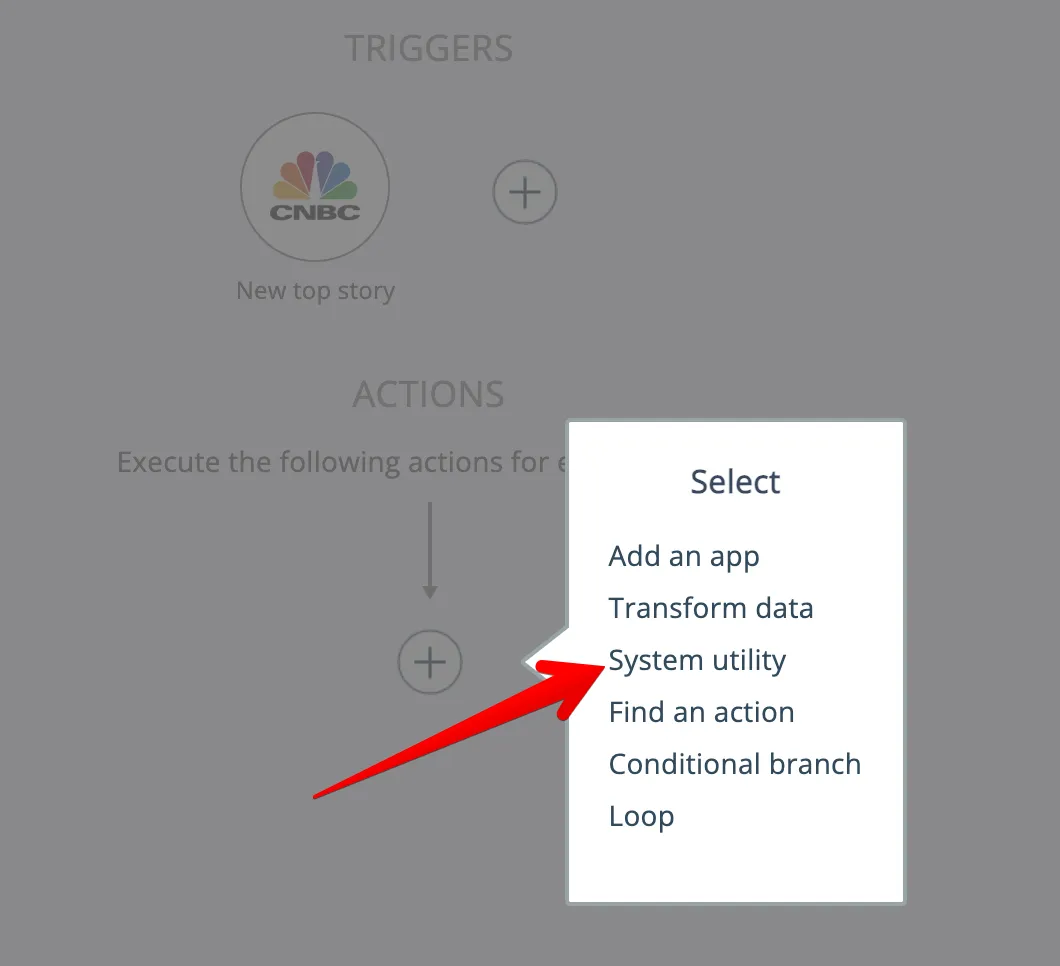
In the System app:
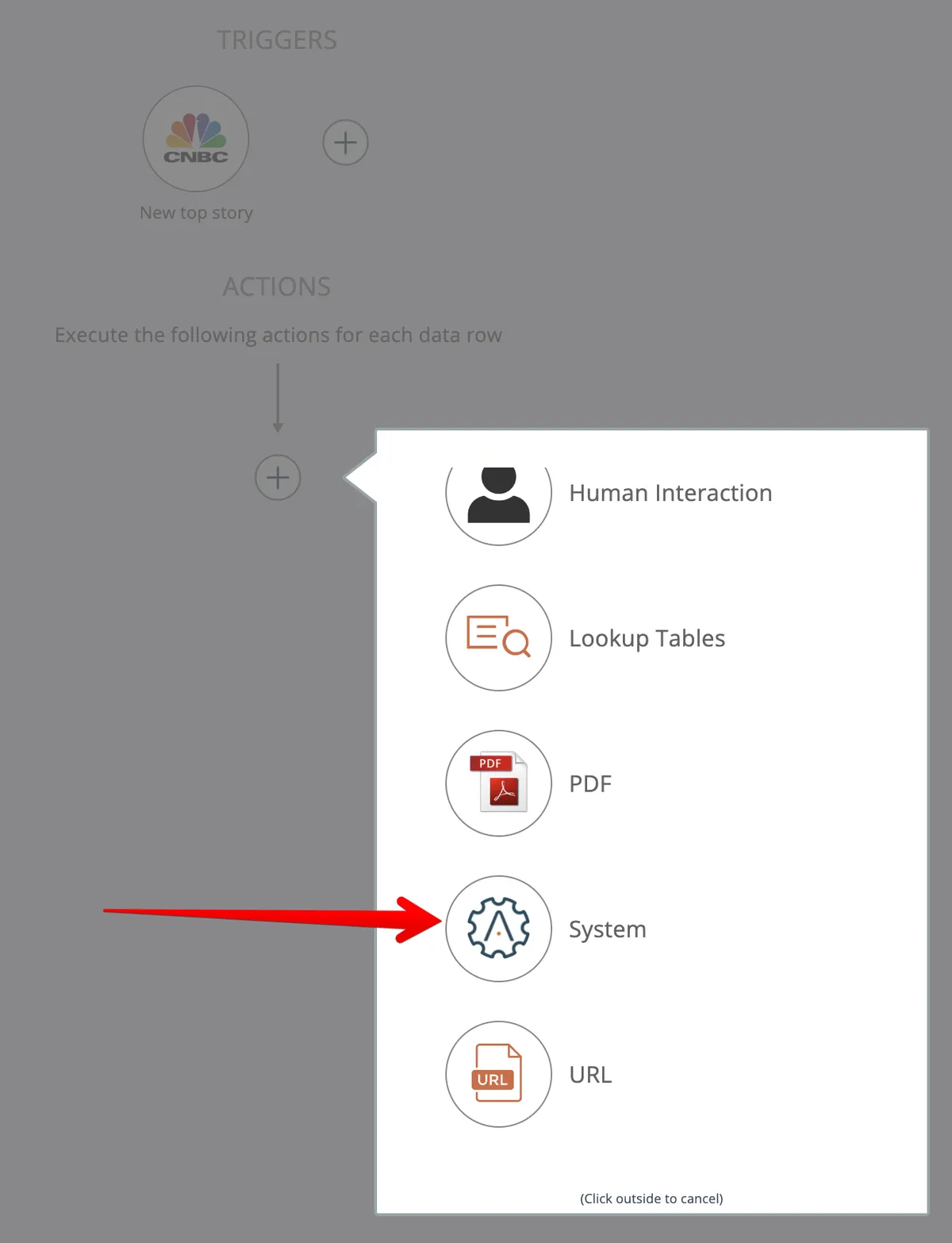
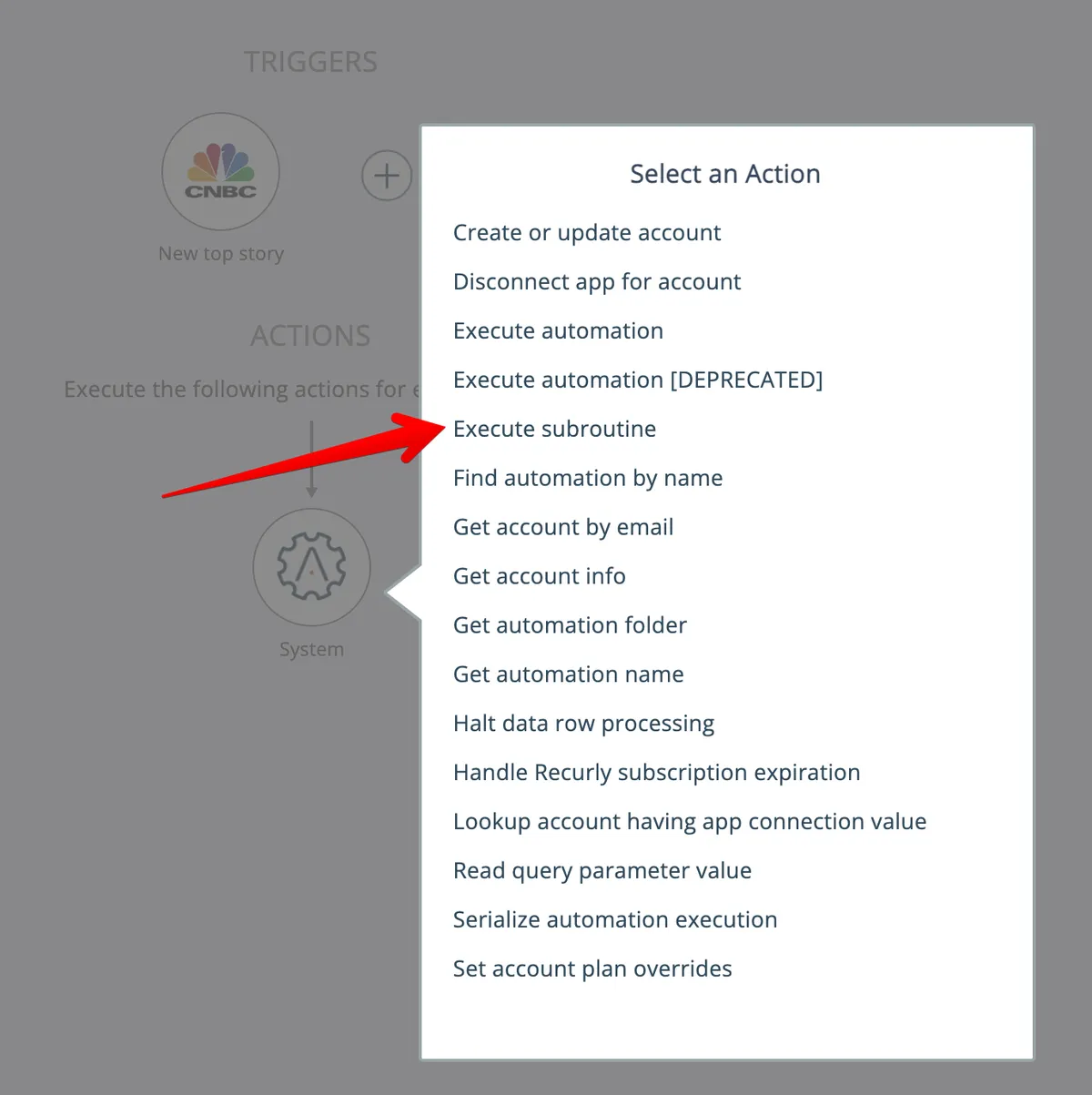
Here:
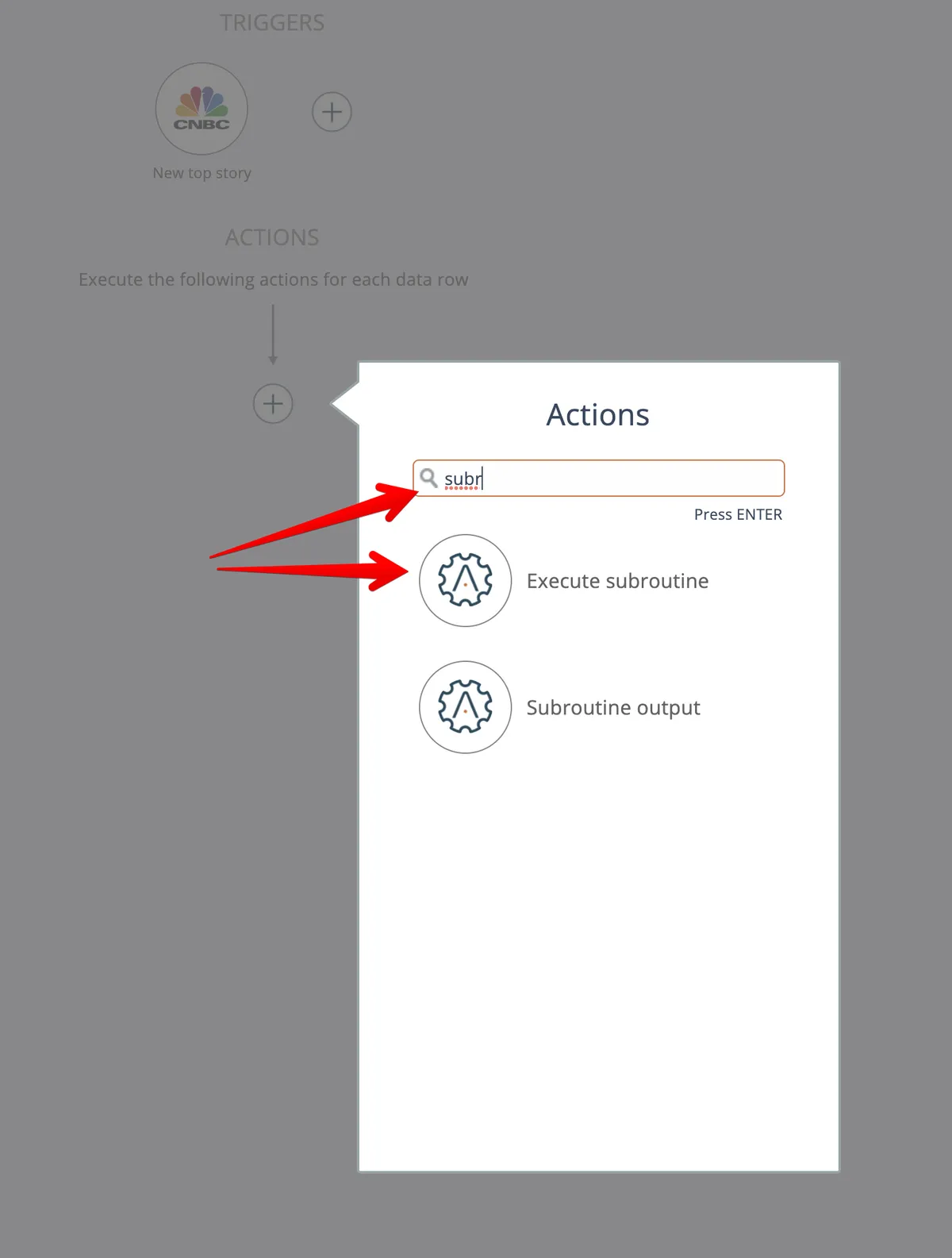
It's generally easier to just search for "subr" after choosing "find an action":
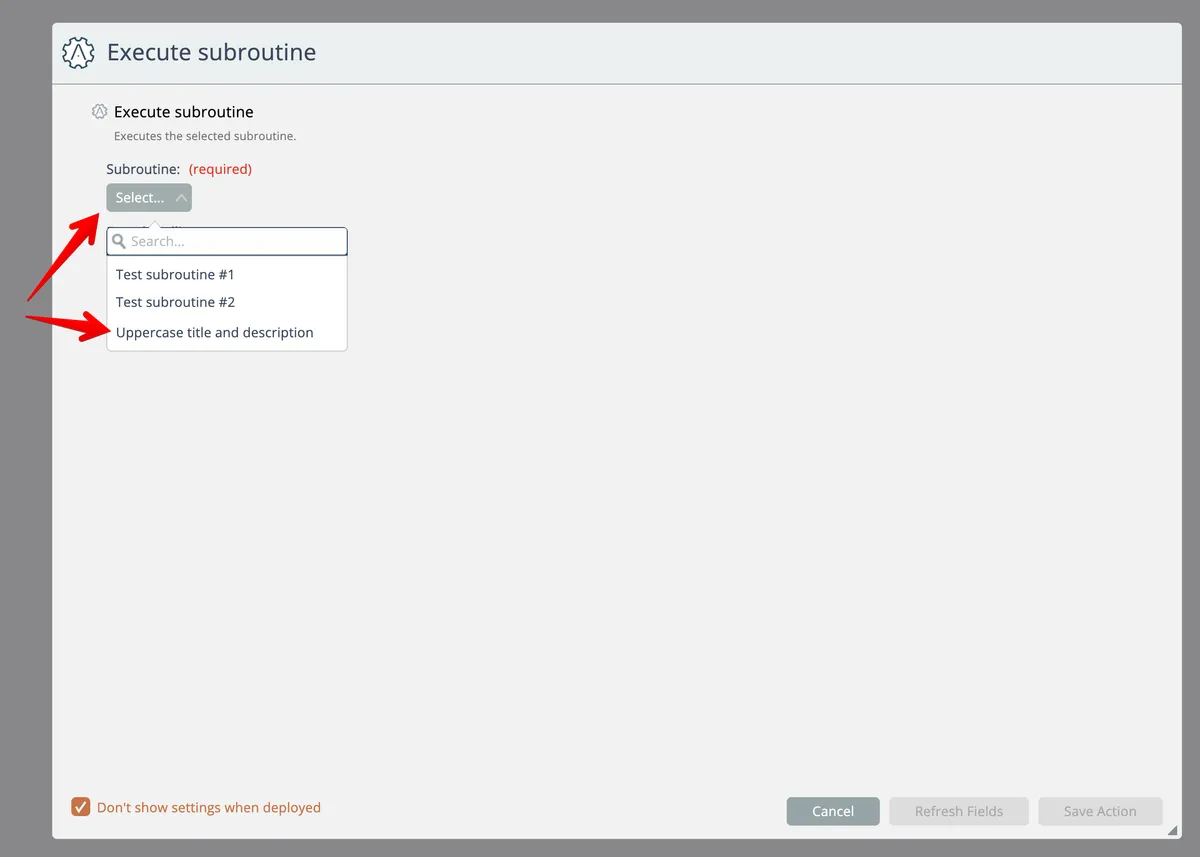
Select the subroutine to use from the list:
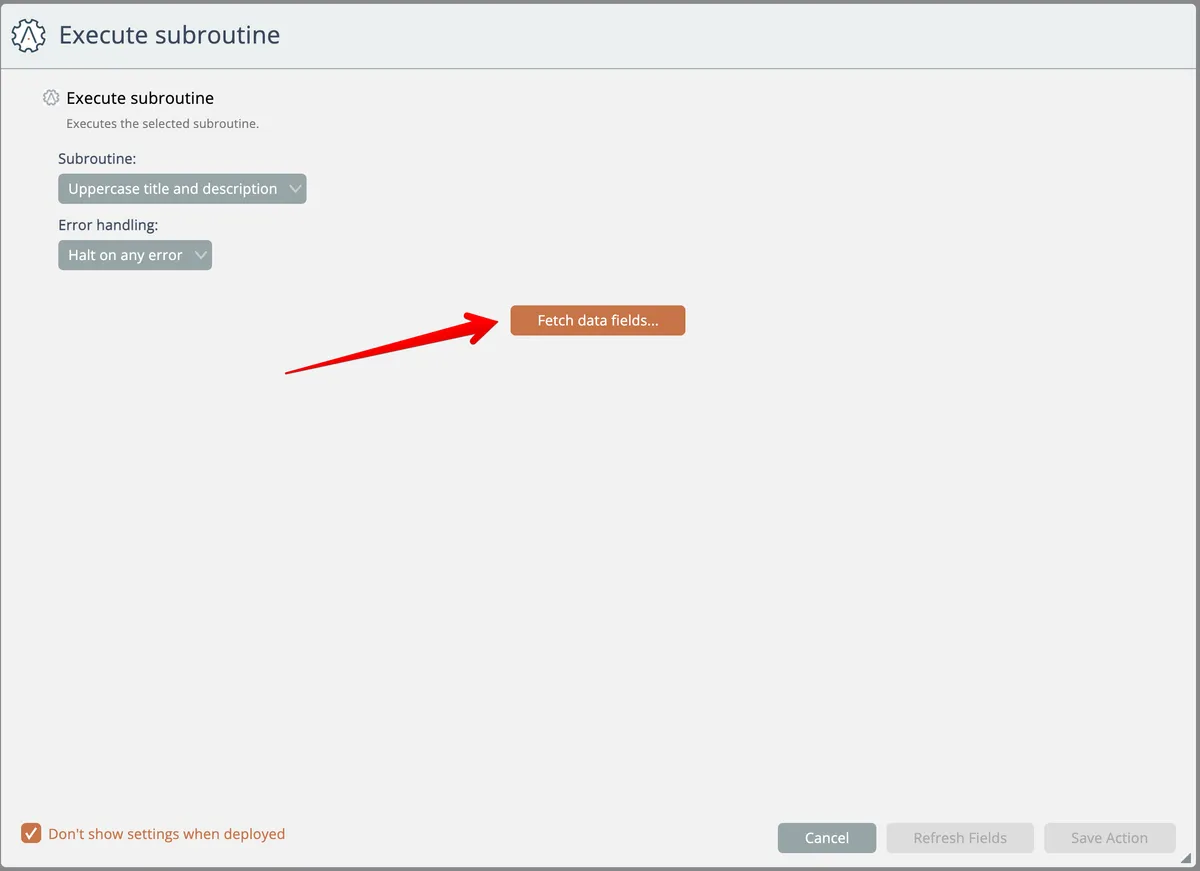
Then click the Fetch button:
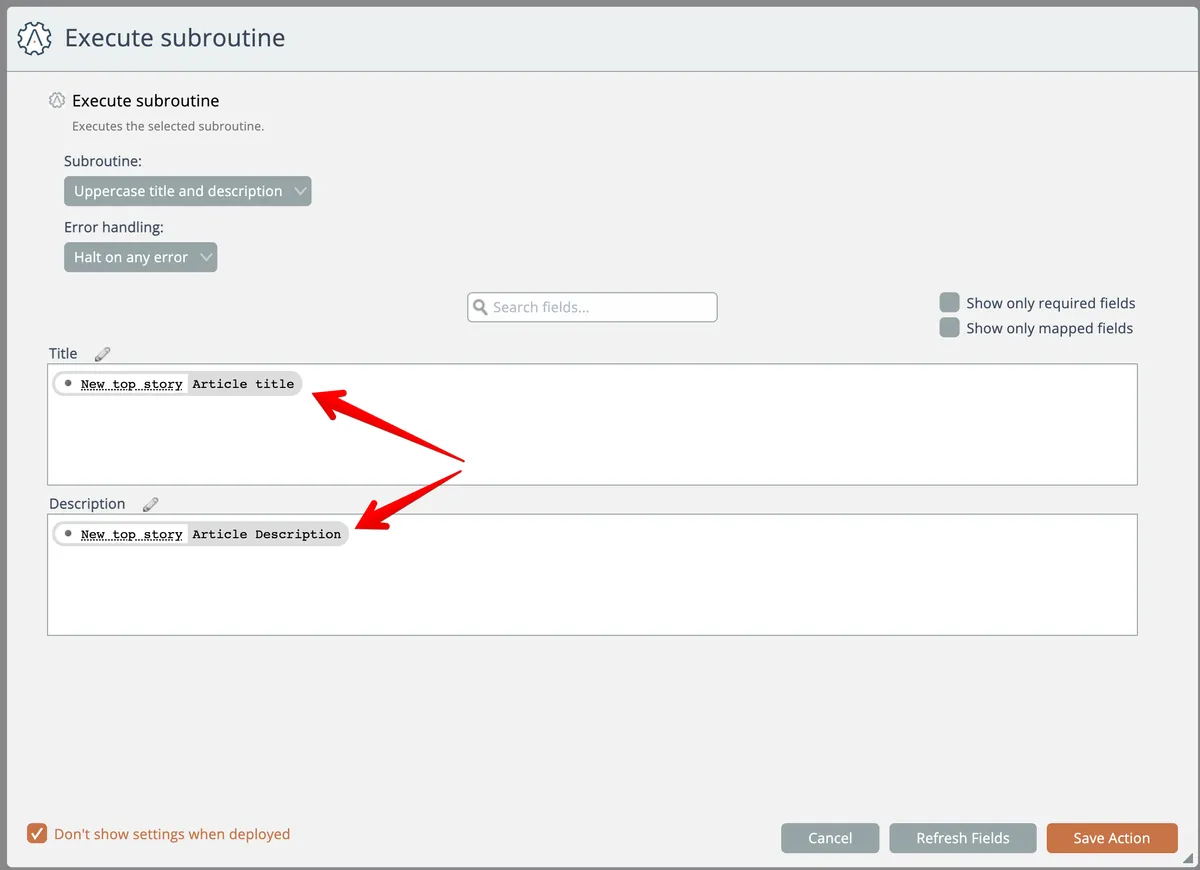
Then configure the input fields for the subroutine and save:
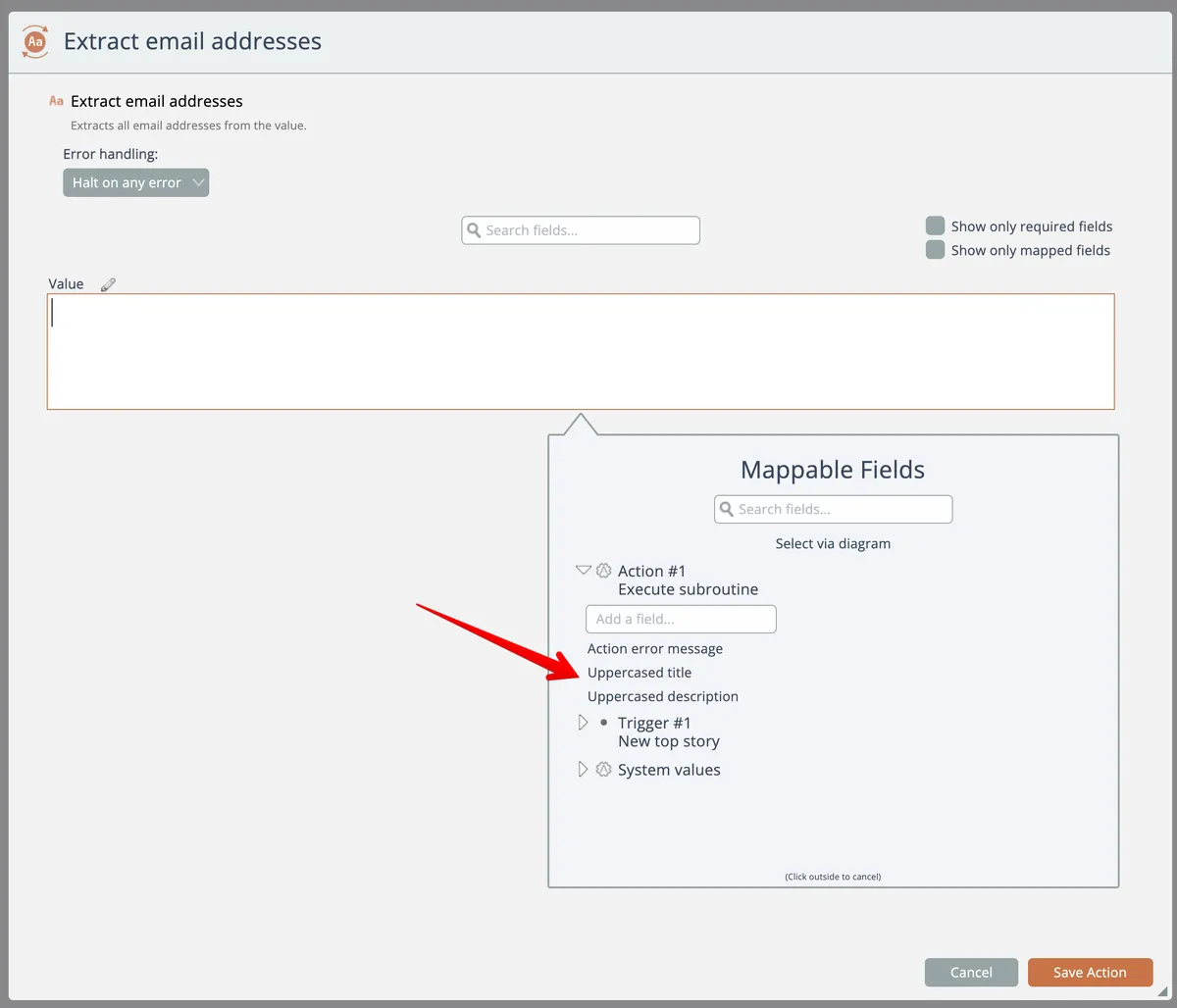
Subsequent actions can access the subroutine's output fields:
In the graphical automation history you can examine the subroutine's input and output:
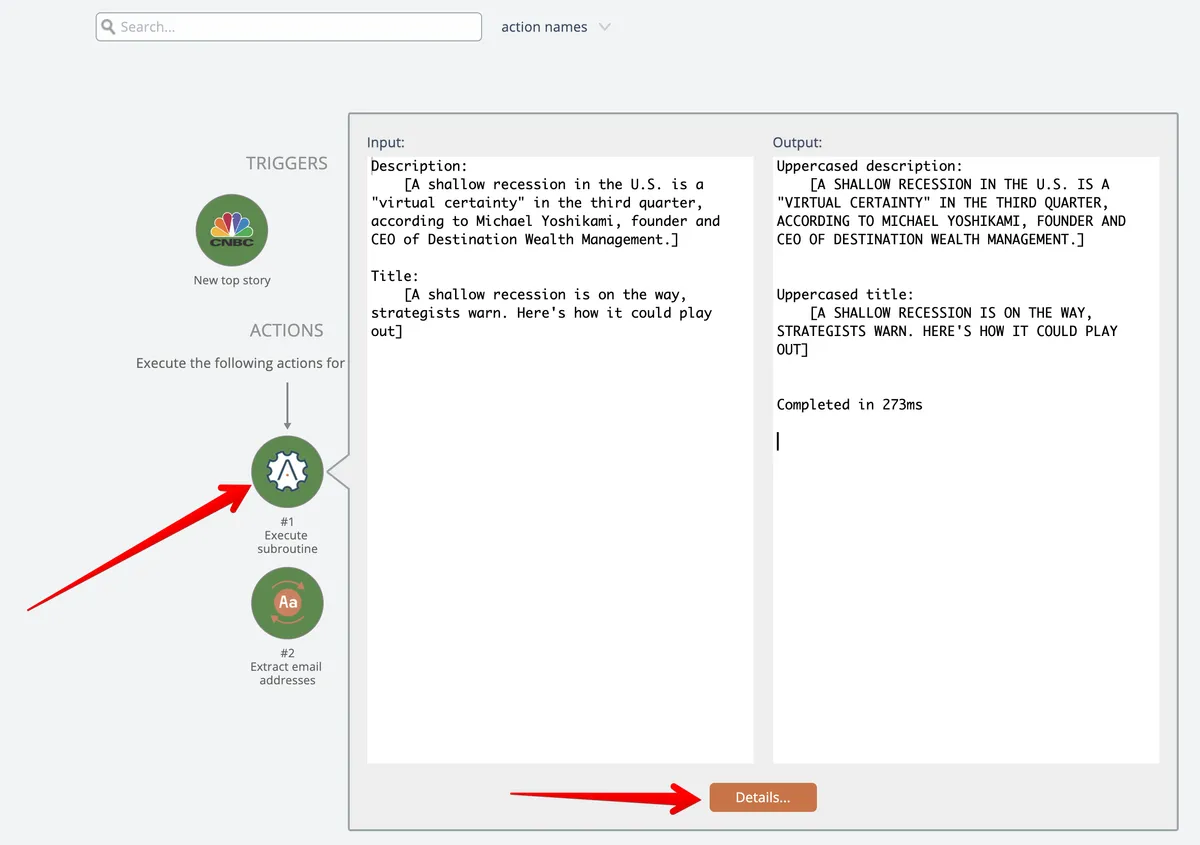
Click on either the subroutine or the Details button to drill down and examine the processing performed by the subroutine:
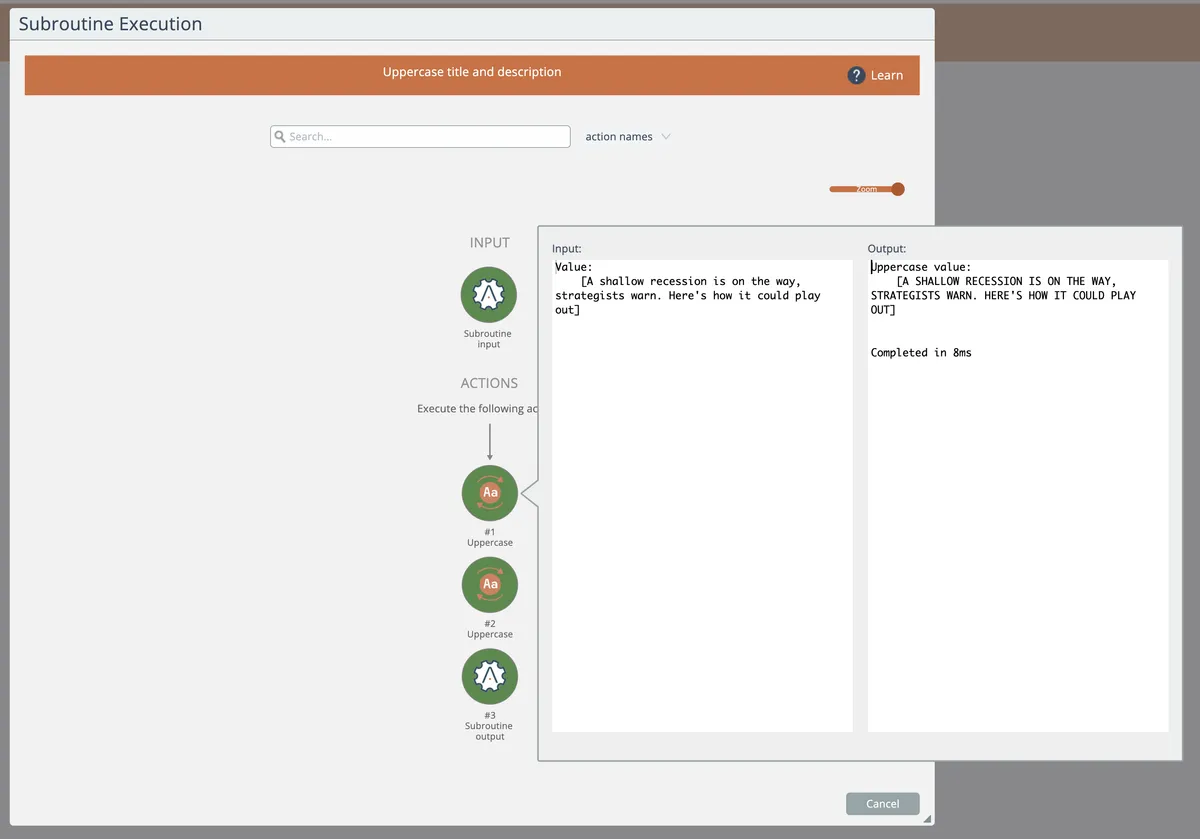
When the parent automation's history is searched, any subroutines it uses are also searched and included in the search results.