
GuidePlatform UI (Fallback)v1
Embedded Forms
Embed forms on any web page by adding a script tag and container div to your HTML. Get the embed code from the automation settings or form editor.
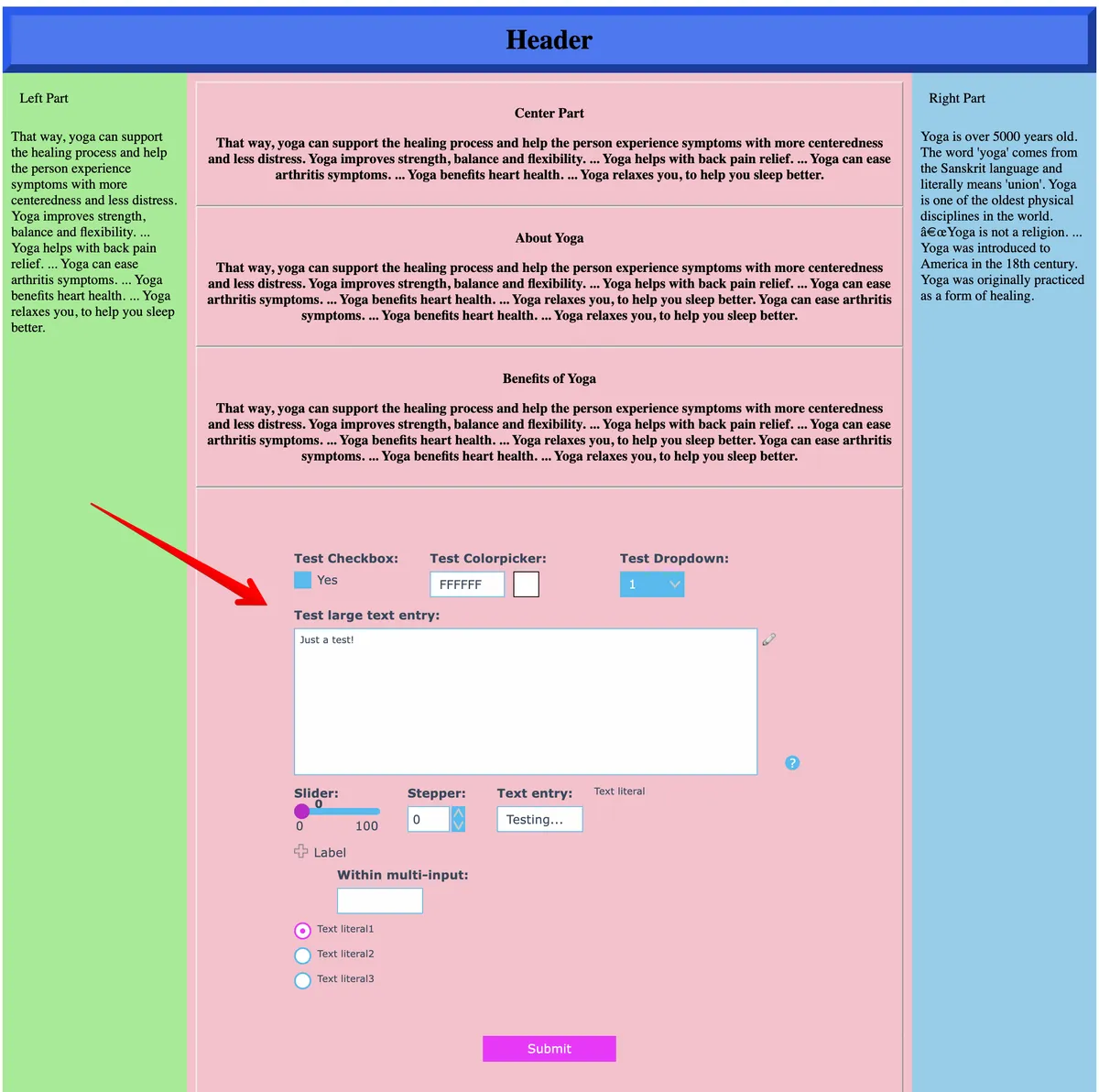
Forms can be embedded on any web page!
Here is a colorful example:
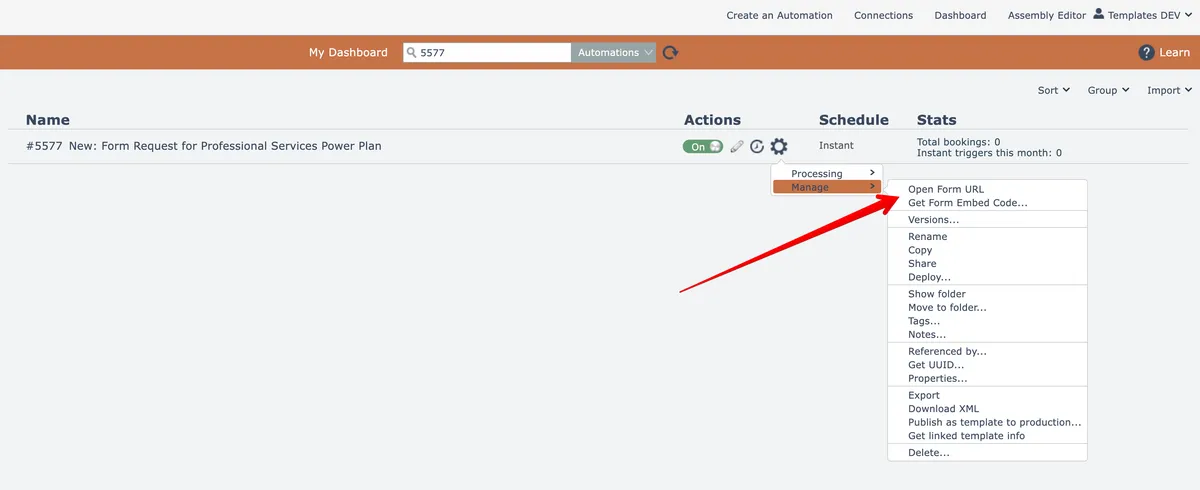
To obtain the form's embed code, use the automation's gear menu in the dashboard here:
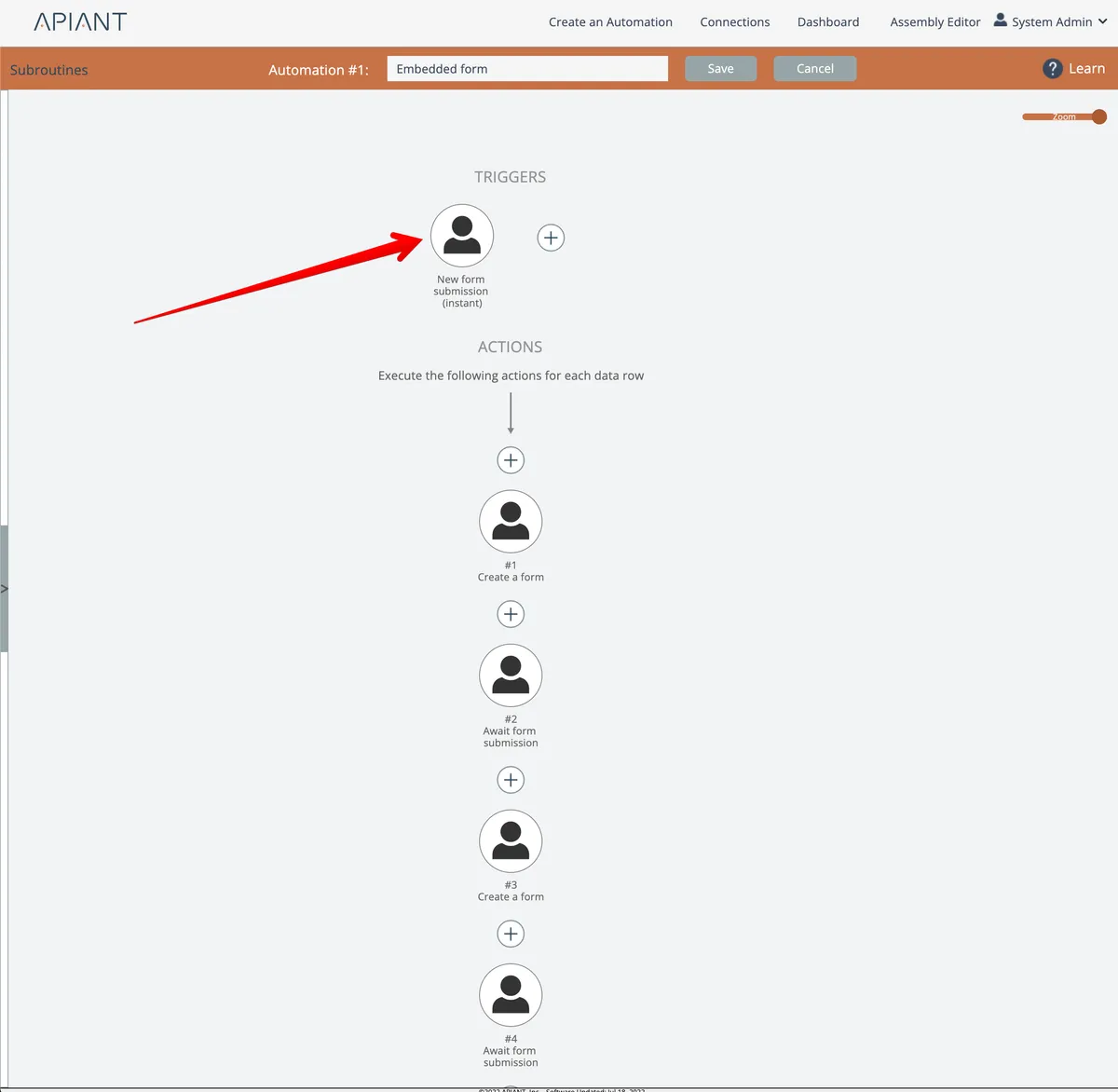
Alternatively, from the Human Interaction "await form submission" trigger, edit the form:
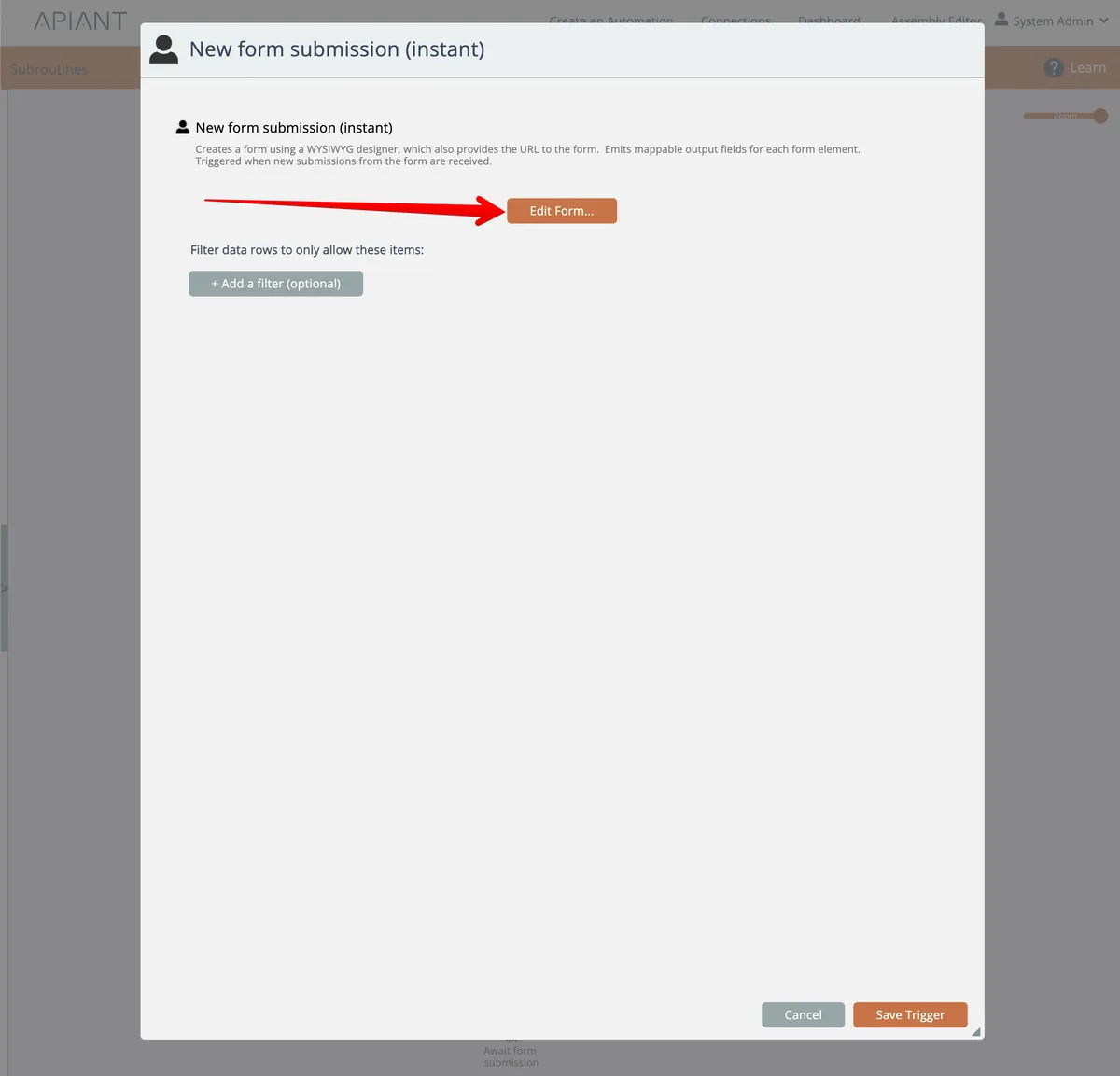
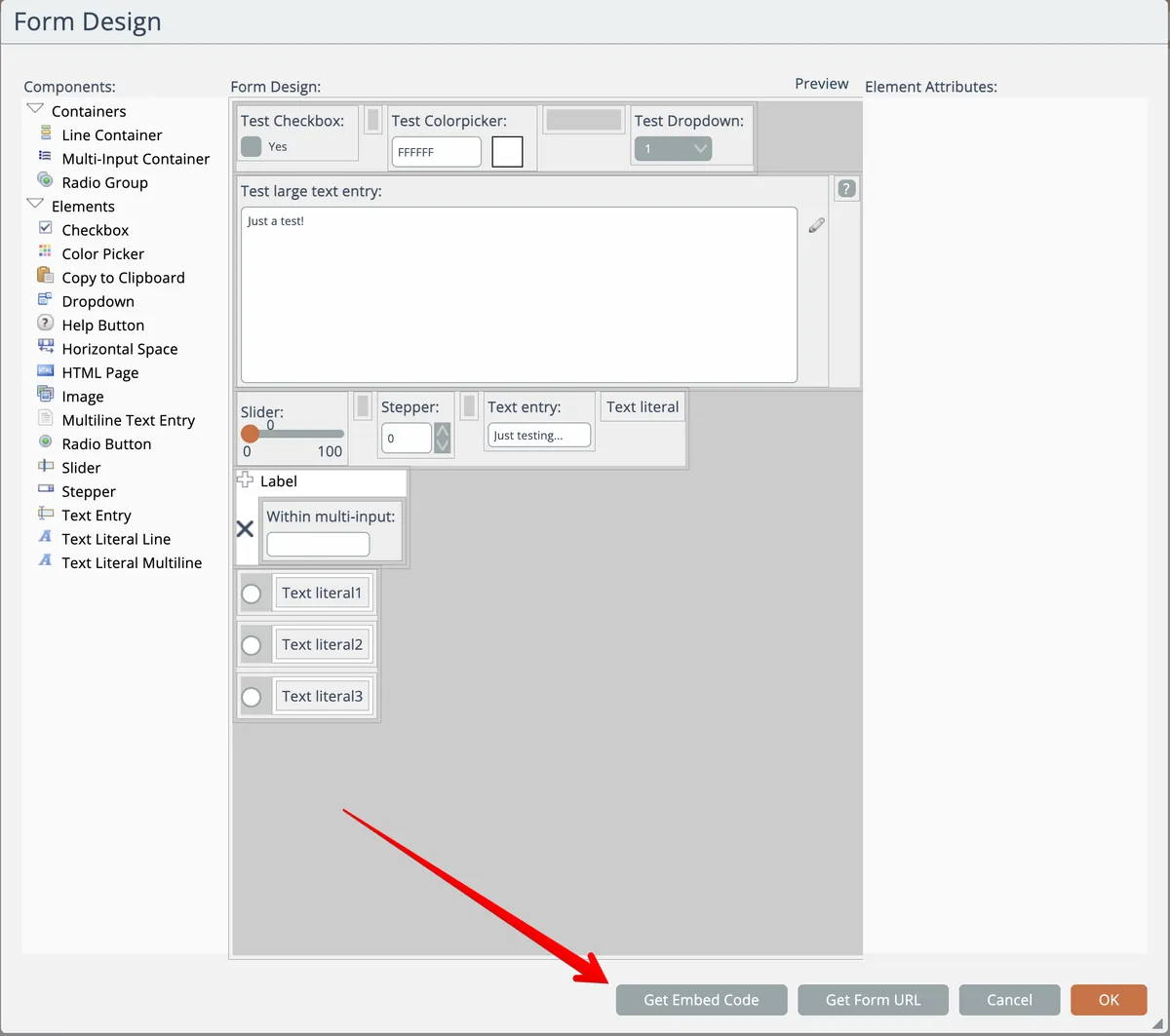
Then click the Get Embed Code button here:
A single line of script code to embed the form into your web page will be copied to your system clipboard:
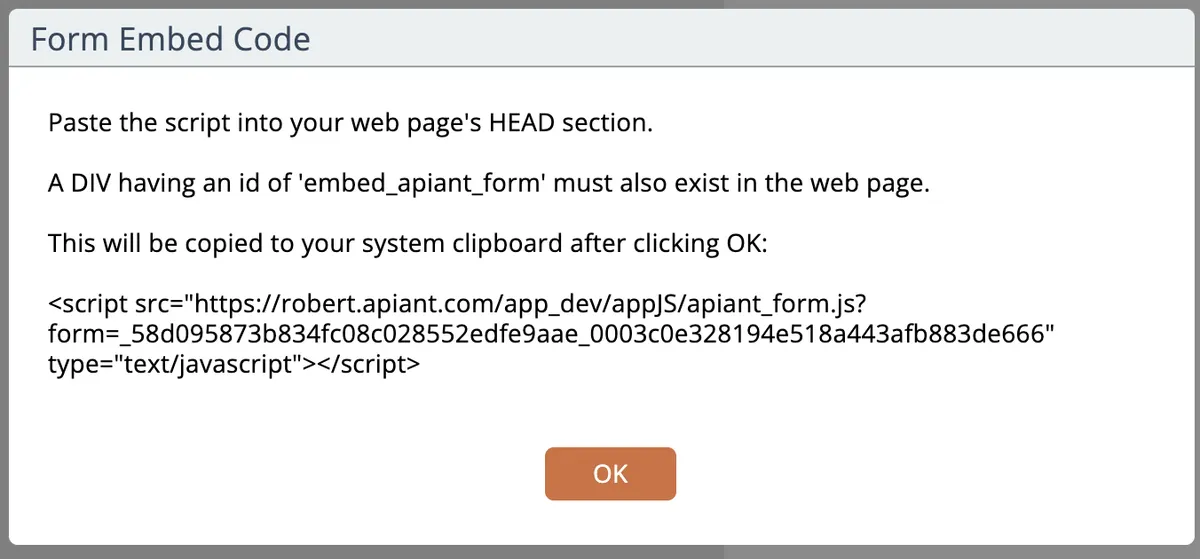
Just add that line to your web page, plus a <div id="embed_apiant_form"> where you want the form to appear. If your DIV doesn't have a size, a default size will be used.
Related docs
Last updated May 4, 2026