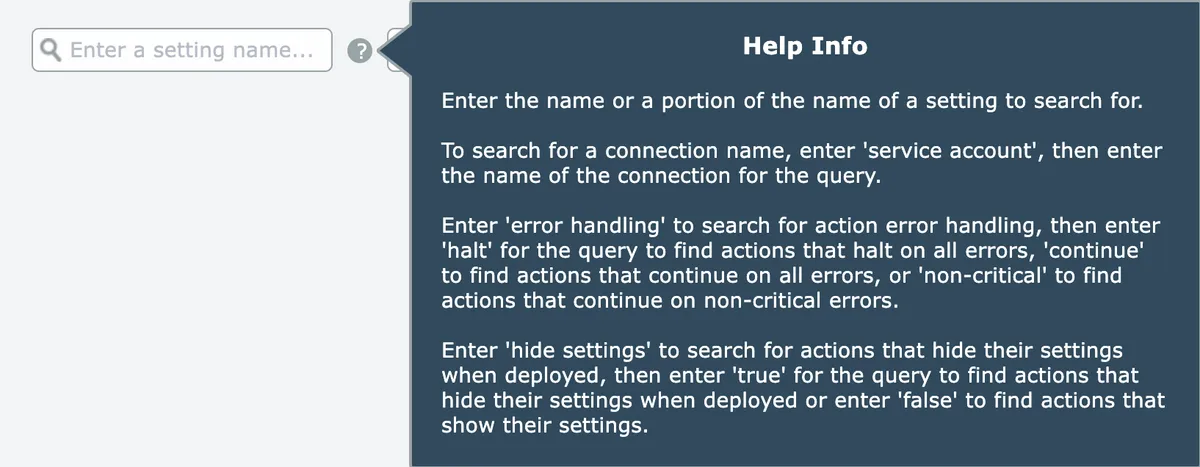
Search by action setting
Search automations for actions with specific named settings and values, like finding all actions where scope is set to My account.
Actions may have named settings. They will appear above any input field mappings:
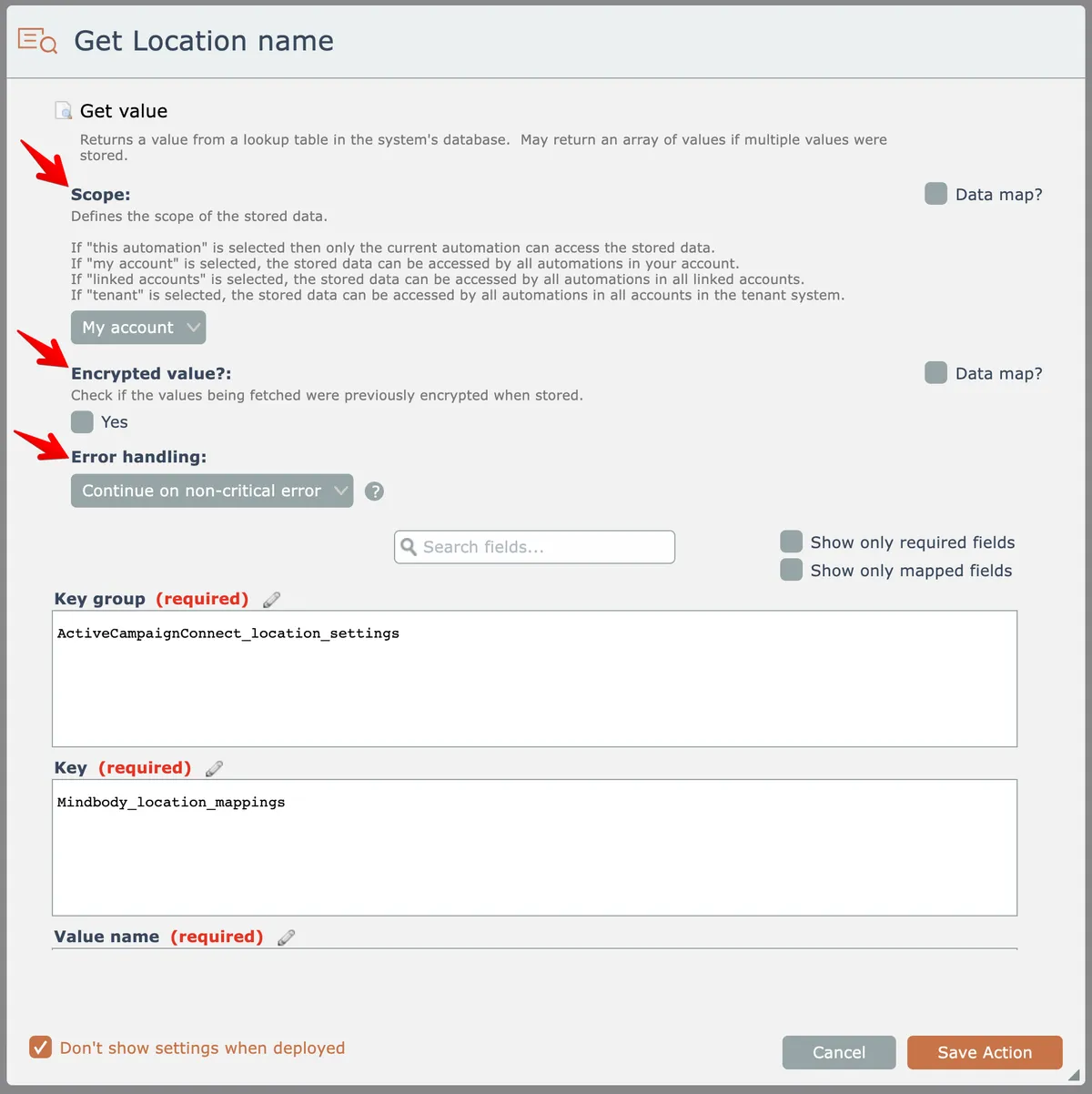
This action has three settings named "scope", "encrypted value?", and "error handling".
You can search an automation to find all actions having a certain setting with a specified value.
For example, in the action above has a "scope" setting with a value of "My account". Let's search to find that.
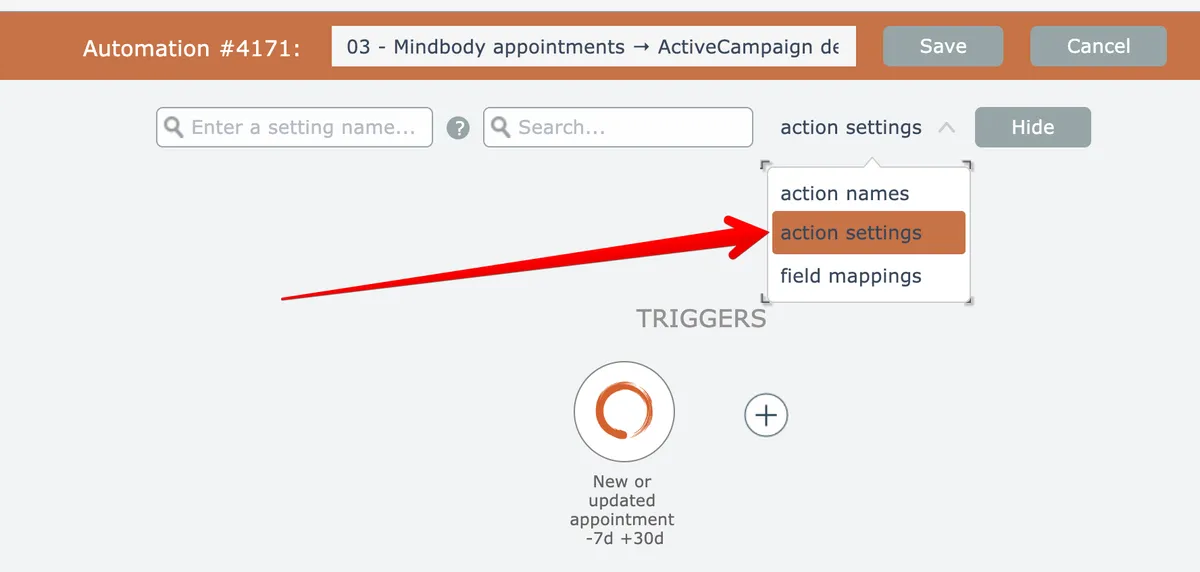
First, open the search (see Searching) and select "action settings" as the search criteria:
The first matching action, if any, will be highlighted and automatically scrolled into view:
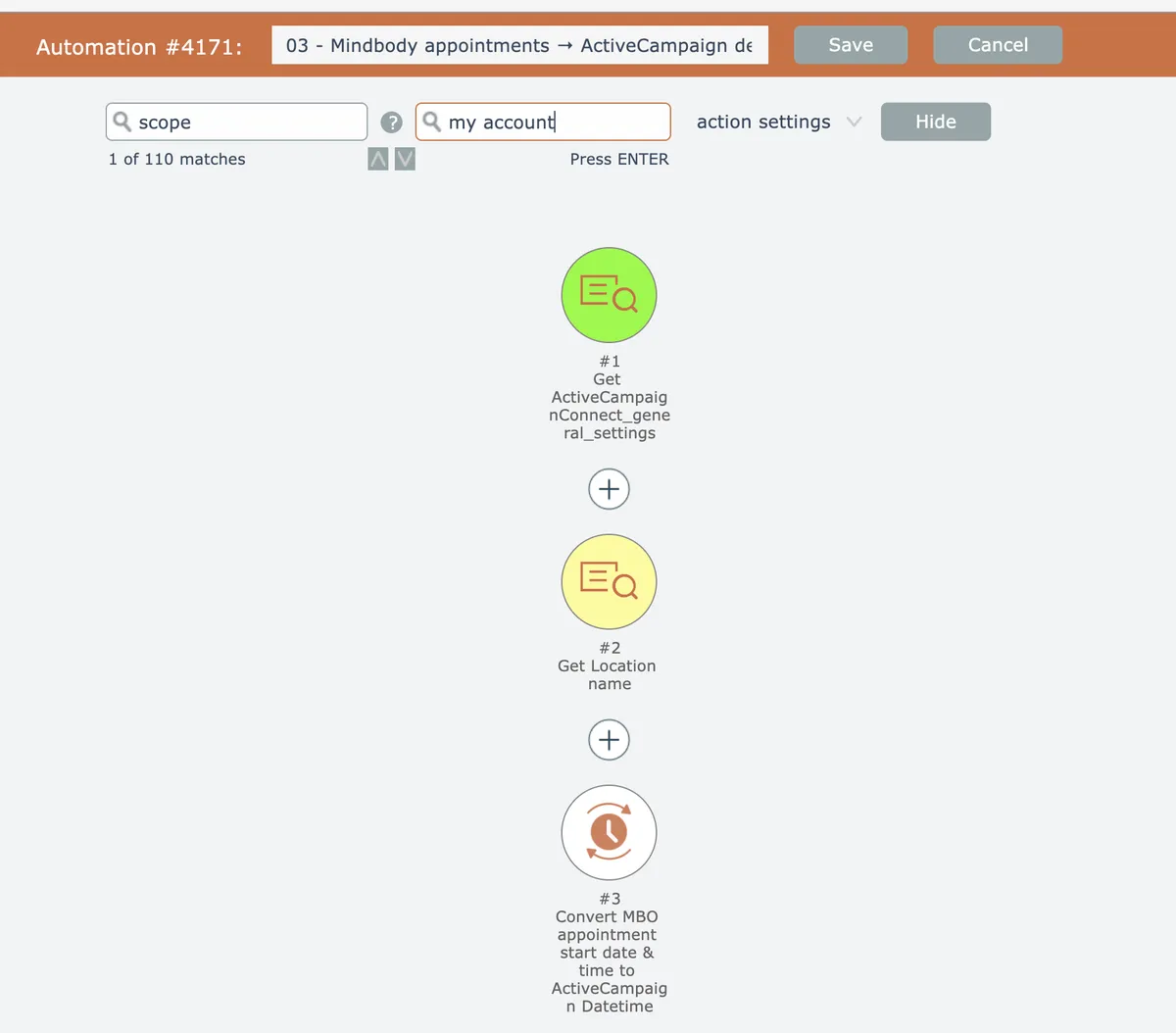
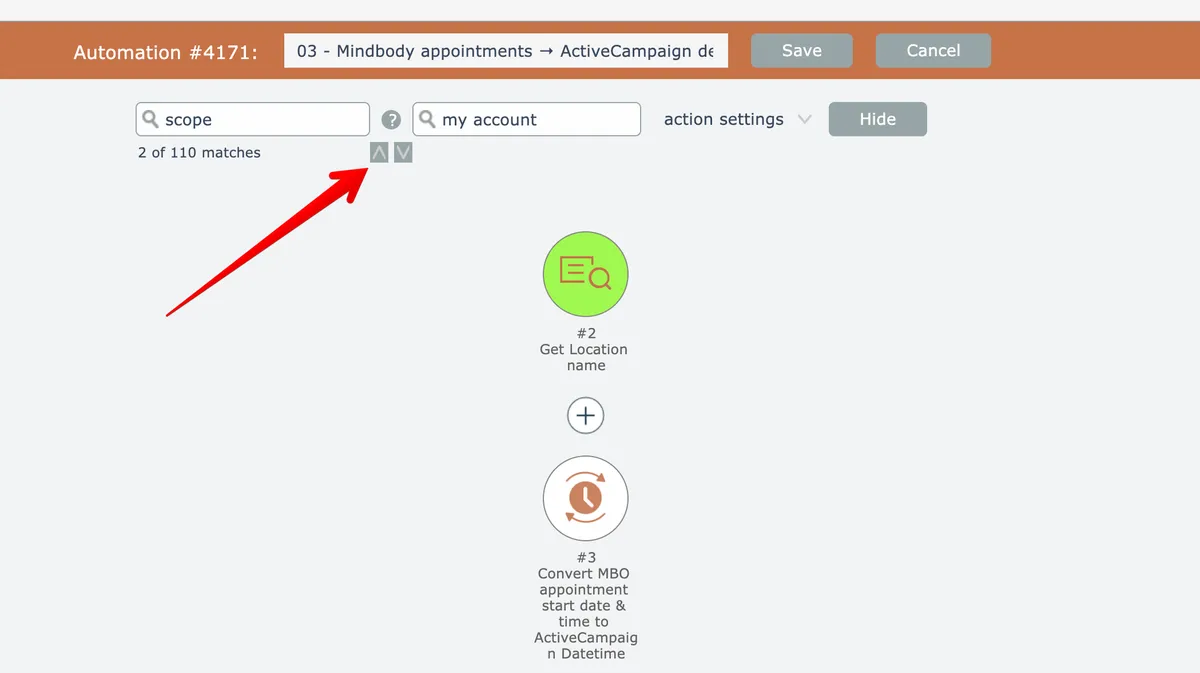
Use the up/down arrow buttons to move to the next/previous match, or press Enter or Shift-Enter:
Click the help button here to learn about other types of searches that can be done: