
GuidePlatform UI (Fallback)v1
Replace text in action field mappings
Use the find-and-replace feature to update text across multiple action field mappings simultaneously in your automation workflows.
To replace text in one or more action field mappings, first perform a search with the desired text to be replaced. See Search by field names
Then enter the replacement text and press Enter:
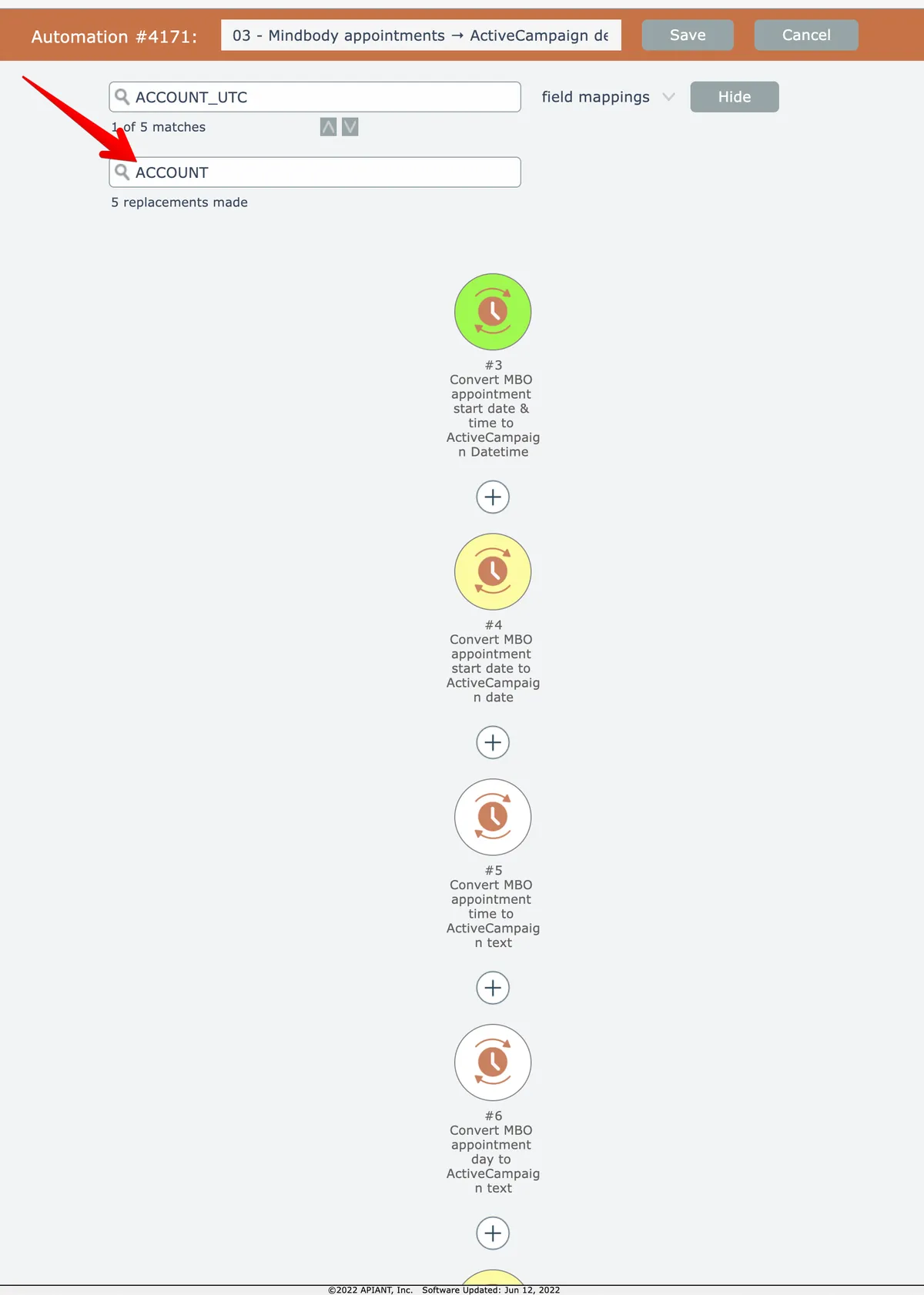
NOTE: the number of replacements made may not match the count of matches, as shown in the screenshot above. The number of matches is the number of actions that matched the search, while the number of replacements is the number of mapped fields that were modified.
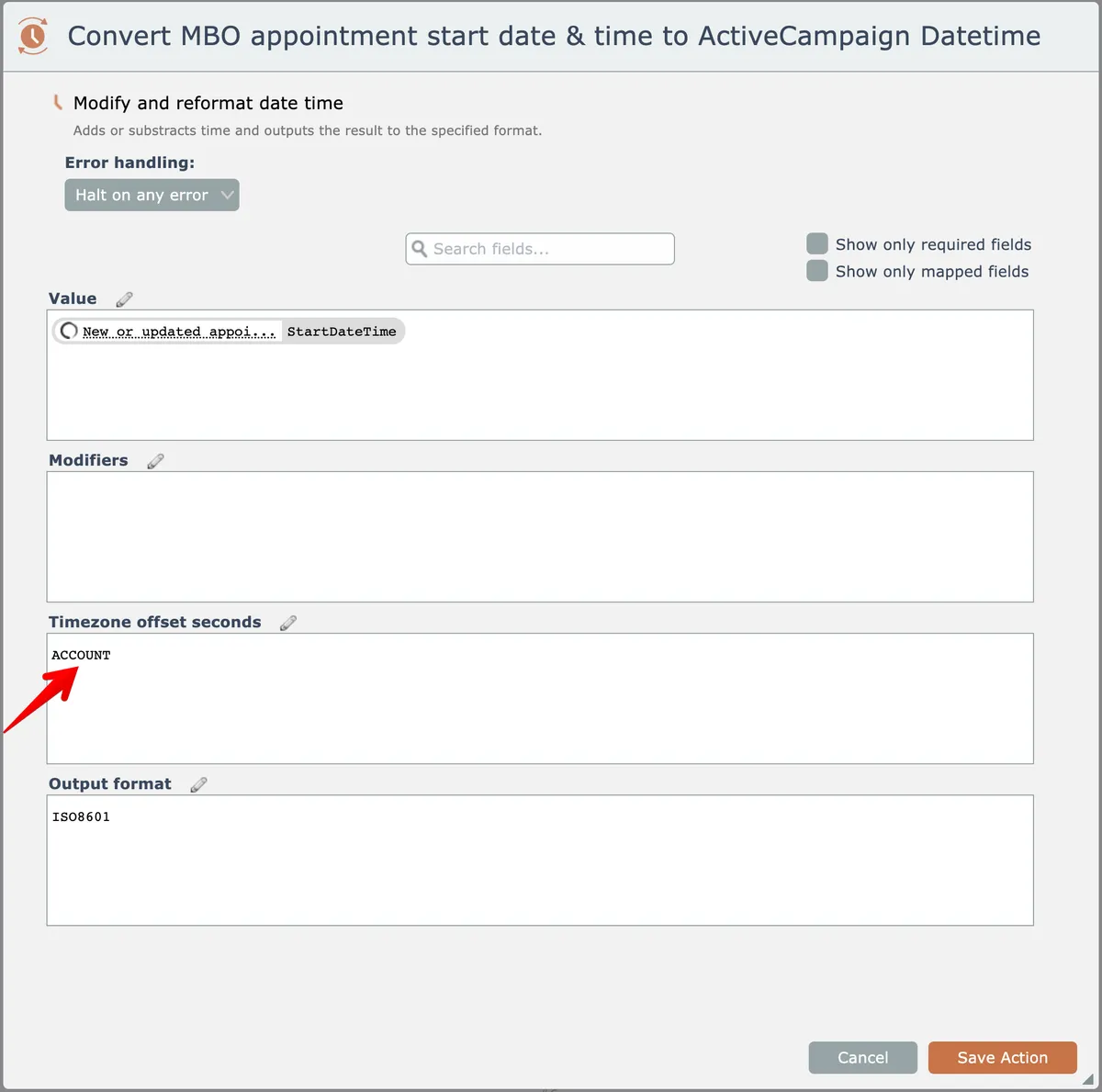
The search text is replaced where found in field mappings:
Related docs
Last updated May 4, 2026