
Changing the mapped parent action
Replacing a parent action in field mappings by selecting a different action that emits the same output fields through the swap arrow icon.
Consider these field mappings, where the "get contact" action emits contact information used for multiple field mappings:
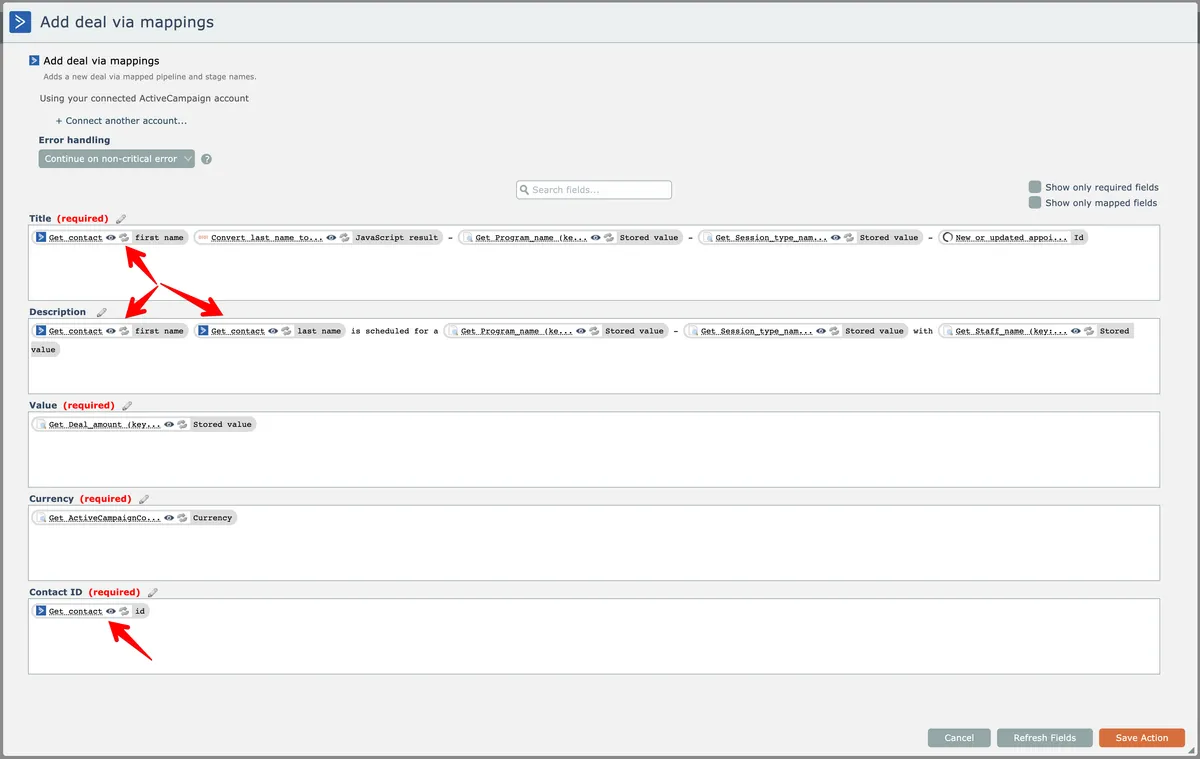
Let's say that instead of using the client information from the "get contact" action, we want to use a different action that will emit the same output fields but finds the contact in a different manner.
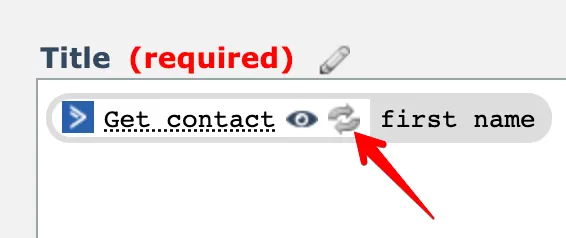
To do that, click the swap arrow icon next to one of the mapped fields:
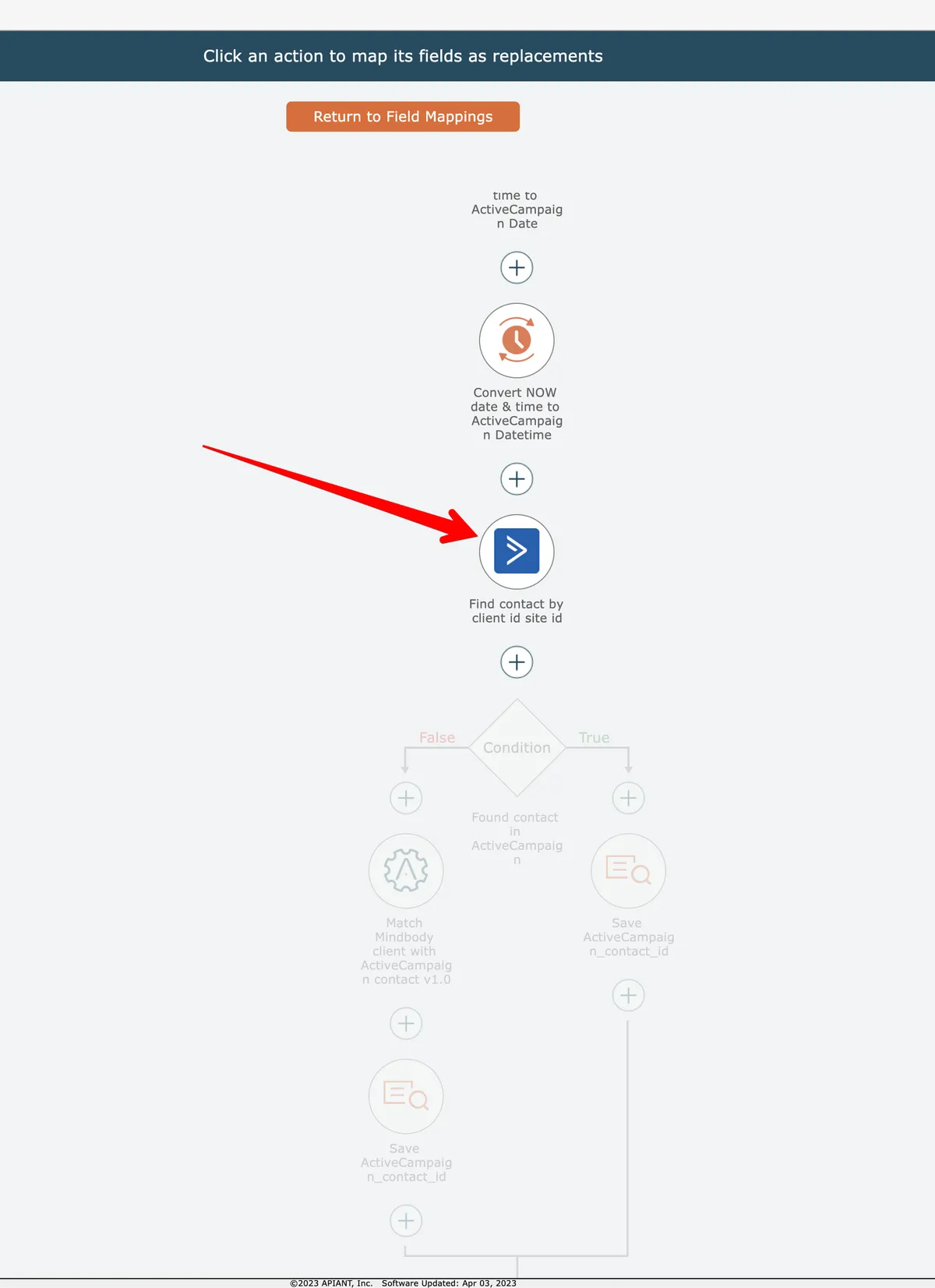
The automation diagram will appear, with possible parent actions enabled. Click a new parent action to select it:
The field mappings are adjusted so that the output fields previously mapped from "get client" are now mapped from the selected parent action:
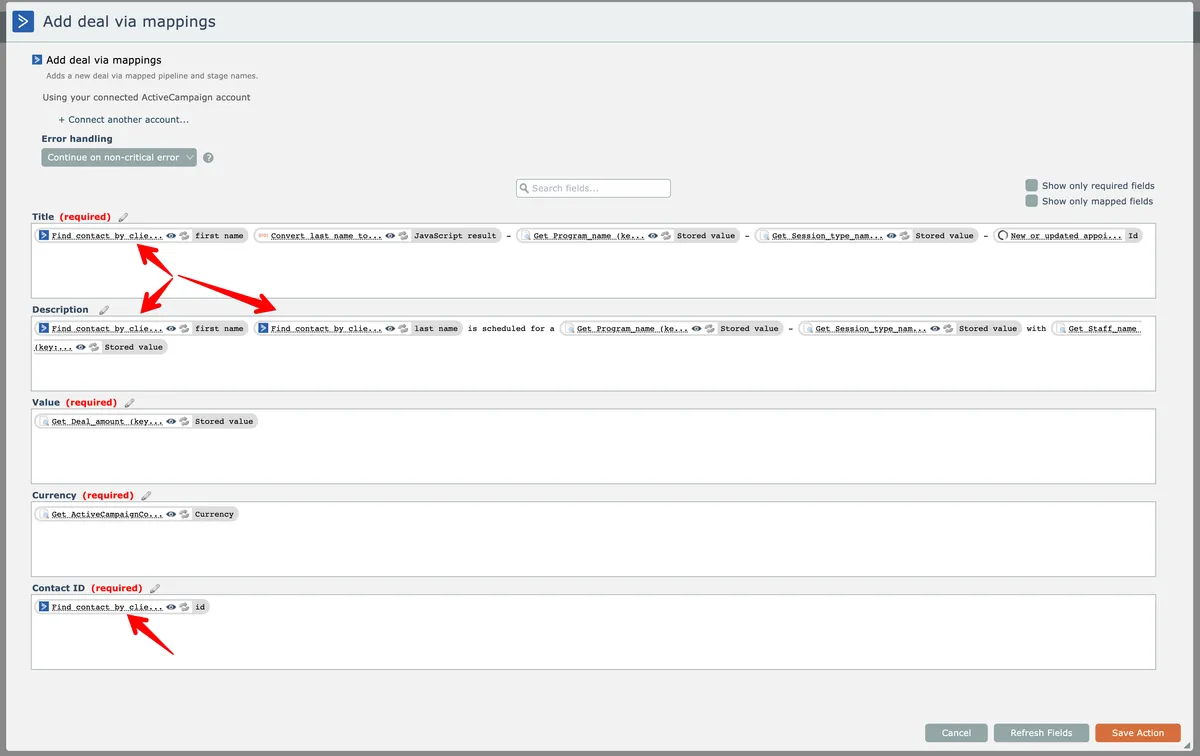
The editor does not validate that the newly selected parent action actually emits the same output fields.