
Logging
Configure debug logging for modules and subassemblies during assembly execution, enabling output to automation history or the debugger window with per-item toggle controls.
As assemblies are executed, each module can write debug information into automation logs (see Viewing item details in history) or the assembly editor's built-in debugger window (see Debug mode).
Debug logging can be disabled for each module or subassembly.
The state of each item's debug logging flag is saved when the assembly is saved.
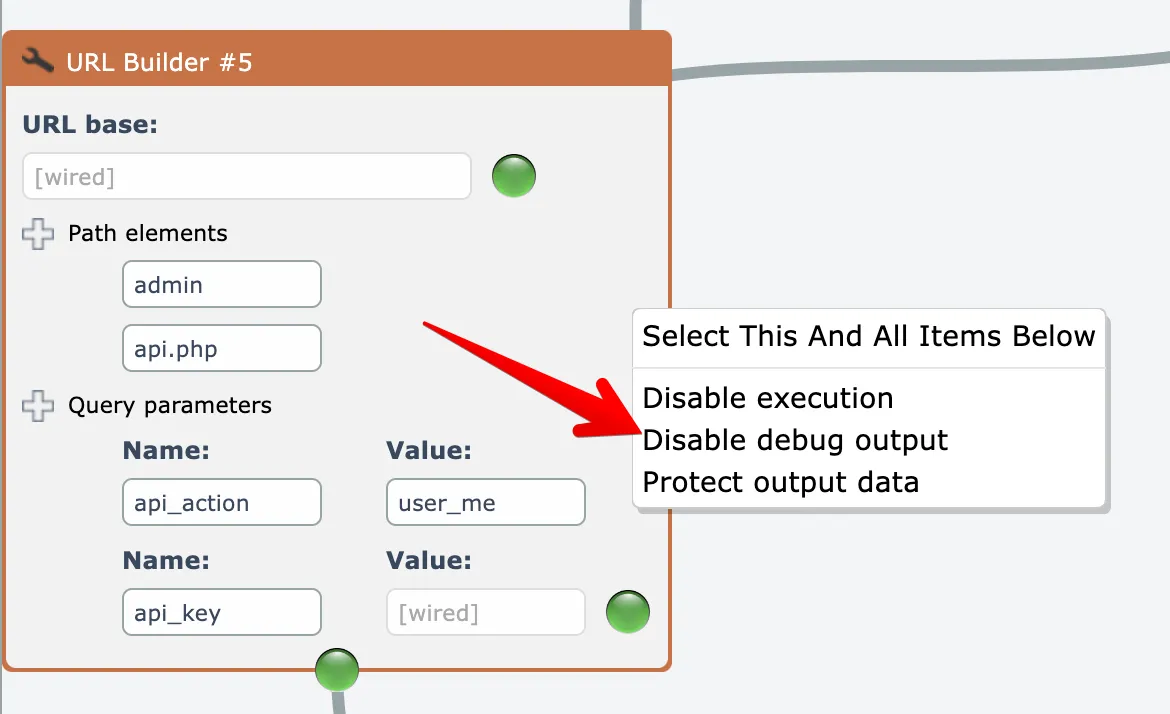
To disable debug logging for a single module or subassembly, right-click on the item and choose the "disable debug output" menu option:
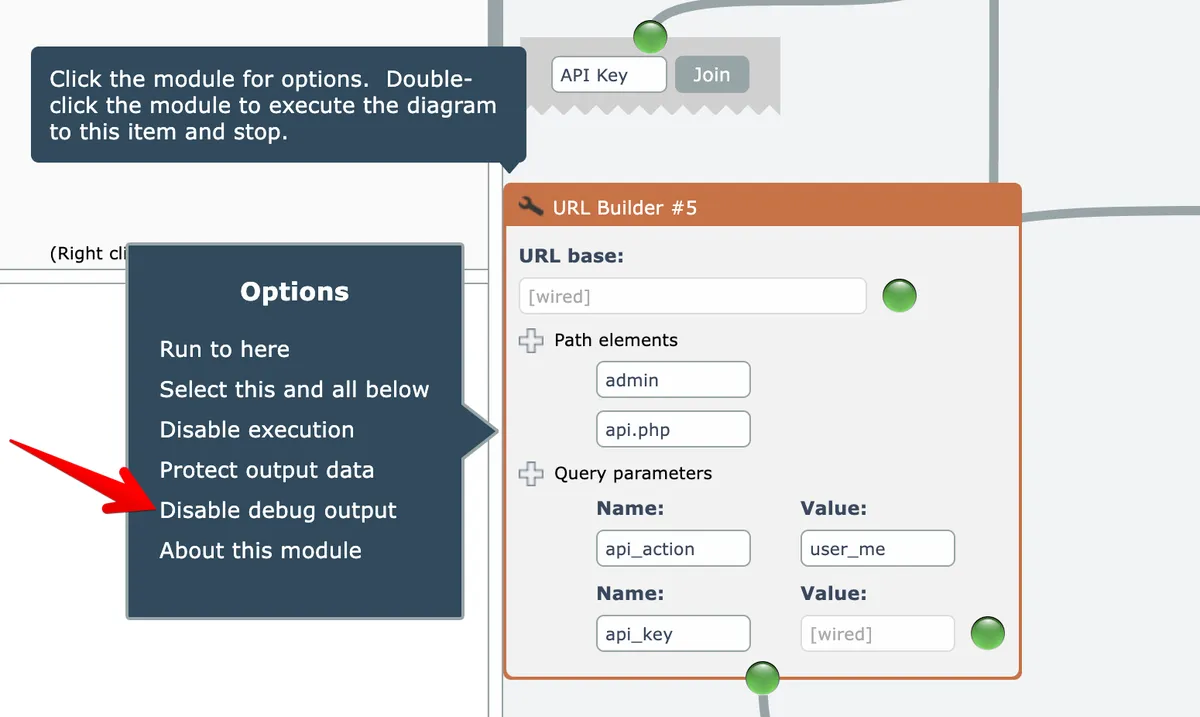
Alternatively, you can single-click on an item and choose the same menu option here:
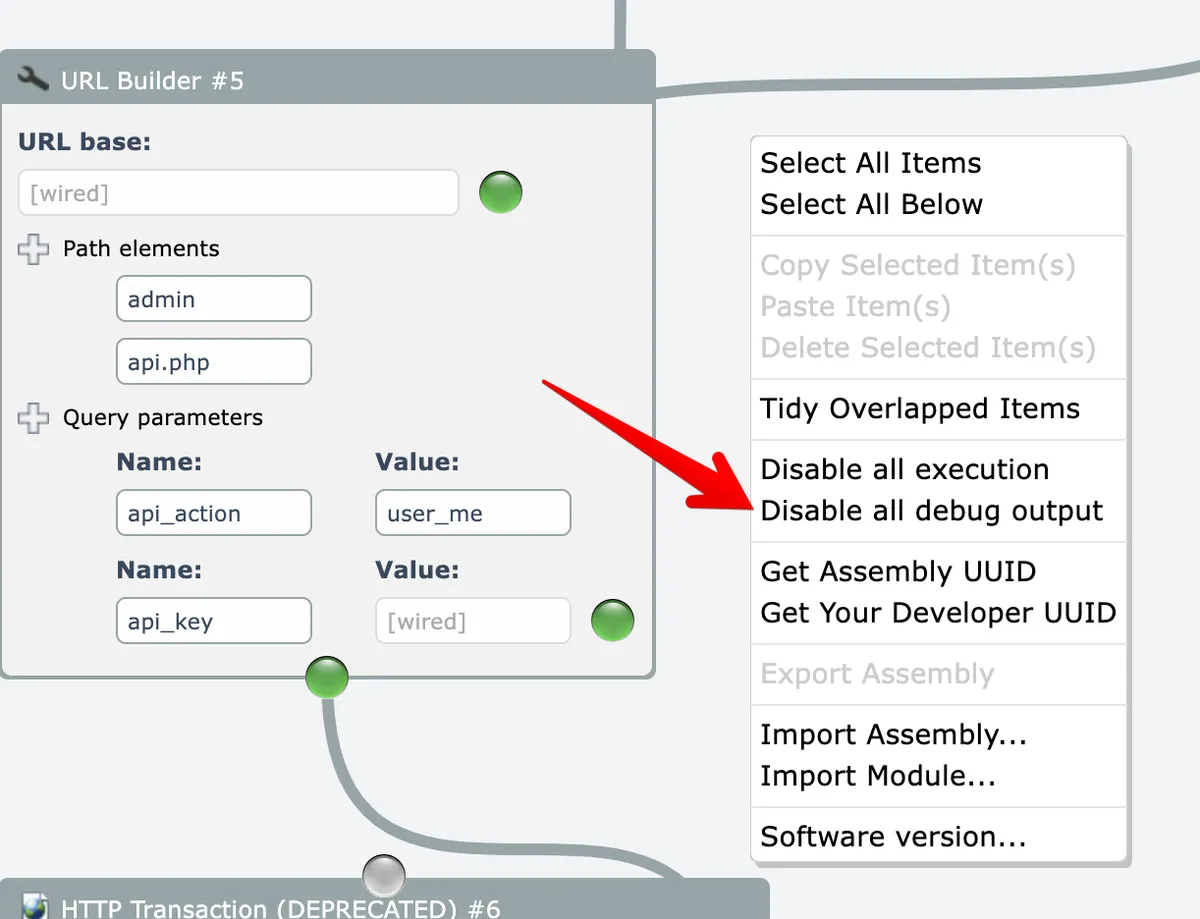
To turn off debug logging for all items in the diagram, right-click on the editor's background and choose the "disable all debug output" menu option:
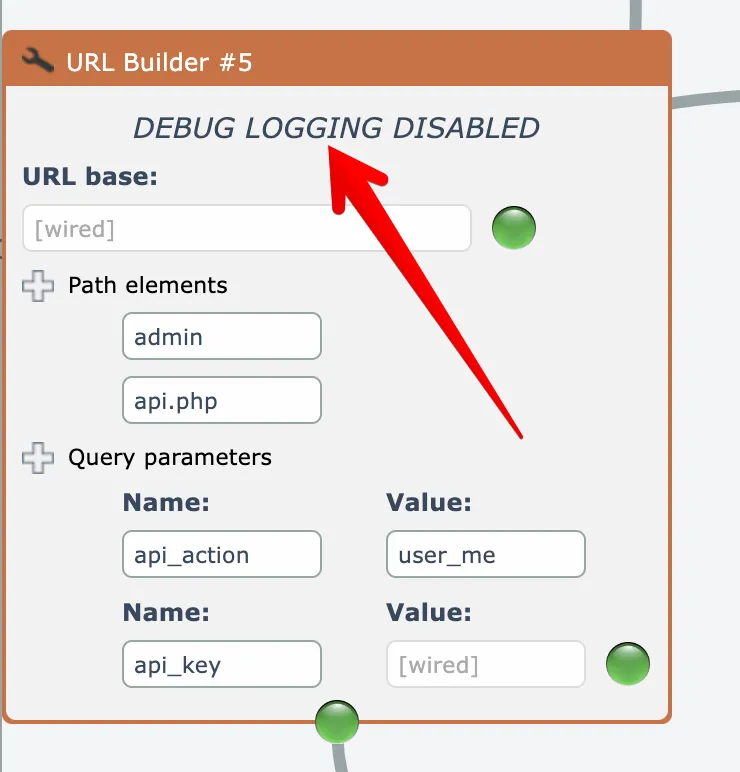
Items that have debug logging disabled will display a message at their top:
The menu options act as toggles, so you can re-enable item logging when needed.