
Try It Yourself: Experience the Buy-First, Book-Second Journey
A ~5-minute, no-credit-card test drive on your phone: buy a class on a demo Shopify store and experience the full ShopConnect buy-first, book-second journey — confirmation page, emails, and booking in Mindbody.
See it for yourself — in about 5 minutes
The best way to understand ShopConnect is to be the customer. In a few minutes on your phone, you'll buy a class on a demo store and watch the whole "buy first, book second" experience unfold — the booking page, the order confirmation, and booking your class in Mindbody. It's a real run on a live demo store, but it's free, nothing is charged, and no class is actually booked.
You'll need: your phone, an email inbox you can check on it, and the store password included in the email with this link. No credit card required.
Step 1 — Unlock the store, then open the Book Now page
- On your phone, go to https://apiant-demo-2023.myshopify.com and enter the store password from the email with this link. You'll land on the store's home page. (Shopify's password page always returns to the home page — that's normal; the store is now unlocked for the rest of your visit.)
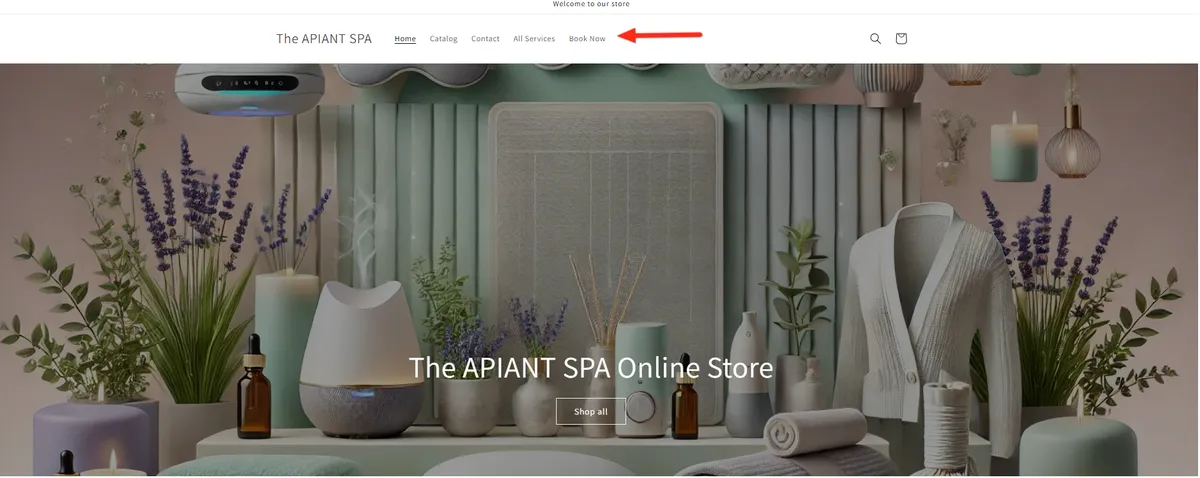
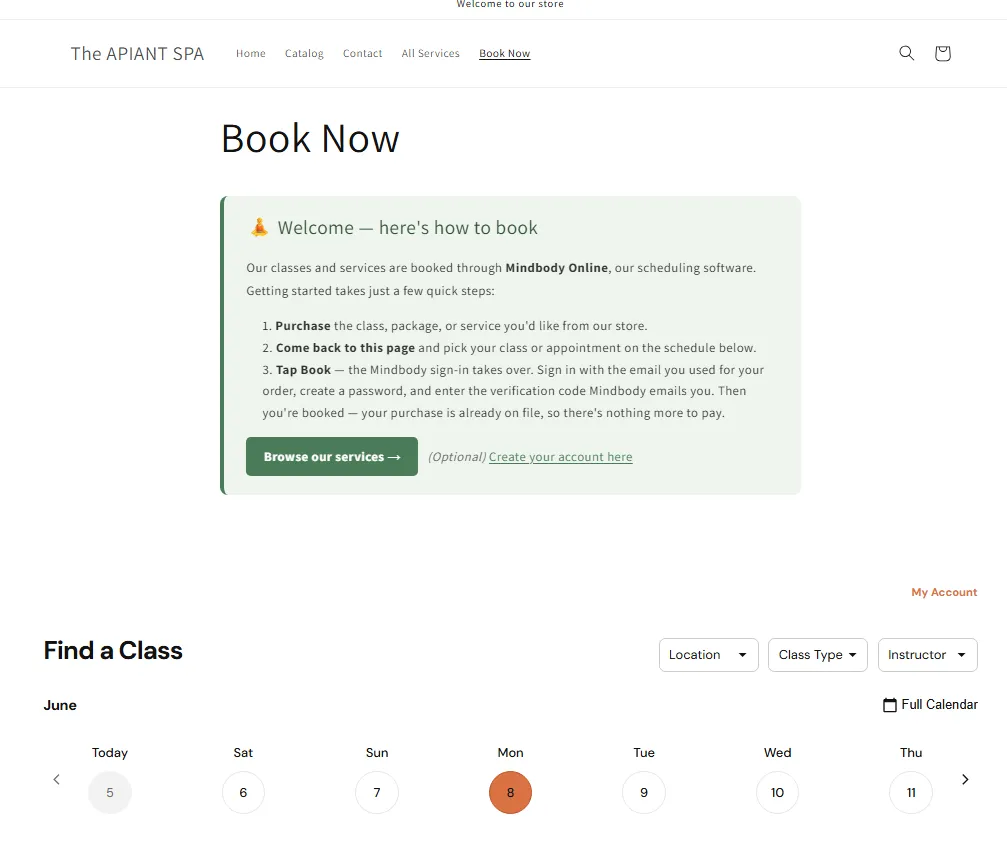
- From the top menu, tap Book Now (or the Book Now page). This is the page your customers use to book — the how-to-book steps plus your live class schedule (powered by Mindbody). Have a look, then head back to grab a class.
Step 2 — Buy a class (it's free)
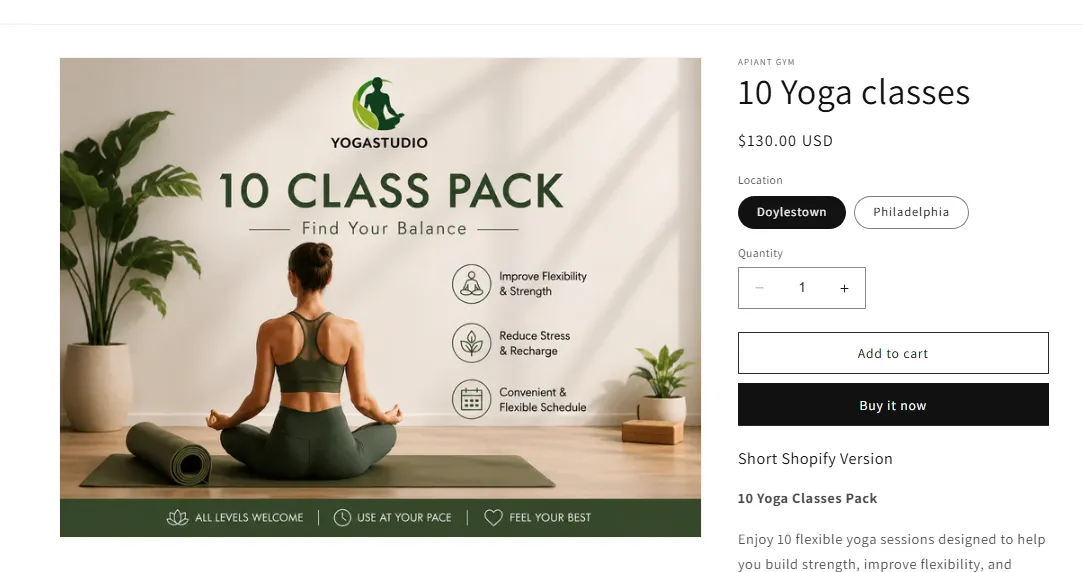
- Open 10 Yoga Classes (or find it via All Services / Catalog), tap Add to cart, then go to Checkout.
- Enter your real name and a real email you can check on your phone — you'll use this same email to book.
- In the discount code field, enter
TESTFREE→ your total drops to $0.00, the payment step disappears, and you can tap Complete order. No credit card needed.
Step 3 — Book your class (Mindbody takes over)
Right after your purchase, the Thank-you page tells you exactly what to do next:
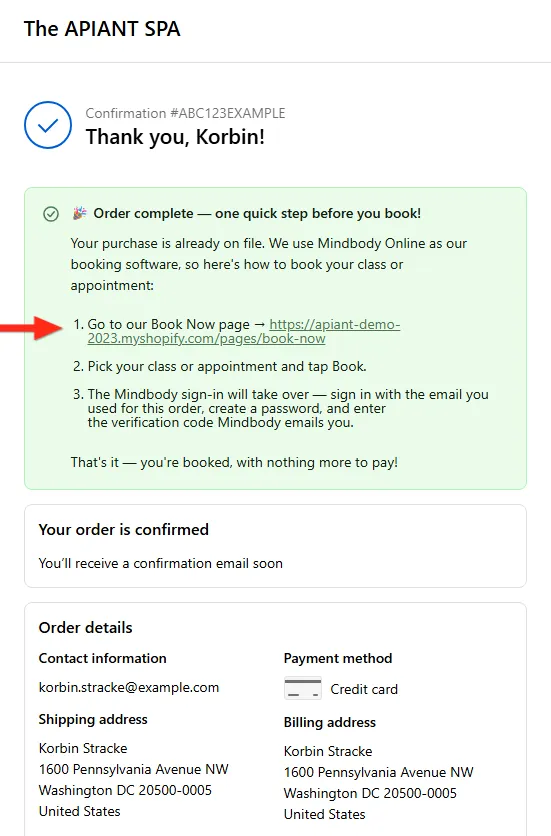
Go back to the Book Now page and book — here's the whole booking flow:
- On the Book Now page, find the Intro to Yoga class and tap Book.
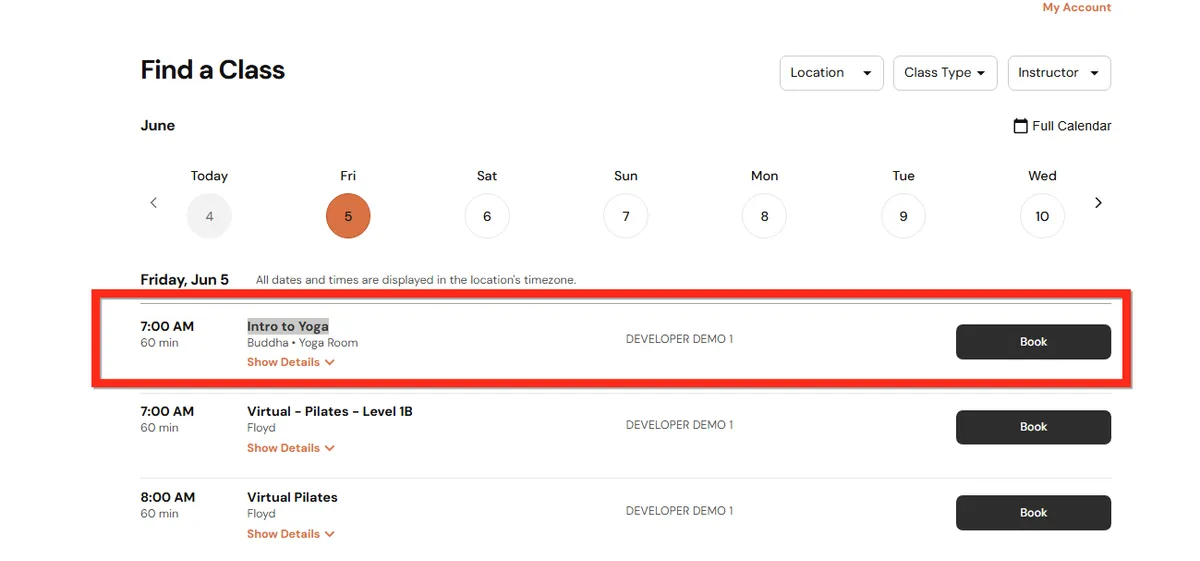
- Mindbody's booking software takes over. Sign in with the same email you used for your order.
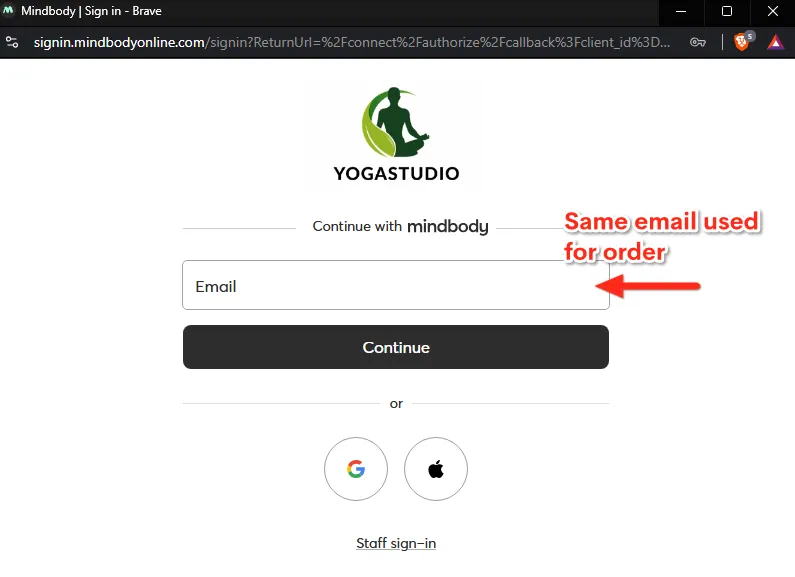
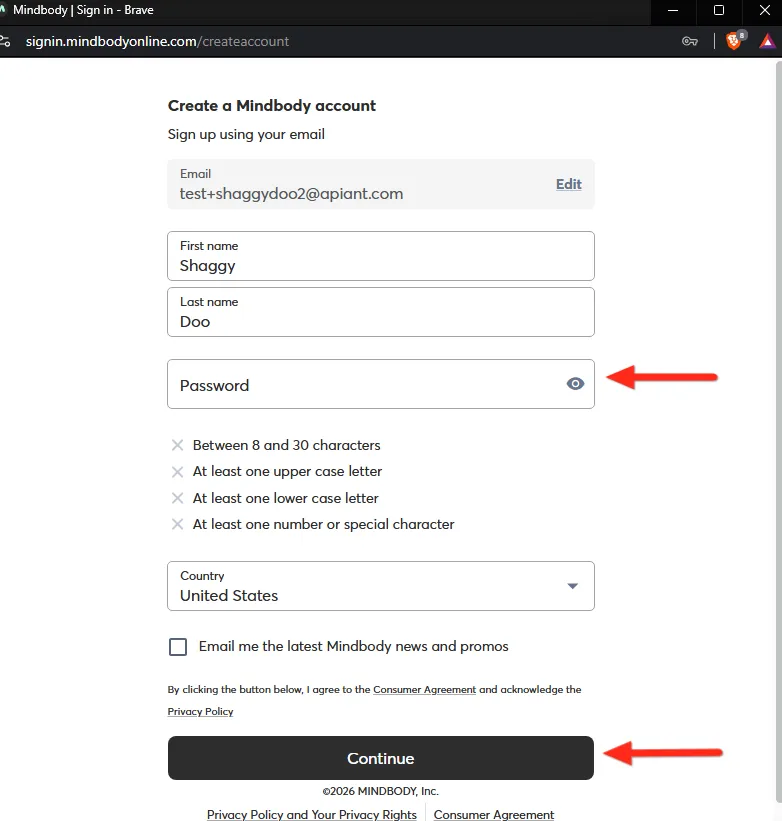
- Create a password. Your name and email are already on file (from the purchase) — you're just setting your login.
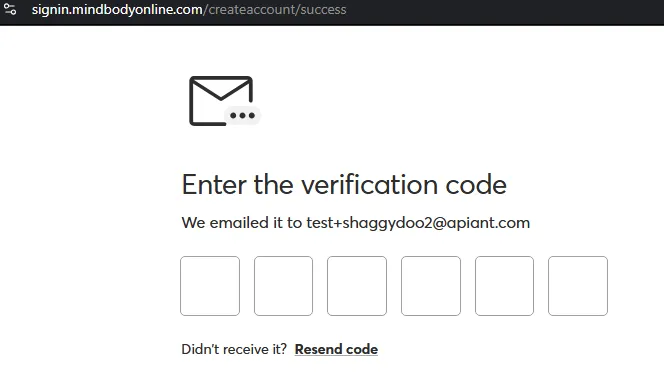
- Enter the verification code Mindbody emails you.
- Done — you're booked! Your purchase was already on file, so there's nothing more to pay.
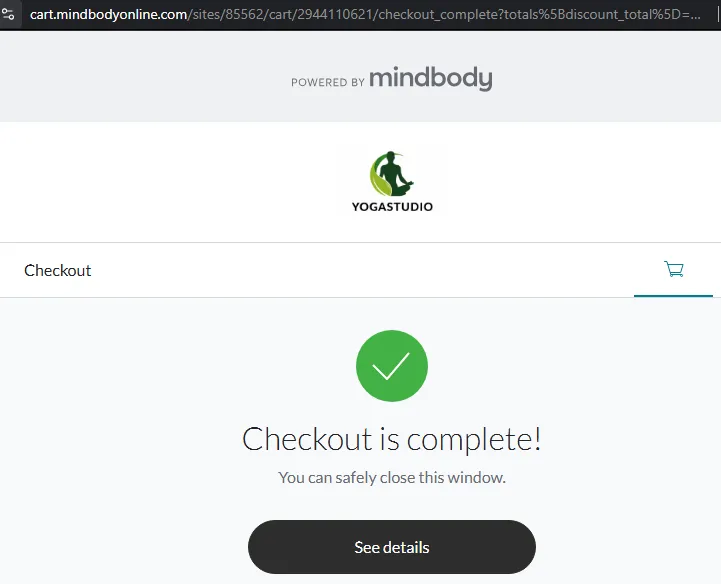
Your class now shows on your Mindbody schedule:
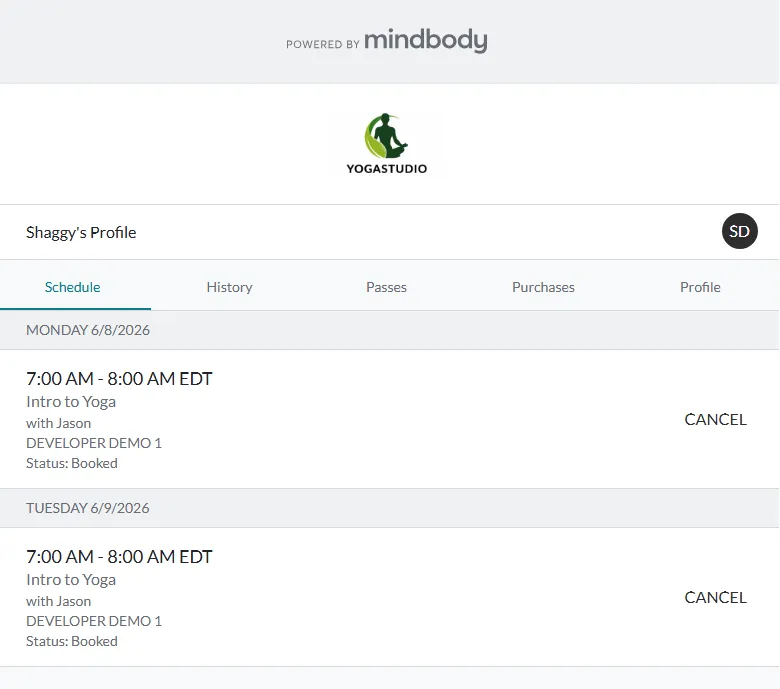
For this demo, please book the Intro to Yoga class specifically — it's the one set up to work with the test purchase. Other classes on the schedule won't complete a booking during the test.
That's the whole journey 🎉
You just experienced what every ShopConnect customer's buyer goes through:
Buy in Shopify → ShopConnect creates your Mindbody account → log in and book.
No separate "set your password" email, no manual data entry, no missed sales — the purchase and the client record are connected automatically, and Mindbody walks the customer through setting their password right as they book.
Want to set this up for your own store?
See Selling on Shopify Without Mindbody Payment Processing: The Buy-First, Book-Second Journey for the customer-communication playbook, and How to Add a Mindbody Booking Widget to Your Shopify Store for the booking-page build.