
Disabling data storage
Configure automations to prevent the system from storing processed data, useful for compliance with privacy regulations like HIPAA.
An automation can be configured so the system will not on its own store any data that the automation processes.
An example of when this may be desirable is for US patient privacy HIPAA law.
To disable automation data storage, select this menu option:
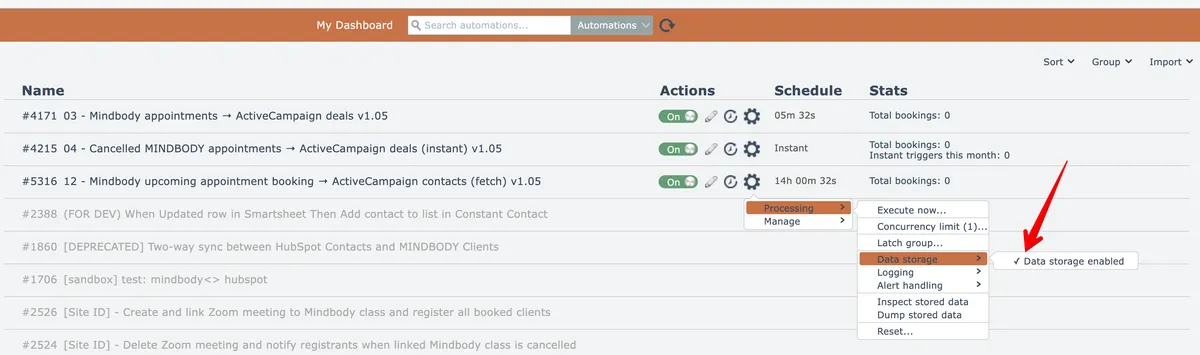
The menu option will then appear like this:
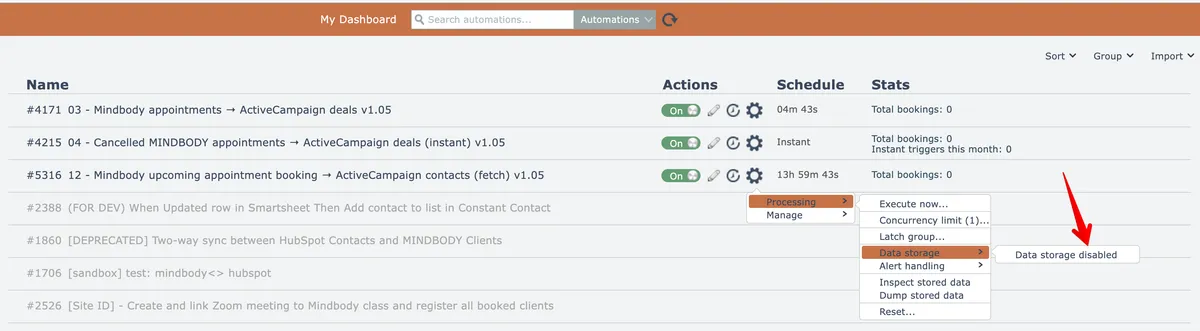
Data storage can be re-enabled by selecting the menu option again.
When data storage is disabled, all automation logging is turned off and the automation's data processing history pages will not show any processed data. It will not be possible to search transaction history for any data b/c there is no retained data to be searched.
It will not be possible to retry failed transactions b/c the system will not store information needed to perform retries.
The automation is still able to write information into the system's database via Lookup Table actions. The information the automation may write into the system's database is dependent on the automation's implementation.