
Concurrency
Configure how many instances of an automation can run simultaneously, controlling parallel execution for webhook triggers and execution chains.
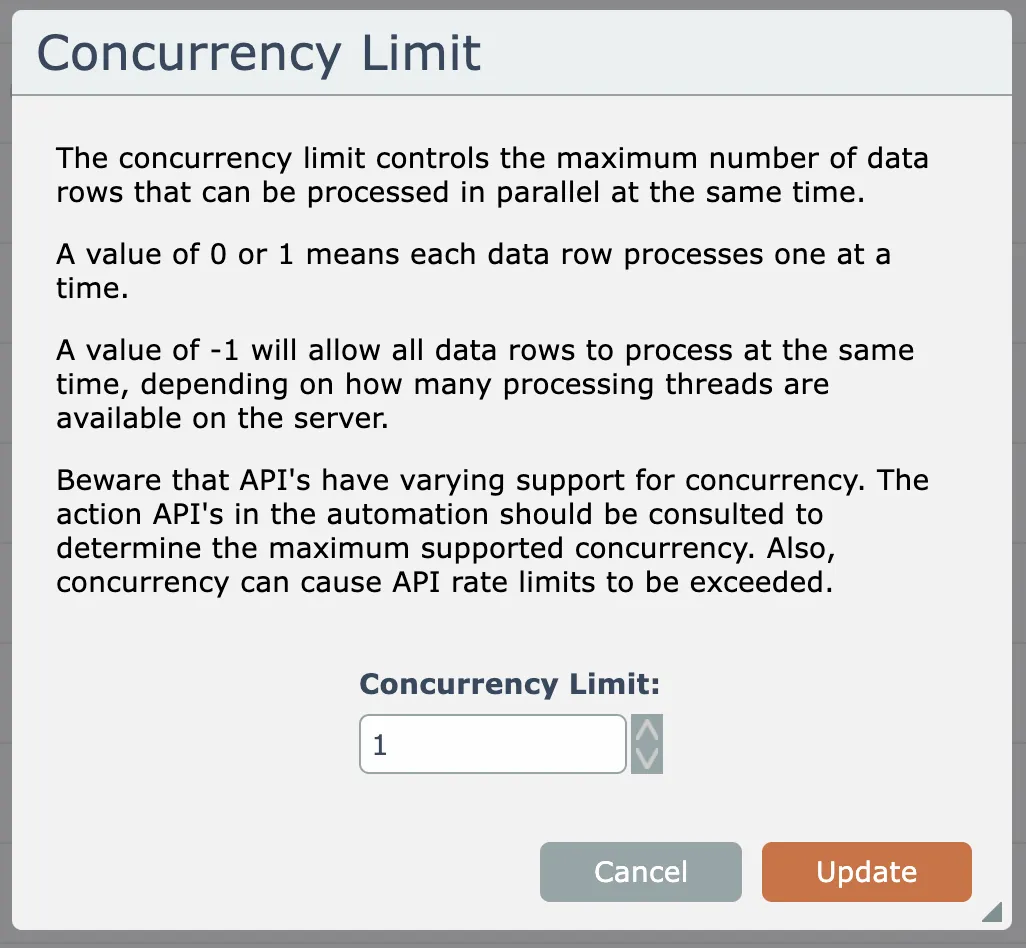
Concurrency controls how many instances of the automation may run in parallel at the same time.
Generally, concurrency only applies to automations containing only webhook instant triggers.
For example, let's say an automation has a CRM "add person" instant trigger. And that the automation's actions take 10 seconds to do their processing for a single new person.
If 3 new people are added in the CRM in quick succession (say within a couple of seconds), the CRM will send 3 webhooks to the automation.
If the automation's concurrency limit is set to the default of 1, then each of those 3 person records will be processed one after another, in a total of 30 seconds.
If on the other hand the automation's concurrecy limit is set to 3, then each of those 3 person records will be processed at the same time, in a total of 10 seconds.
Concurrency can also be relevant to automations without any instant triggers in the event an automation having webhook instant triggers invokes another automation via an "execute automation" action.
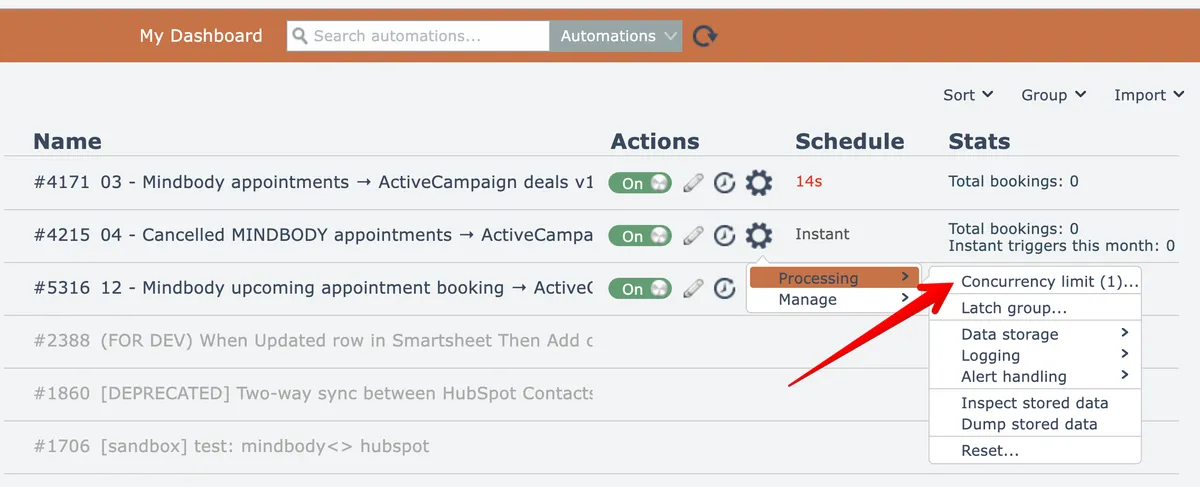
To change an automation's concurrency limit, select the menu option under the Processing menu:
Then configured the new limit:
Whether or not the system can actually process the automation to its maximum configured concurrency limit will depend on the system's resources, including the load of other automations being processed and the system's configuration.
API calls within actions will usually have their own concurrency limit. When actions exceed an API's concurrency limit, usually the API returns a 429 HTTP status code meaning that the API's rate limit was exceeded.
So setting an automation's concurrency limit too high for the actions it uses can cause the automation to begin to report errors. There is no free lunch!