
GuidePlatform UI (Fallback)v1
Stop sharing a subroutine
Revoke access to private subroutines by stopping sharing with all accounts at once or selectively removing specific account permissions.
Accounts having the "Share content" permission can share private subroutines with other accounts in the system. See Share a subroutine
Sharing a subroutine can be stopped either per account or for all accounts at once.
To stop sharing a subroutine for all accounts at once, right-click on the subroutine and choose the "Stop sharing" option:
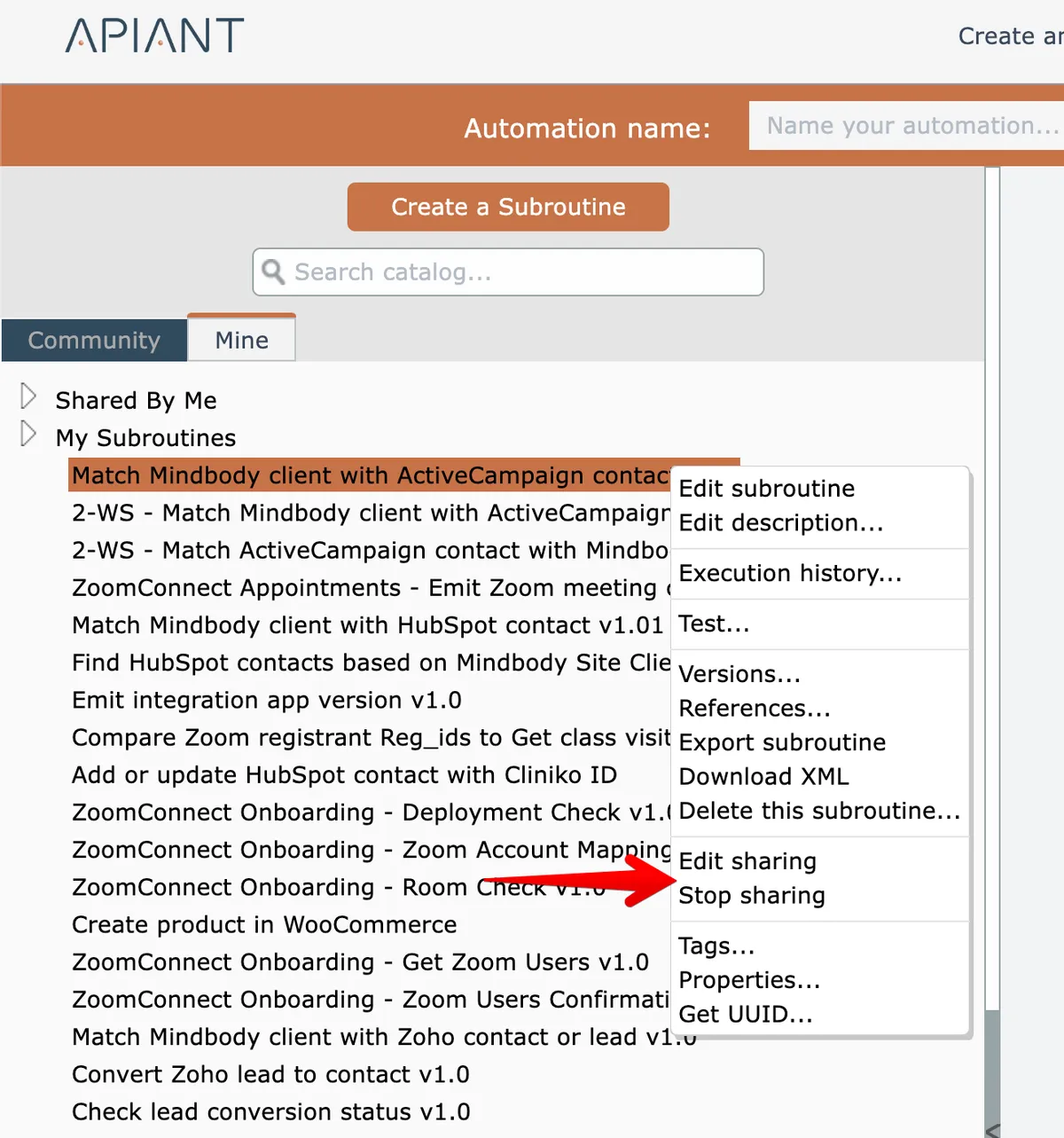
To stop sharing the subroutine per account, otherwise choose the "Edit sharing" option:
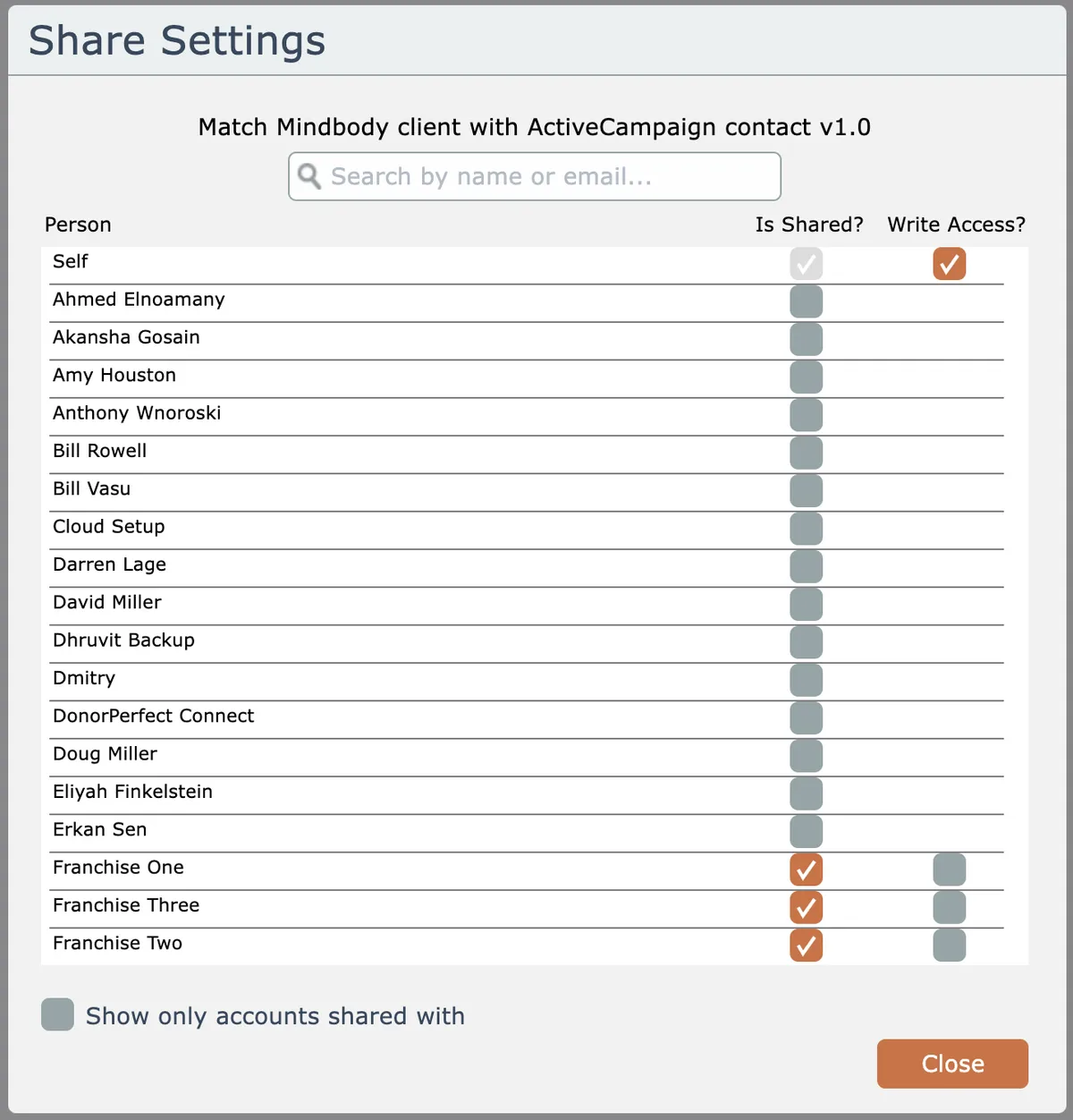
Uncheck accounts to stop sharing with them.
Related docs
Last updated May 4, 2026