
Submit Button
Configure default and custom Submit buttons for forms, including text customization, styling with highlight colors, and layout options with additional content.
Default
All forms include a default Submit button that will appear centered at the bottom of the form.
Click the form design background to edit the text of the default Submit button:
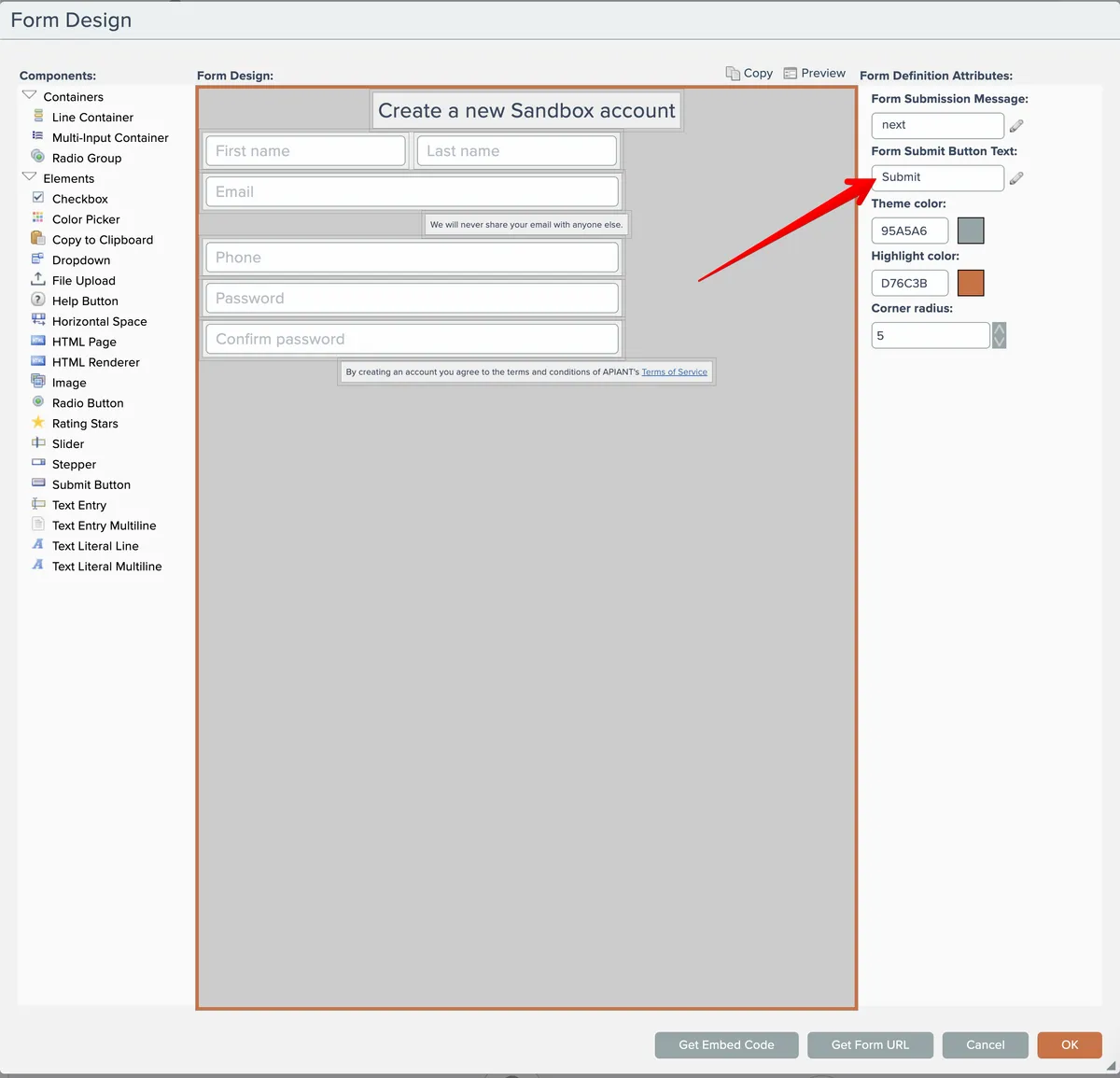
The default Submit button will inherit the Highlight Color, also configured in the form's attributes shown above.
Custom Submit Button
If you need more control over the appearance of the Submit button and/or want to have content around it, use the Submit Button element in your design:
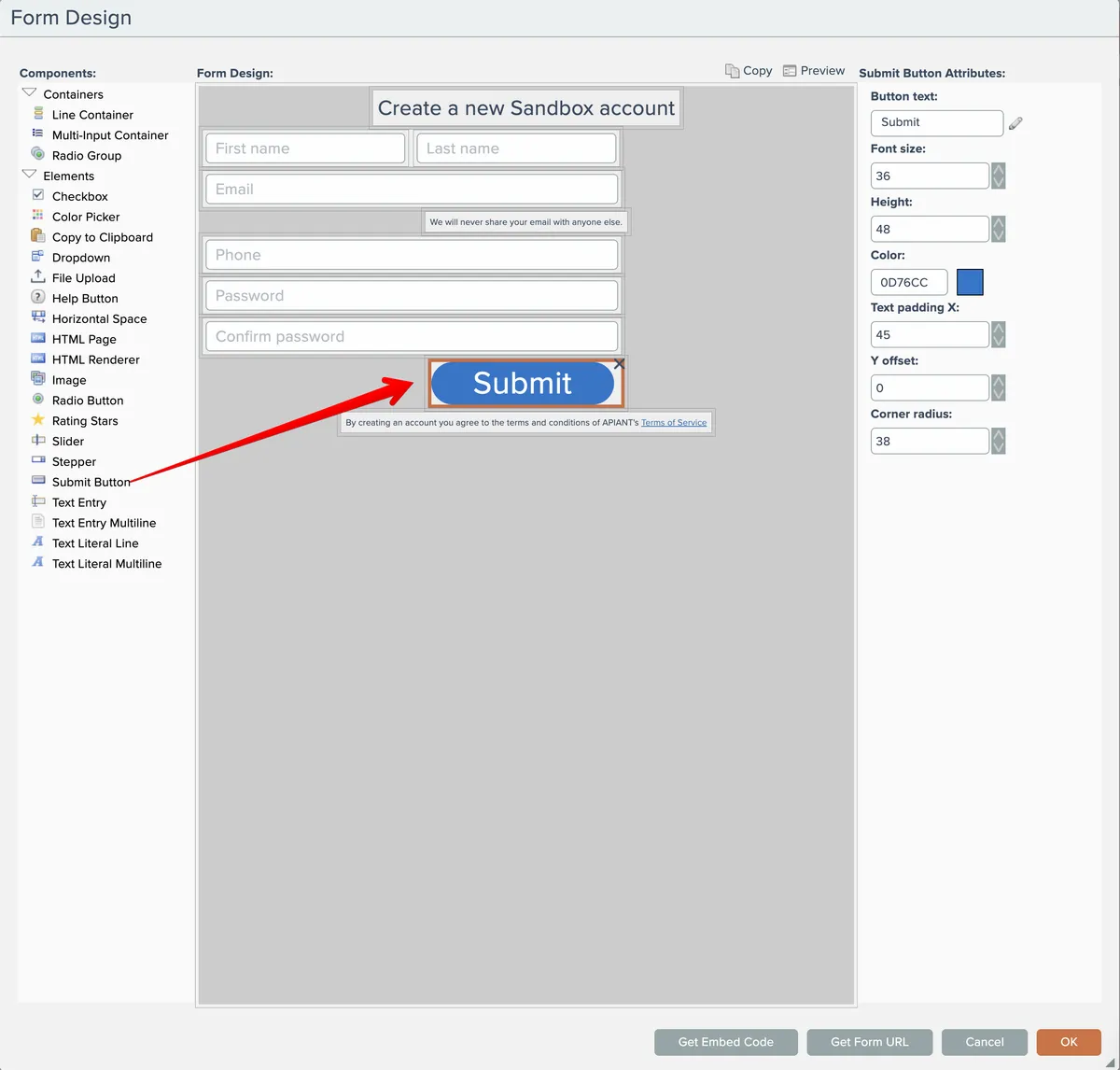
Unlike the default Submit button which remains at a fixed position at the bottom of the form even if scrolling is needed due to the form's height, a custom Submit button needs to be scrolled into view if the form is too tall to display without scrolling.