
GuideAPI Appsv1
How to use the Shareable Link Email
Configure the shareable link email so a single assigned address receives a Zoom meeting's join link.
The shareable link email sends a Zoom meeting's join link to one assigned address when the meeting is created.
Delivery timing follows your ZoomConnect settings — for example, if configured for 24 hours before class start, the email arrives 24 hours prior. It applies only to that specific meeting instance and can be deleted after the meeting ends.
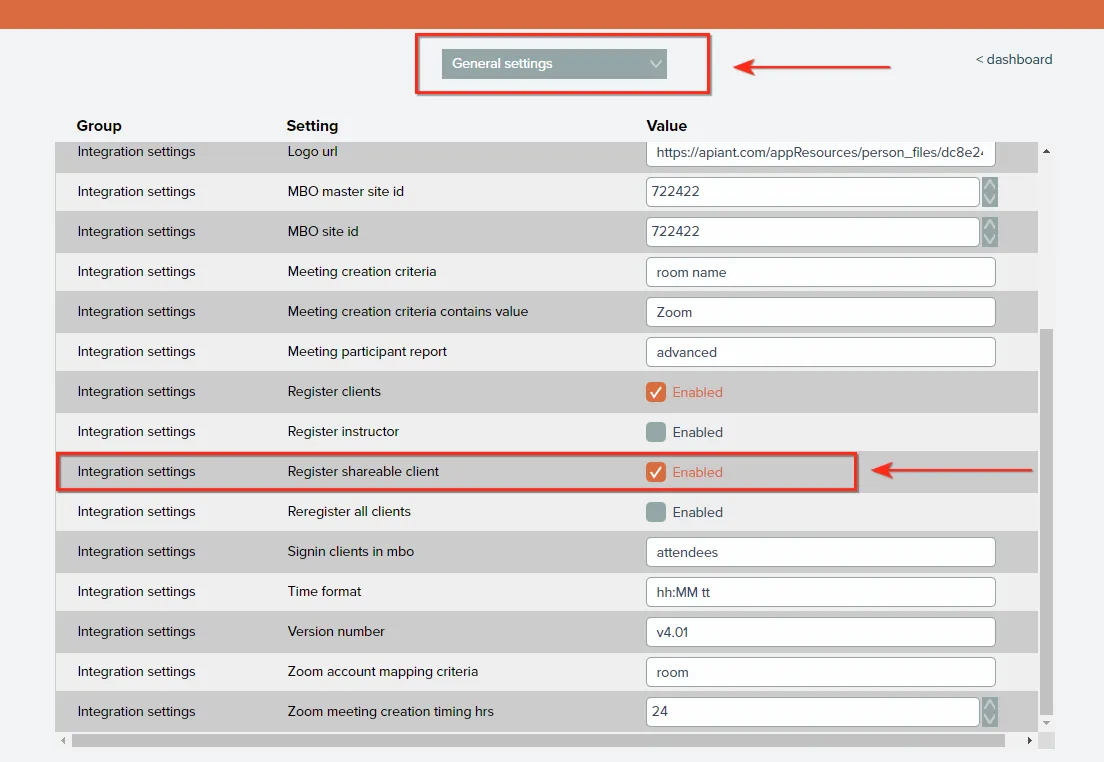
Step 1 — Enable "Register shareable client"
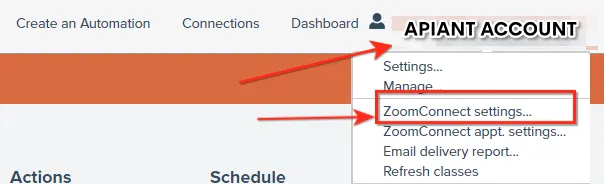
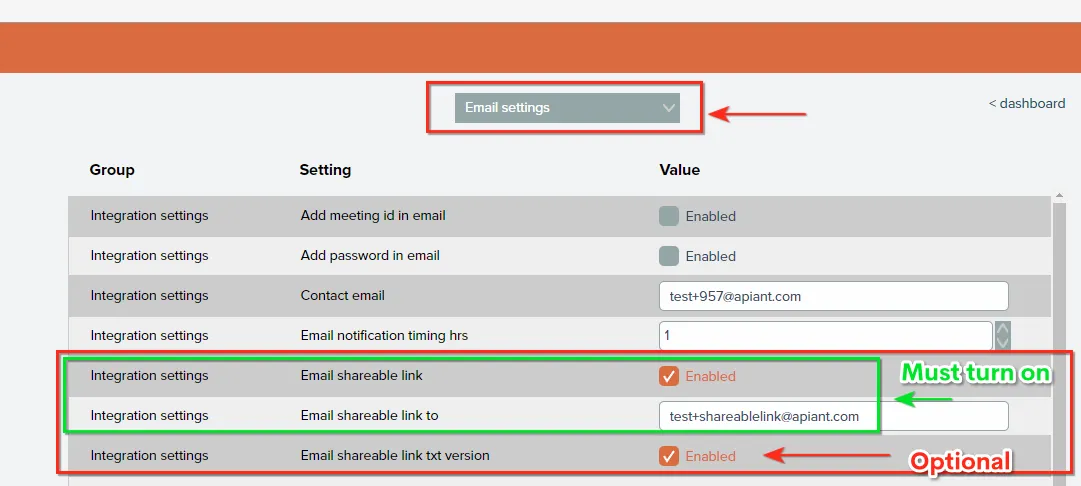
Step 2 — Enable "Email shareable link" and assign the address
You can send to one email address only.
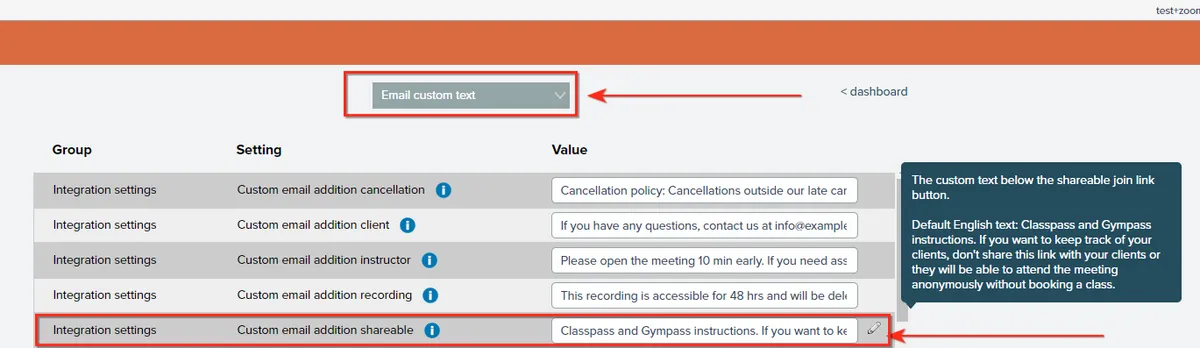
Step 3 — Edit the text in "Custom email addon shareable"
This text appears in the email. You can copy content from the Custom email addon client field.
Related docs
Last updated June 11, 2026