
GuideAPI Appsv1
Send recording to a client
Automatically send Zoom recording links to clients booked in completed classes when the post-recording email setting is enabled.
Available from version 4.01
Sends a Zoom recording link to a specific client after a class was completed
Starting in version 4.01, clients booked into a completed class can be automatically sent an email containing the Zoom recording link. This is in conjunction with a new setting called "Send post Zoom recording" that has to be enabled:
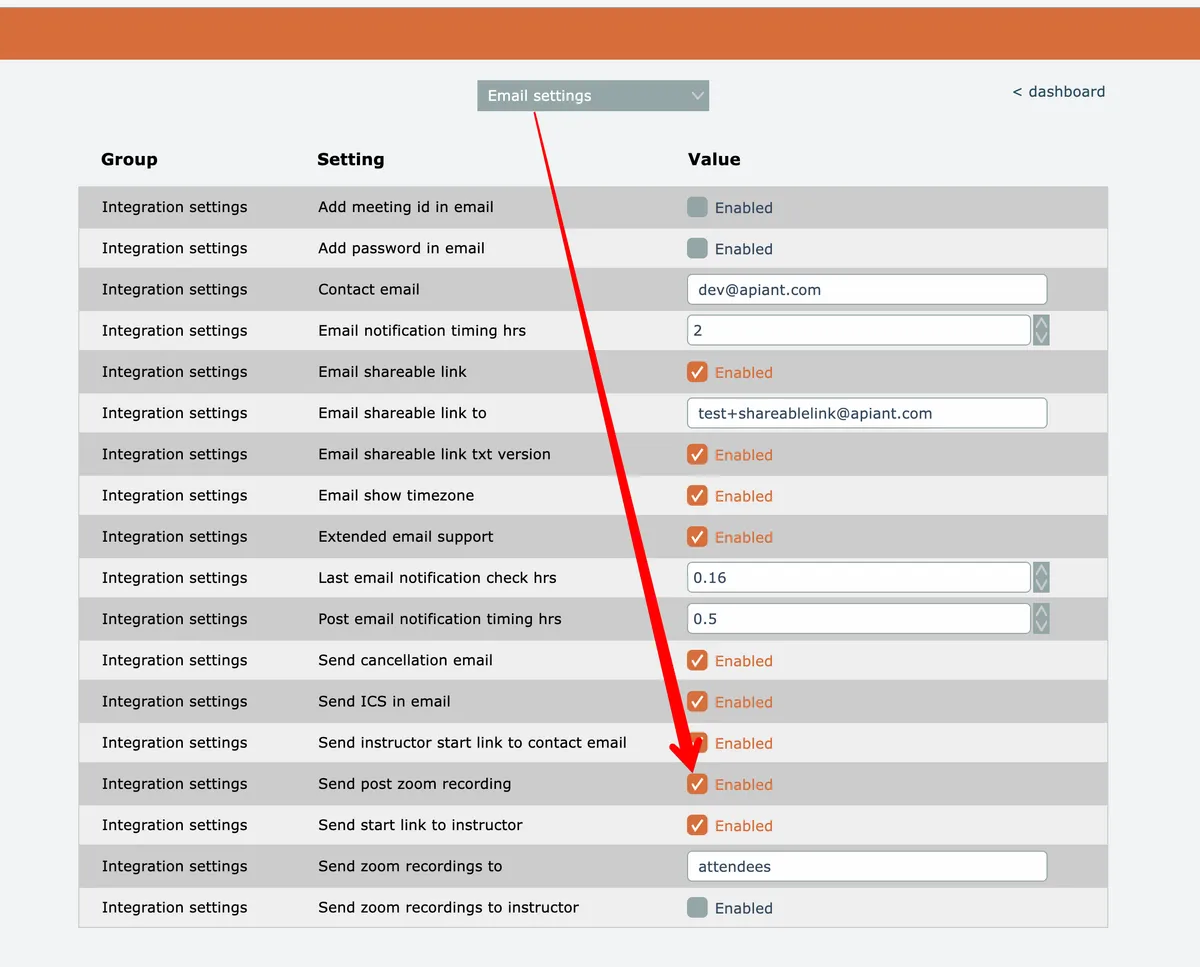
With the setting enabled, all you need to do is to sign up the client for the completed class in Mindbody and the system will send the client an email containing a link to the Zoom recording, if available. Note that the system will not send the client a join link email b/c the class has already been completed.
Related docs
Last updated April 27, 2026