
Edit execution windows
Configure time windows for each day when automations are permitted to run, such as business hours or weekends, with minimum duration requirements based on polling rate.
Execution windows allow windows of time to be defined for each day when an automation is permitted to be executed.
For example, you may want an automation to only process during business hours. Or only on weekends.
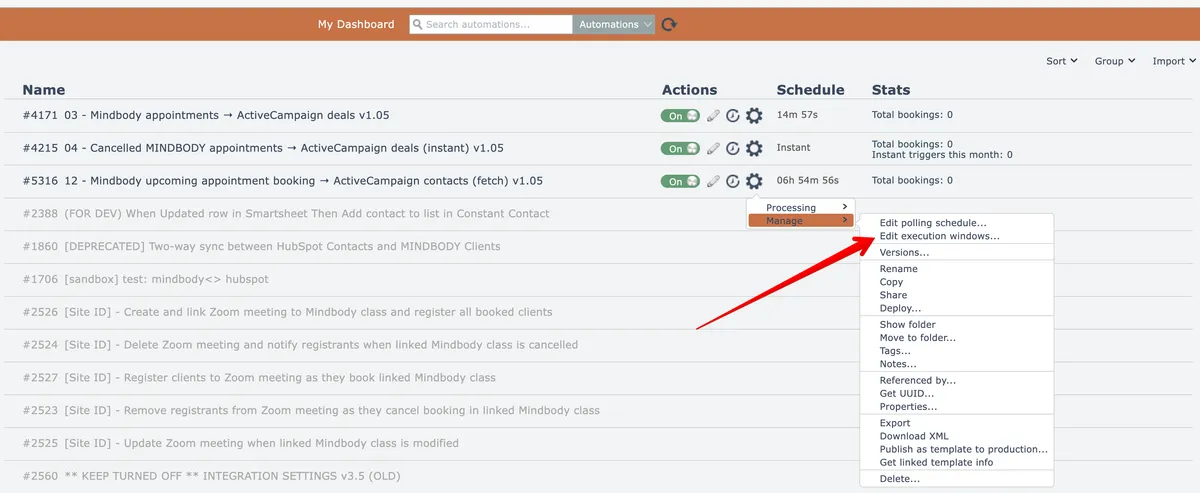
To edit an automation's execution windows, choose this gear menu option:
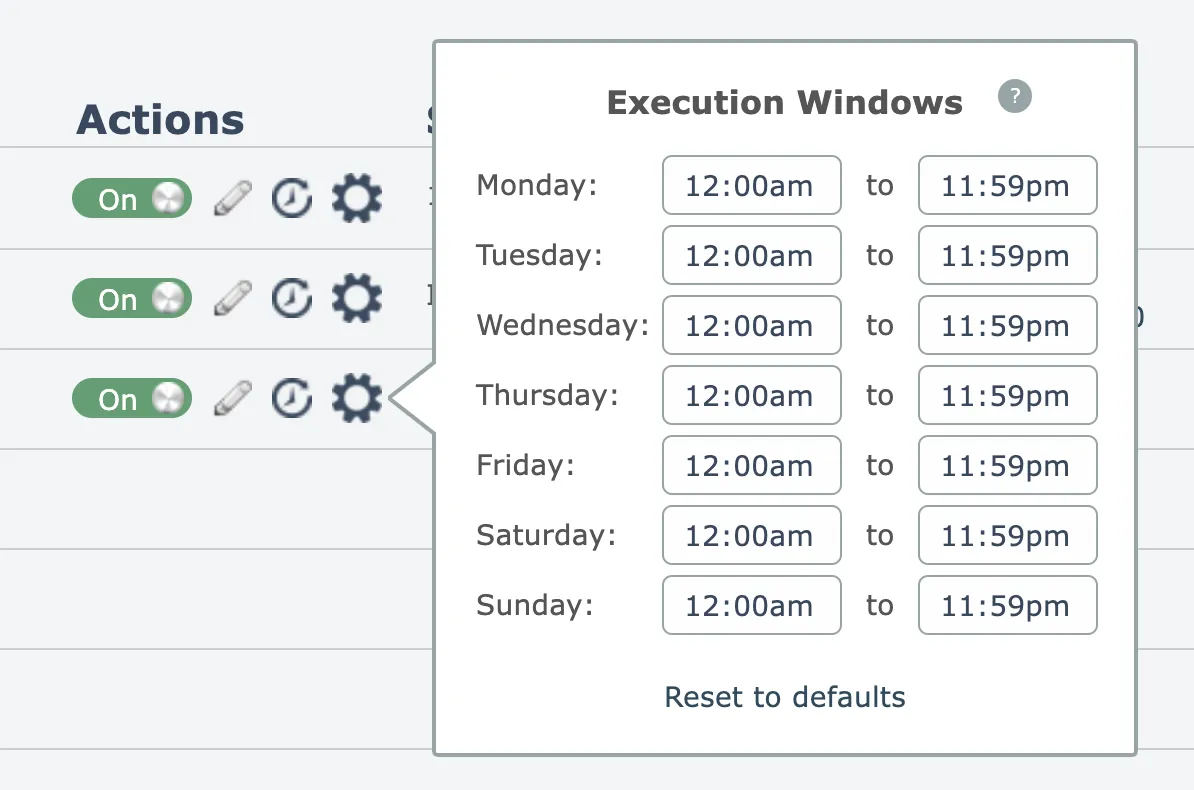
To not run an automation for a certain day, set the start and stop times to the same values.
The execution window duration for a day must be at least as long as the automation's polling rate to ensure the automation gets executed at least once for that day.
Note that the automation's countdown timer in the dashboard represents the time until the system next checks to see if the automation should be executed. When the system wakes up the automation, it first checks to see if your execution window criteria is met or not. The dashboard's countdown timer does not calculate whether or not the interval falls within your execution windows.