
GuidePlatform UI (Fallback)v1
Trigger filters
Configure trigger filters to selectively process data rows based on field values and criteria, combining multiple rules with AND and OR logic.
Trigger filters can be used so that the system only processes certain data rows that match defined criteria.
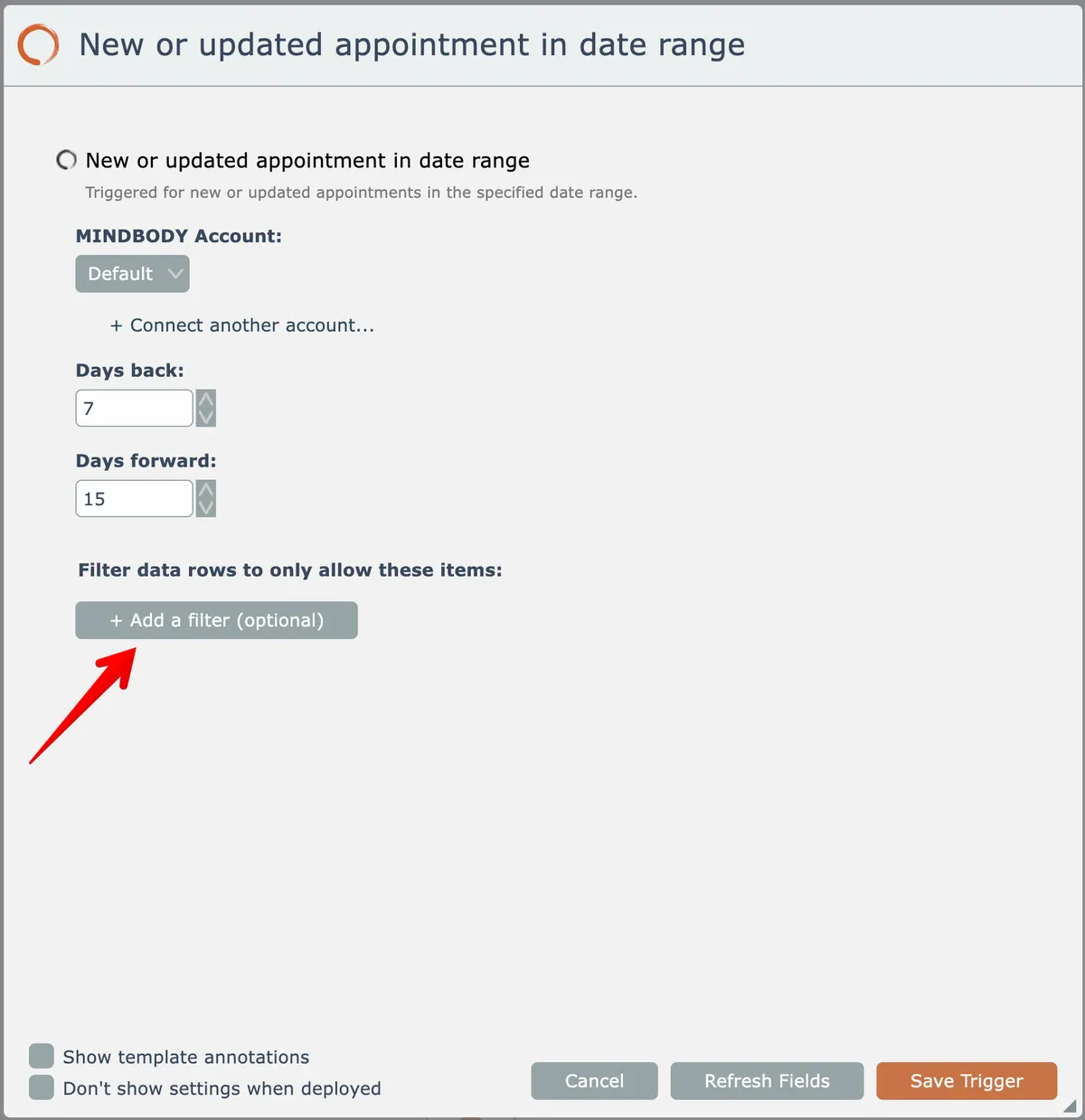
To define a trigger filter, click this button:
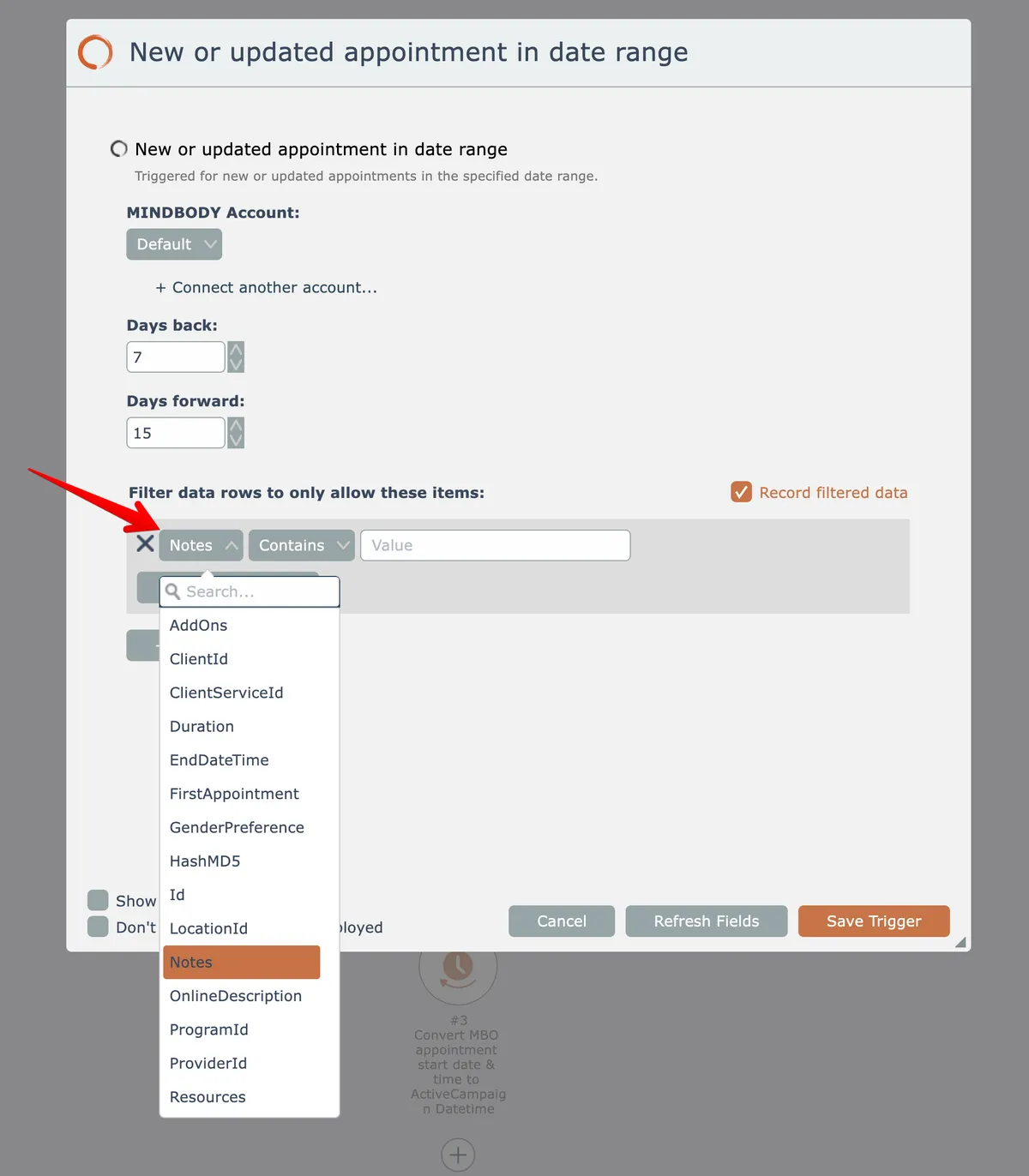
Select a data field emitted by the trigger from the dropdown list here:
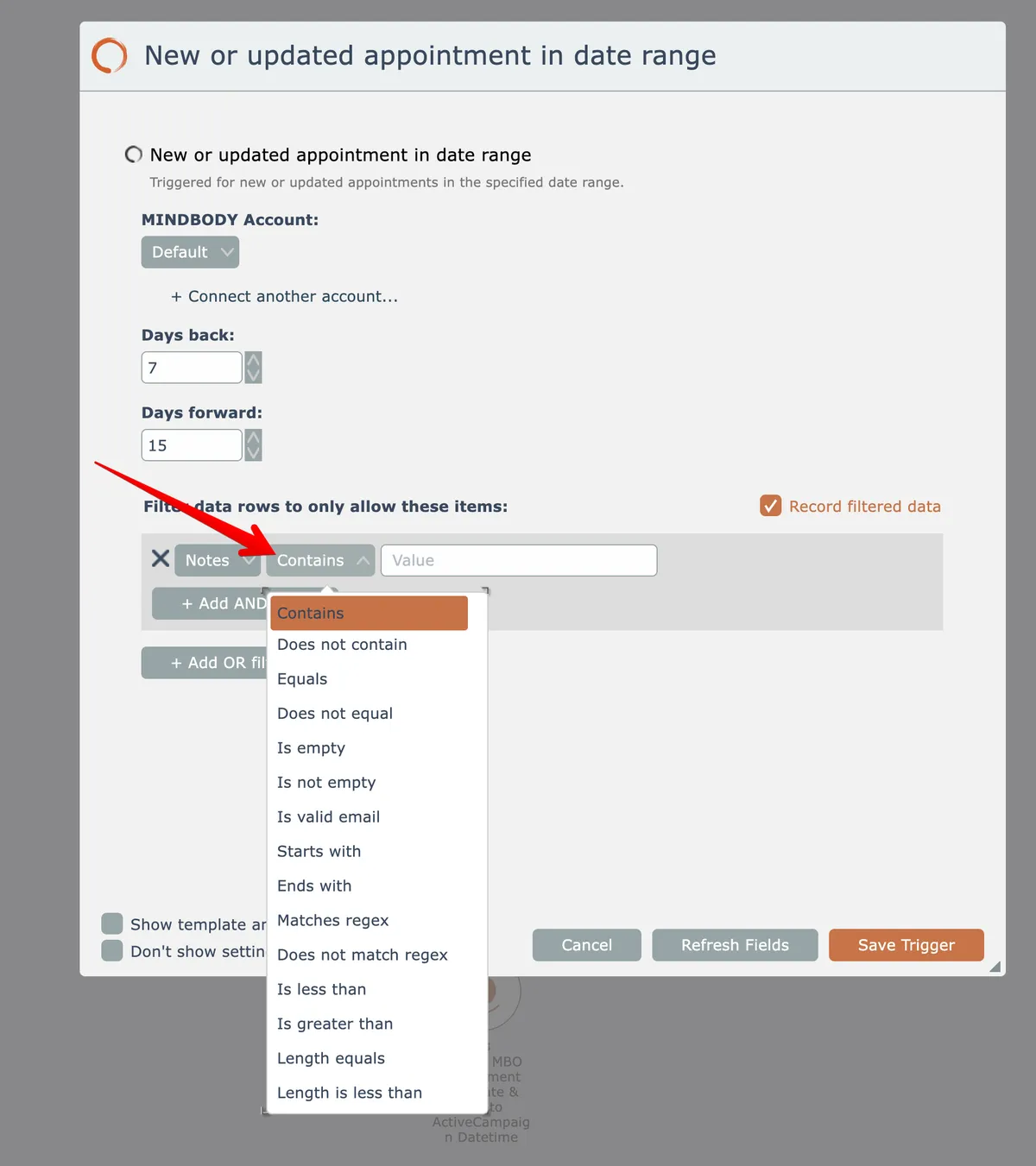
Then choose a criteria for that field:
Then enter a criteria value if needed:
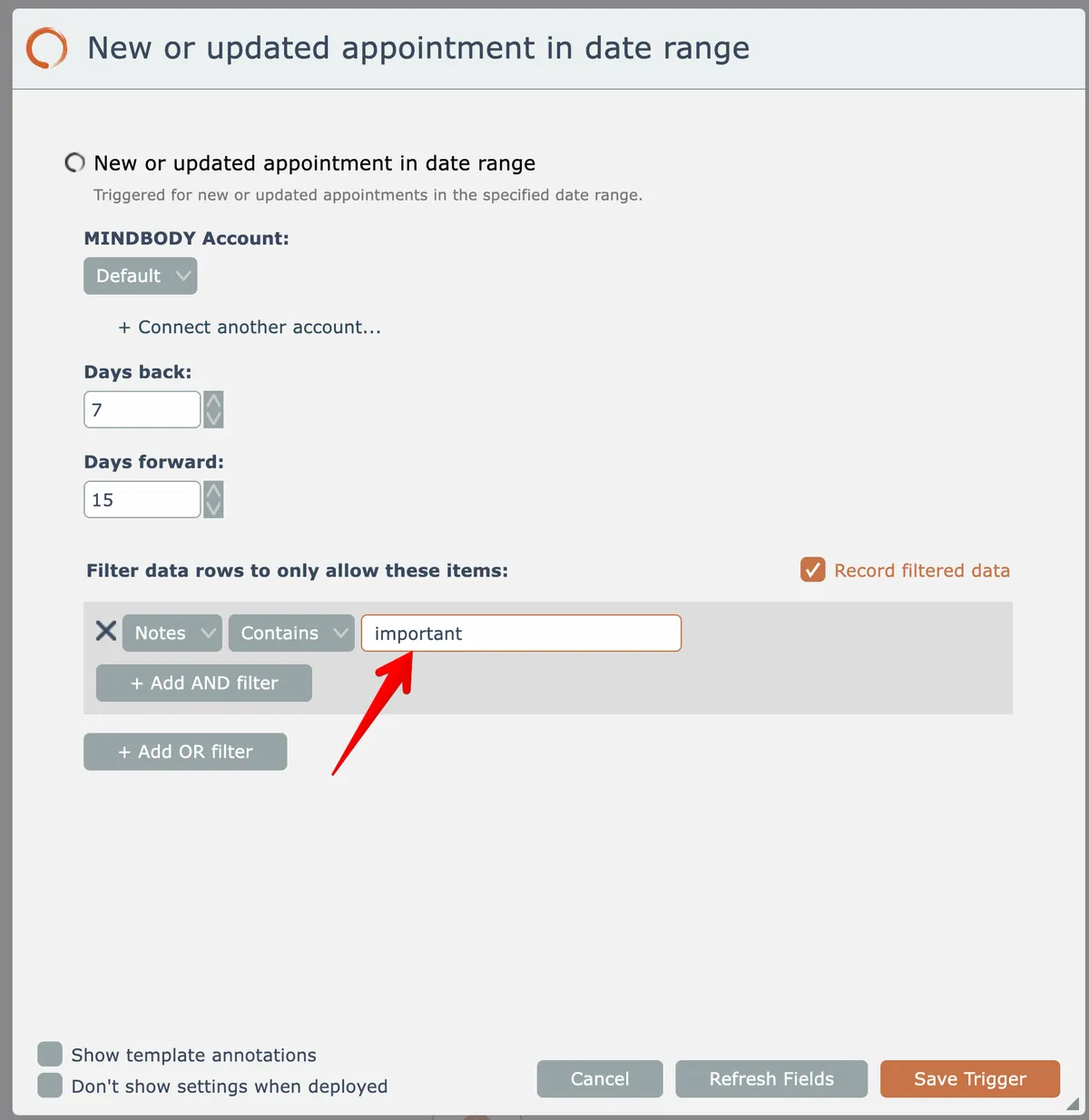
So in the above example, the trigger will only emit new or updated appointments that have a note containing the text "important".
Trigger filters can be combined with AND and OR logic in order to build a complex filtering rule.
To remove a filter rule, click its X icon here:

Related docs
Last updated May 4, 2026