
GuidePlatform UI (Fallback)v1
Exporting assemblies and modules
Account holders with export permissions can download assemblies and modules as files via right-click menu or the File menu, then import them into other systems.
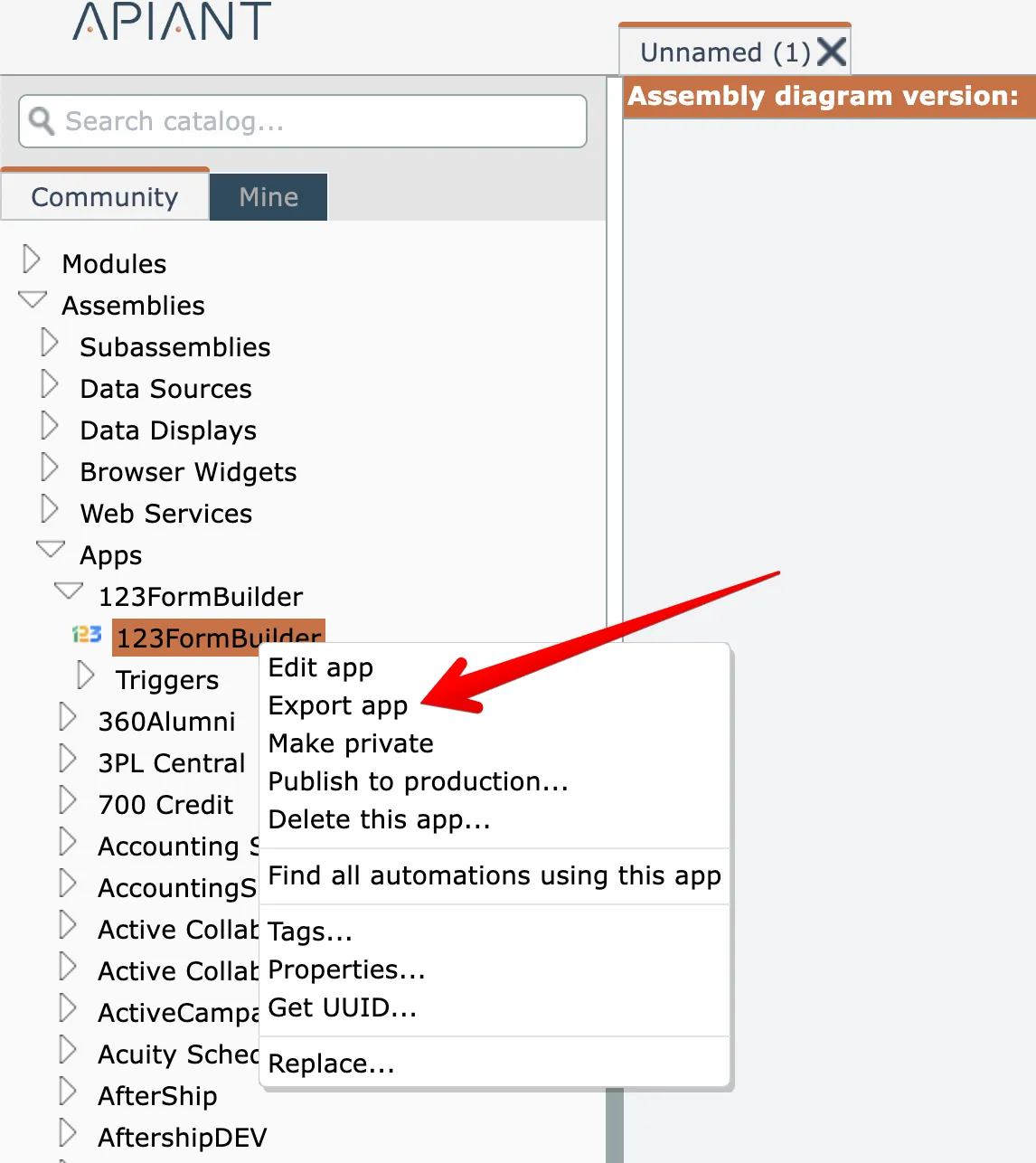
If your account has the "Export" permission, assemblies and modules can be exported as a downloadable files by right-clicking on them in the catalog and choosing the Export option:
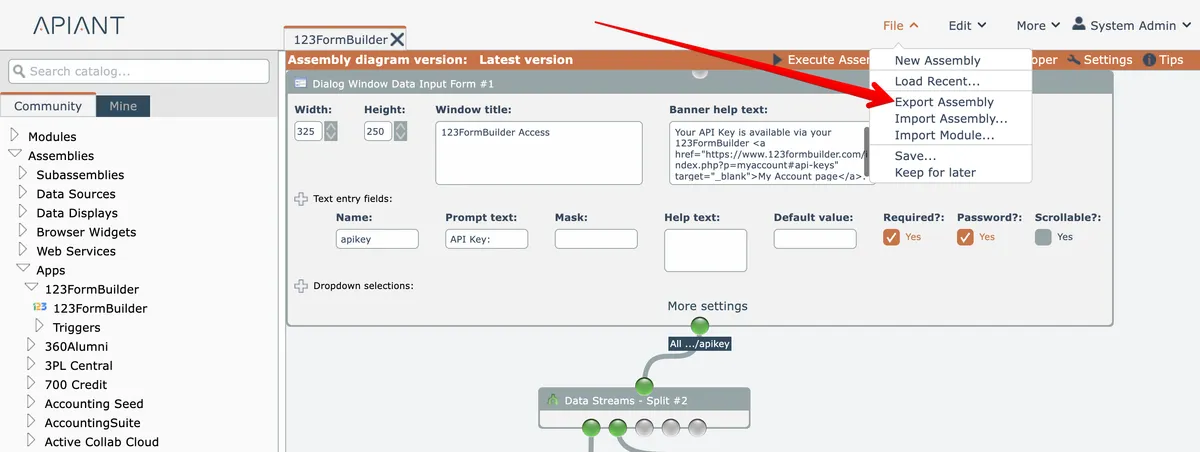
Or export the currently opened assembly from the File menu at the top right:
Your browser will download a file containing the assembly or module. This file can later be imported into a system. See Importing assemblies and modules
Do not use exports as an archive mechanism!
New system releases may not support old versions of exported files.
Related docs
Last updated May 4, 2026