
Gated Triggers
Gated triggers fire once when threshold criteria are met, then reset only after the condition reverses. Configure thresholds and conditions using the Trigger (Gated) module.
Gated triggers fire only once each time a threshold criteria is met.
An example is a weather trigger that fires when a temperature goes below a certain value. The trigger fires once when the temperature falls below the threshold, but doesn't fire again until the temperature rises above the threshold and then falls below the threshold again.
Gated triggers simple need to make an API call to fetch the data, then configure the threshold criteria and the event using the Trigger (Gated) module:
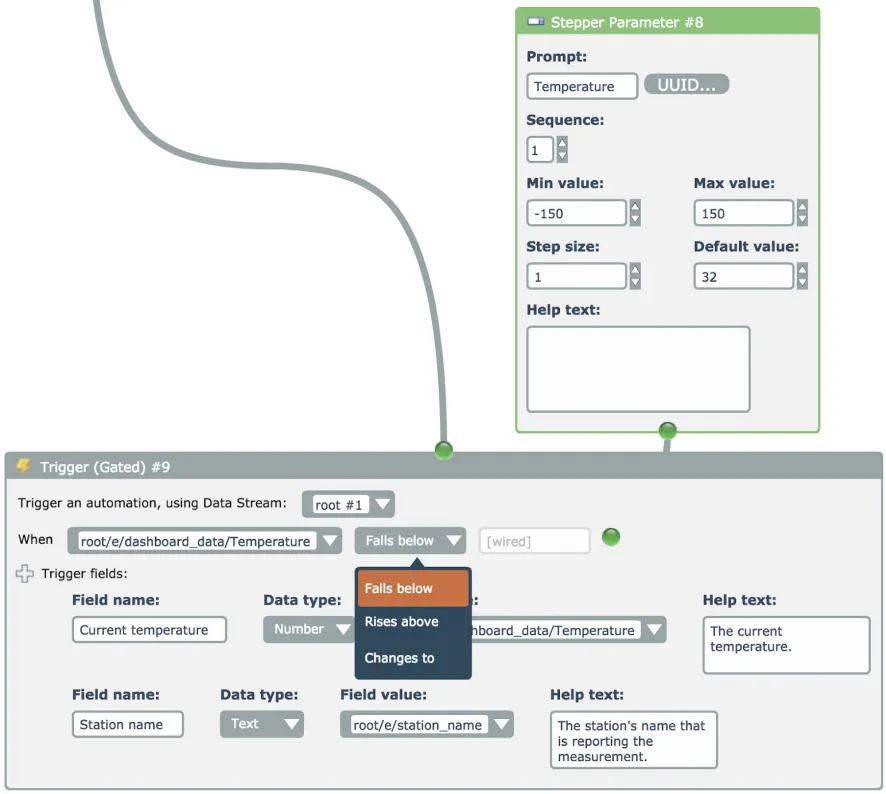
Typically a Parameter module is used to allow the end user to configure the threshold value, as shown.