
GuidePlatform UI (Fallback)v1
Notify when done
Email notifications alert you when an automation execution finishes, with a link to view the completed processing history details.
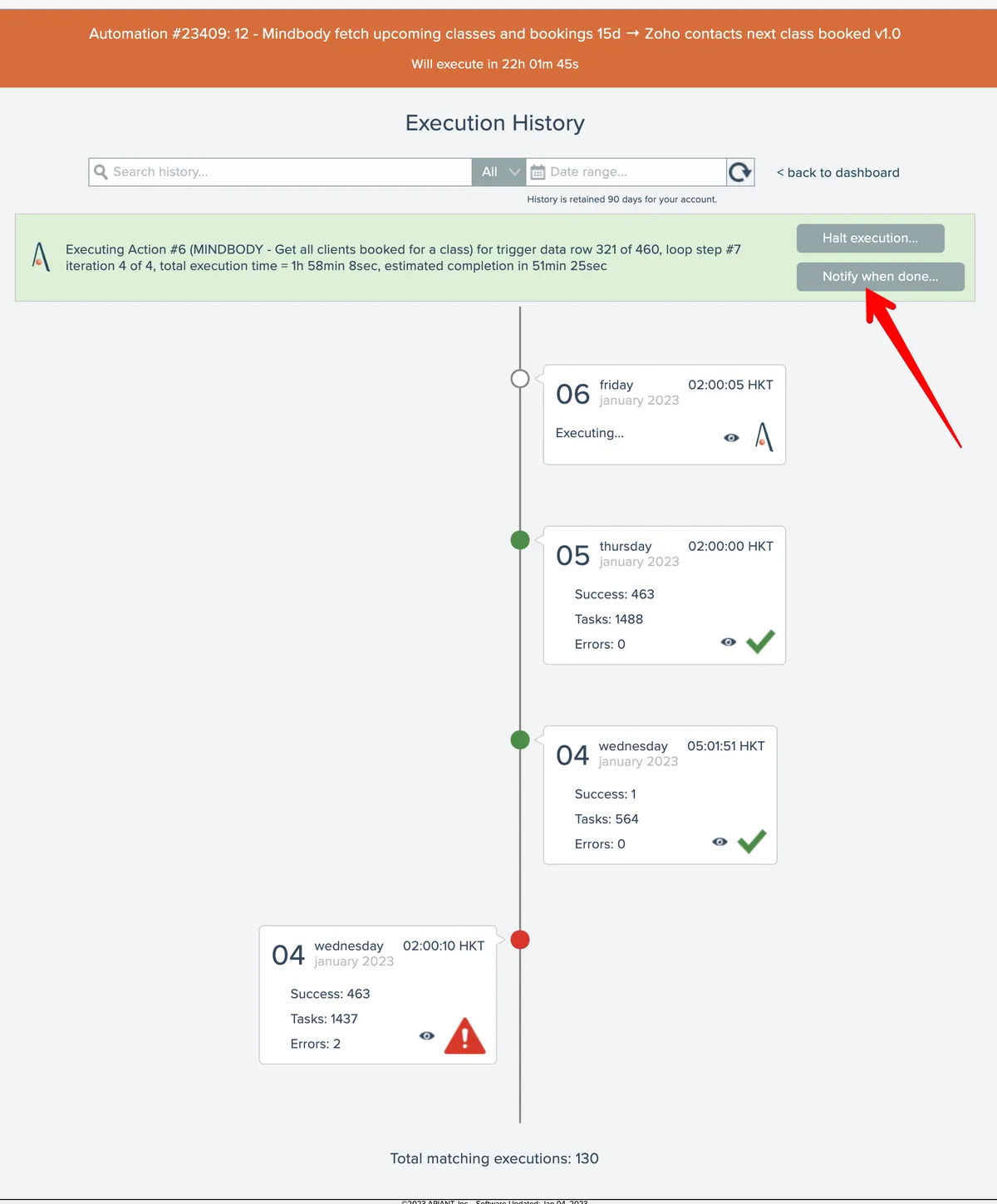
The system can notify you with an email alert when the current execution of an automation is finished. From the automation history screen, click the Notify button:
Then enter an email address:
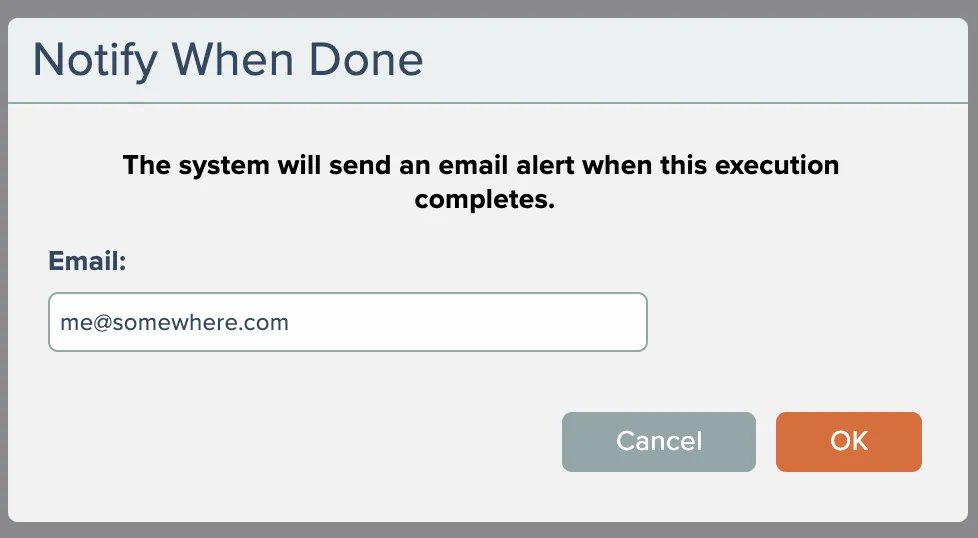
When the automation completes its current processing, the system will send an email containing a link that opens the processing history for the completed execution.
Last updated May 4, 2026