
Categories & collections
Organizing templates into categories and collections using folders, including how to create multi-automation template collections with placeholder catalog entries.
The folder list on the left side of the dashboard is repurposed to represent categories and collections of templates.
Individual templates consisting of a single automation can be placed into a category that can be searched in the Templates catalog:
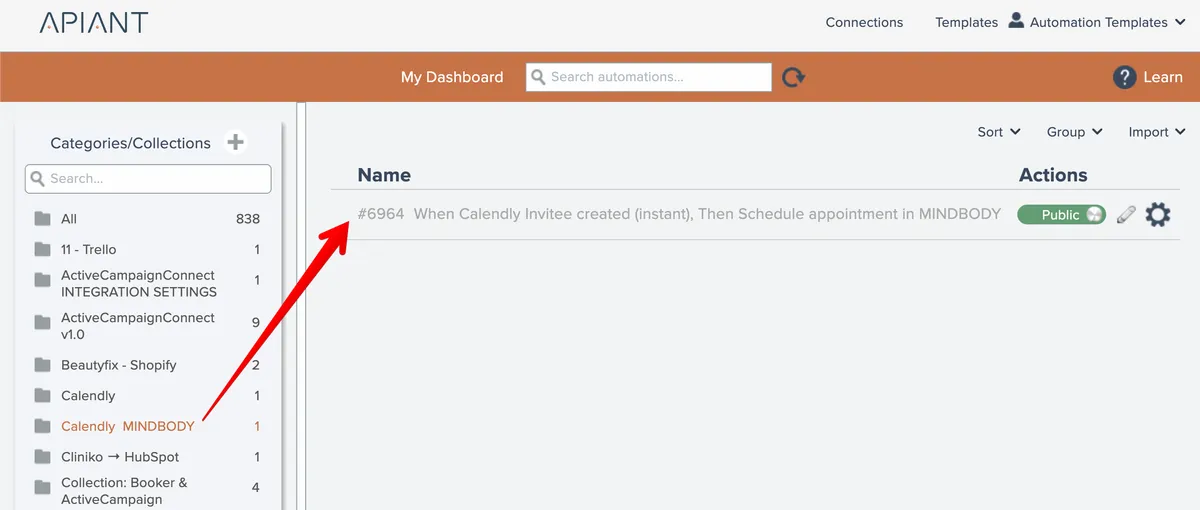
A collection is a single template that consists of multiple automations that can be installed as a single group:
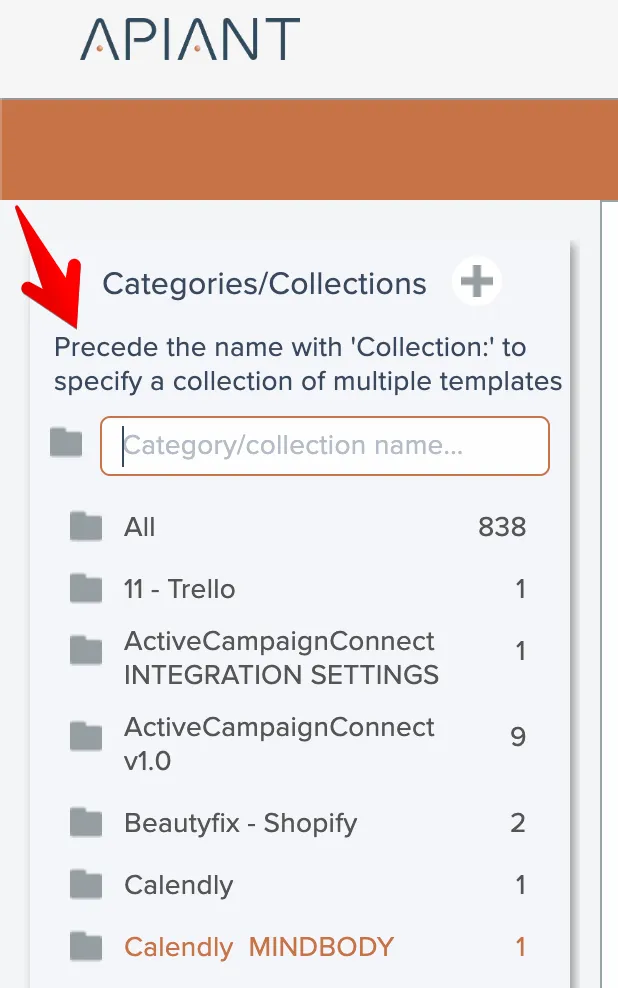
To define a template collection, create a folder with a name that starts with "Collection: ":
Then place the automations comprising the collection into the folder:
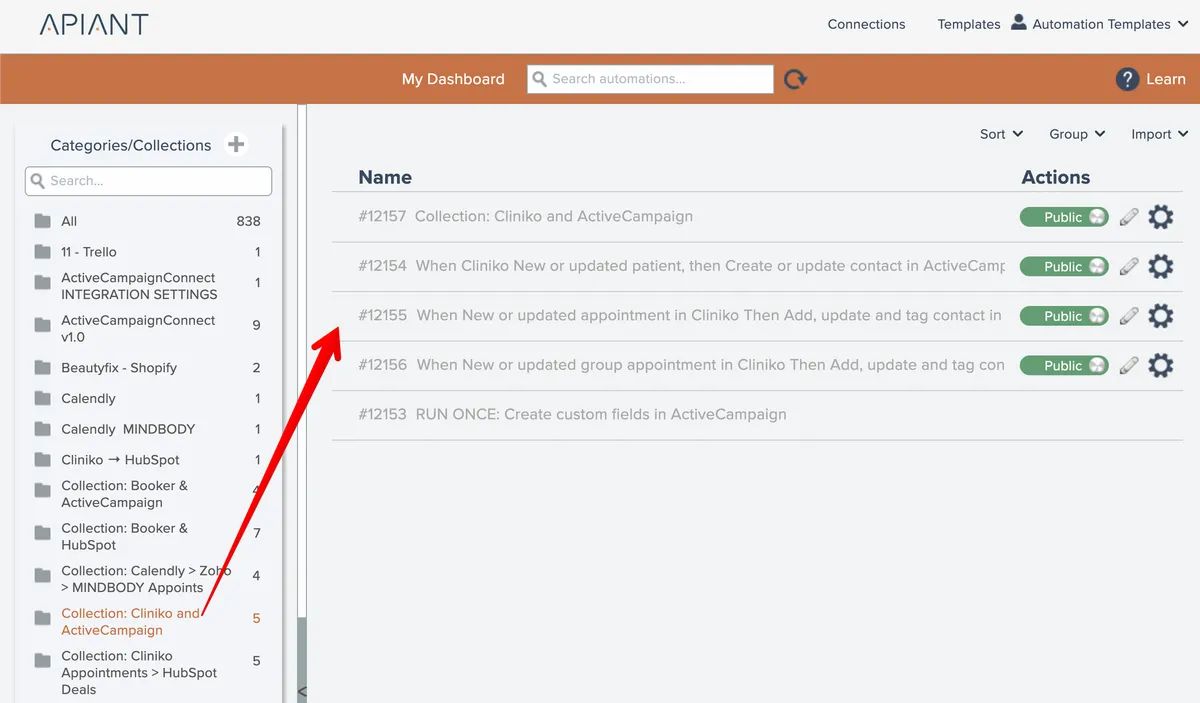
In the Templates catalog the catalog entry is defined by a placeholder automation in the collection whose name begins with "Collection: ":

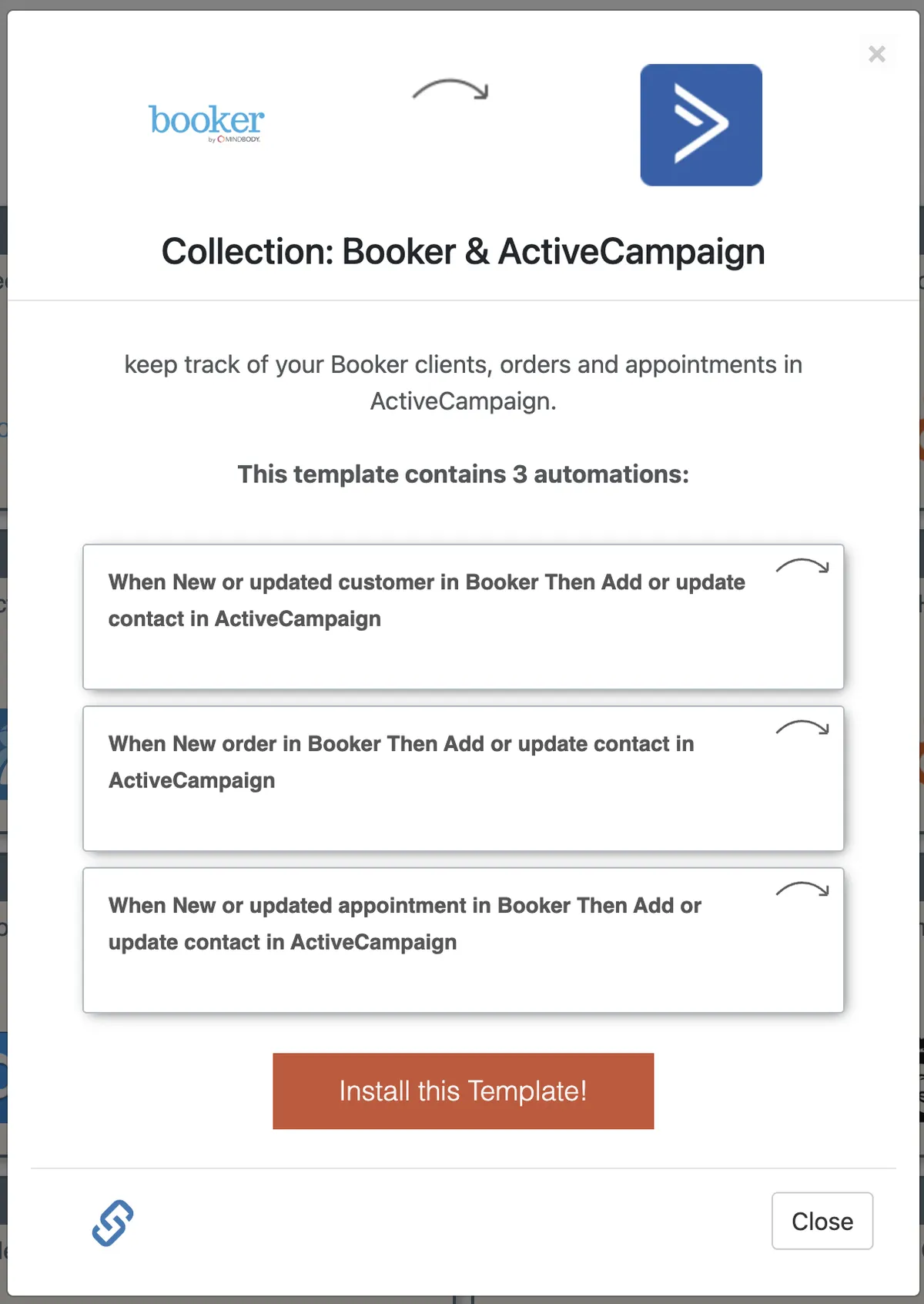
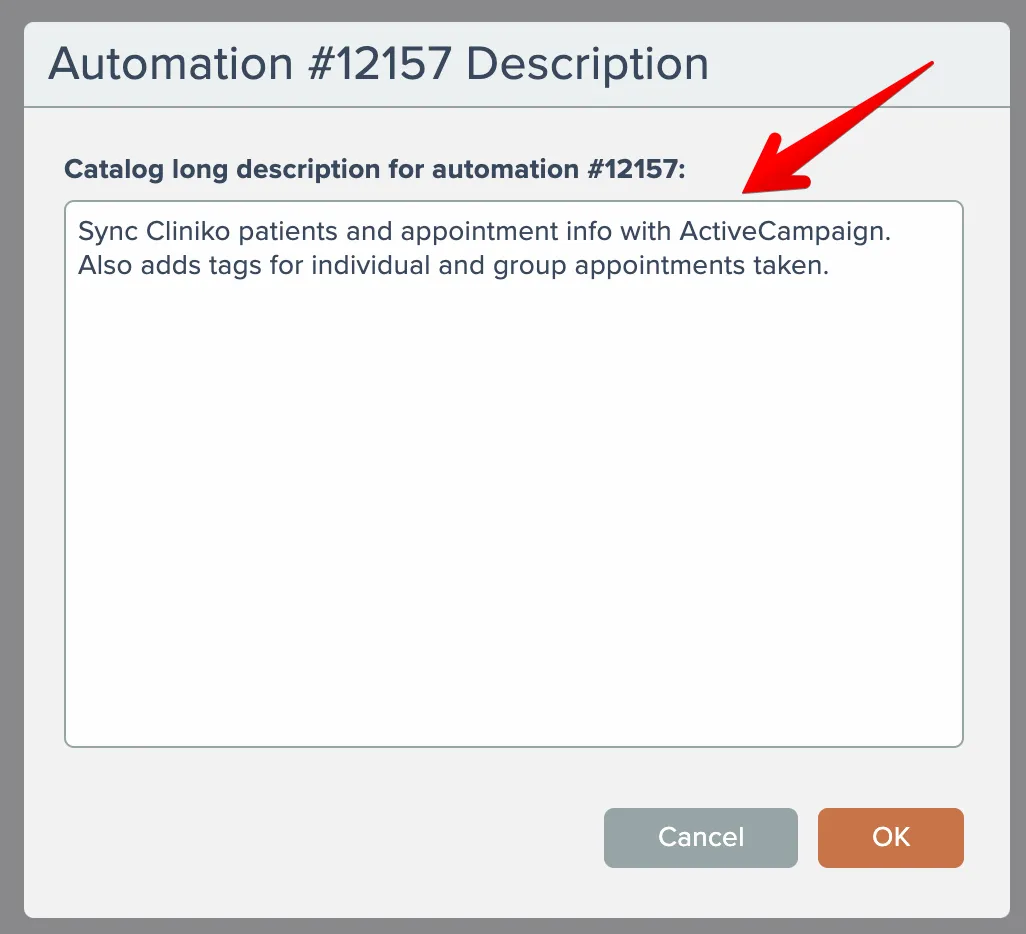
This automation only serves the purpose of being the one whose name appears in the catalog and whose catalog description appears here:
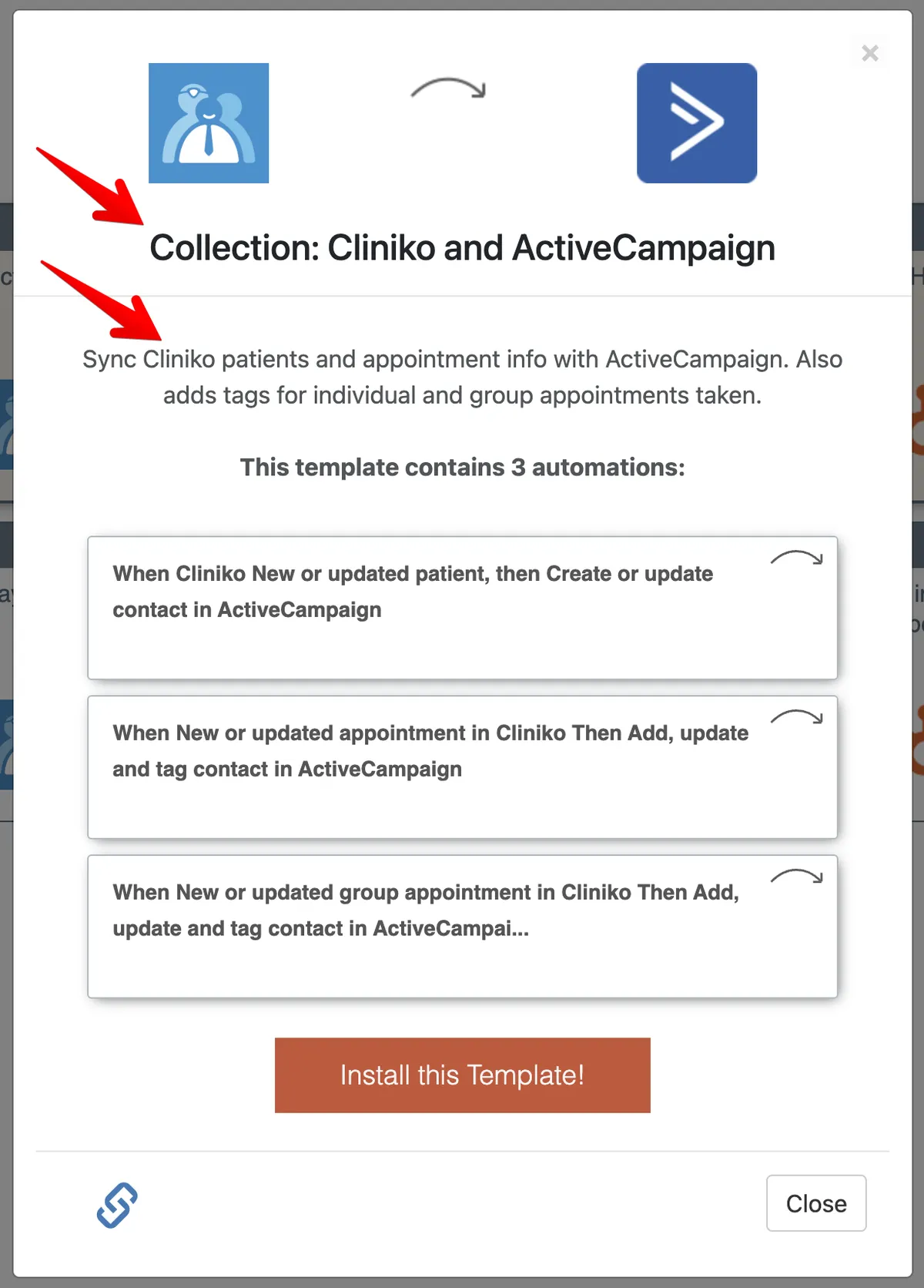
Observe that the name above comes from the name of #12157 and that the description above comes from that placeholder's catalog description:
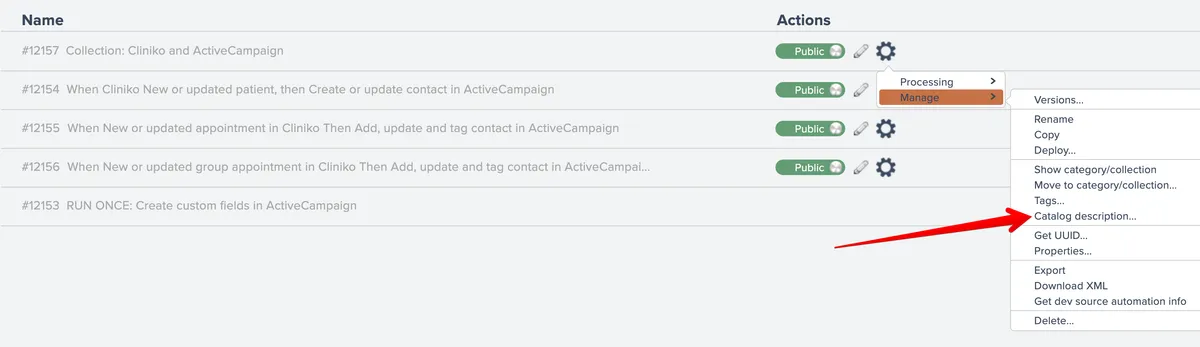
Note that in the dashboard there are 4 templates set to public but the catalog says the template consists of 3 automations. This is correct, b/c #12157 is not an automation template but just a catalog placeholder.
The placeholder is not installed with the collection.
In order to create the placeholder template, build an automation consisting of a no-op trigger and any action. Whatever is build doesn't matter, since the implementation is never installed or used.
Templates set to private within a collection are also installed. Like in the above example, these are generally utility or run-once automations used to configure the collection. The purpose of setting them private is just so they don't appear in the Templates catalog and cause confusion.