
Memory Usage
The Memory Usage screen displays memory statistics:
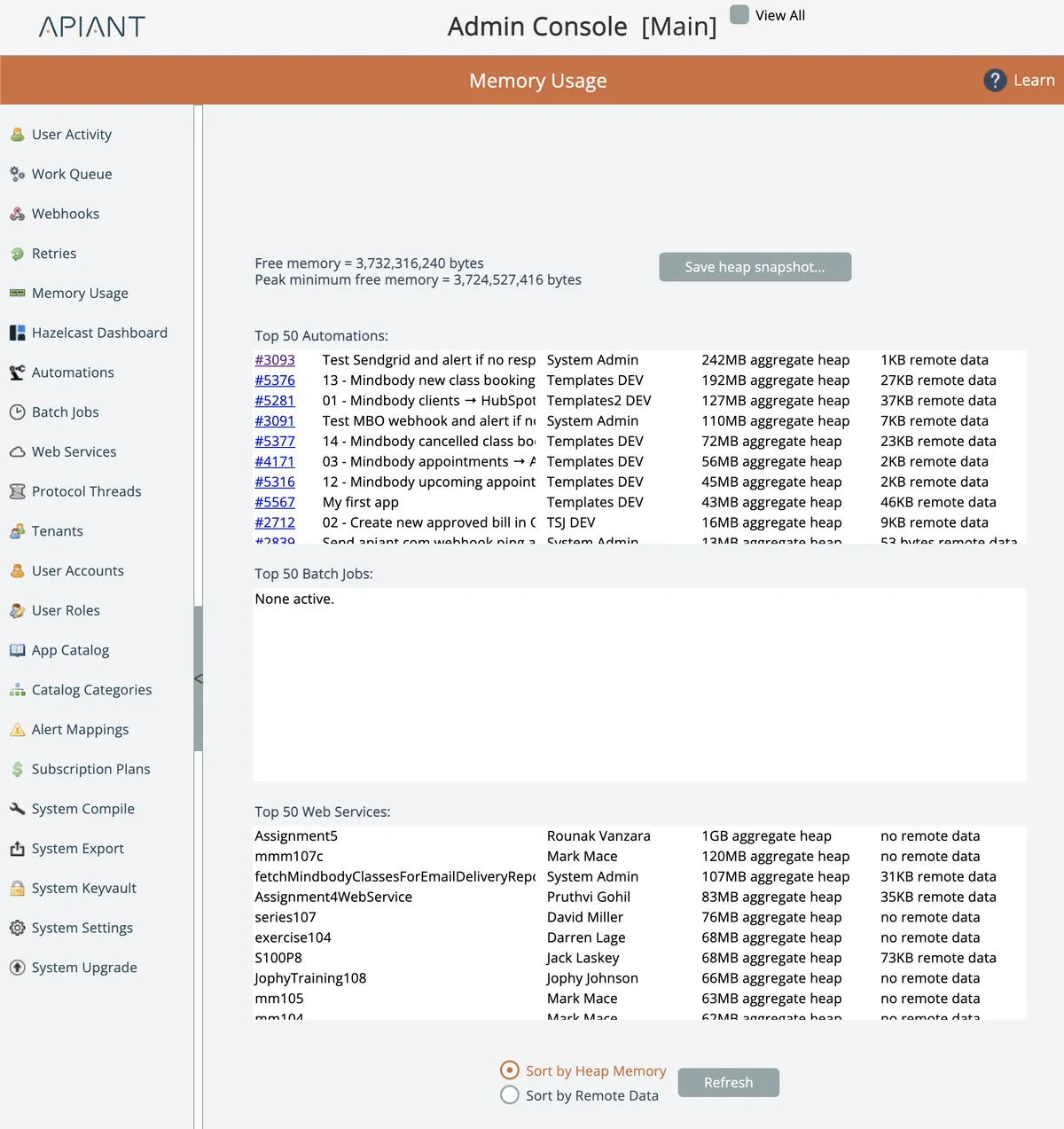
The top of the screen shows the current amount of system free memory and the peak minimum free memory.
System memory is configured via Tomcat Java settings.
The memory usage for the top 50 automations, batch jobs, and web services are displayed.
Aggregate heap represents the total amount of heap memory consumed over the duration of the item's processing.
Remote data is the amount of data loaded via HTTP modules in the item's assembly diagram(s).
The lists can be sorted by the amount of aggregate heap memory, or by the amount of remote data loaded.
Heap Snapshot
A Java heap snapshot can be taken by clicking the Save Heap Snapshot button at the top of the screen.
Saving a heap snapshot can take several minutes, depending on the amount of data currently in the Java heap.
During the time that the heap snapshot is being taken, the entire system will be frozen!
It is best to ensure no users are in the system via the User Activity screen and to empty the work queue via the Work Queue screen before taking a snapshot.
The location of the snapshot on the server's filesystem will be provided when finished. Snapshots are not downloaded via the browser b/c of their size.
The heap snapshot file can be loaded into a Java utility like jvisualvm for analysis.