
Emit first non-empty value
The emit first non-empty value action selects the first populated value from a prioritized list, with optional fallback default, useful for conditional branching scenarios.
Consider this diagram, where lots of conditions are evaluated:
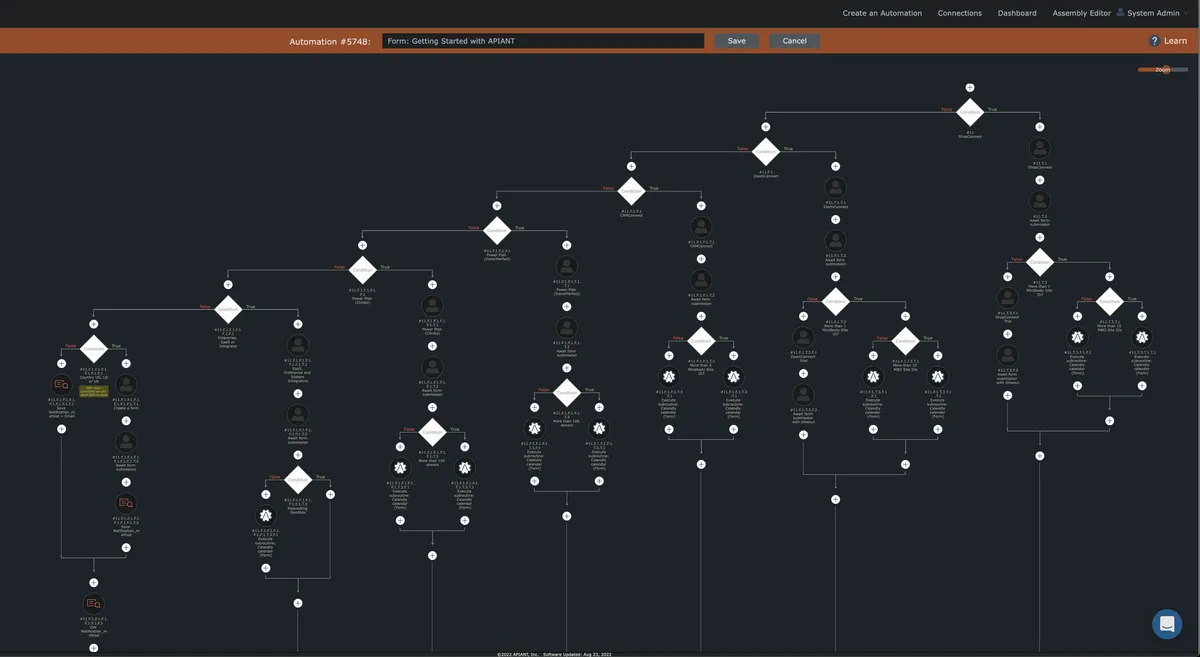
Then consider if after all of that you need to map a value that may come from more than one of those conditional branches, where depending on which branch is executed there is a priority order where you want to grab the first non-empty value.
There is a easy way to do that with the "emit first non-empty value" action in the Transform Text app:

Map in a list of values from the preceding actions. The first non-empty value in the list will be emitted when the action runs:
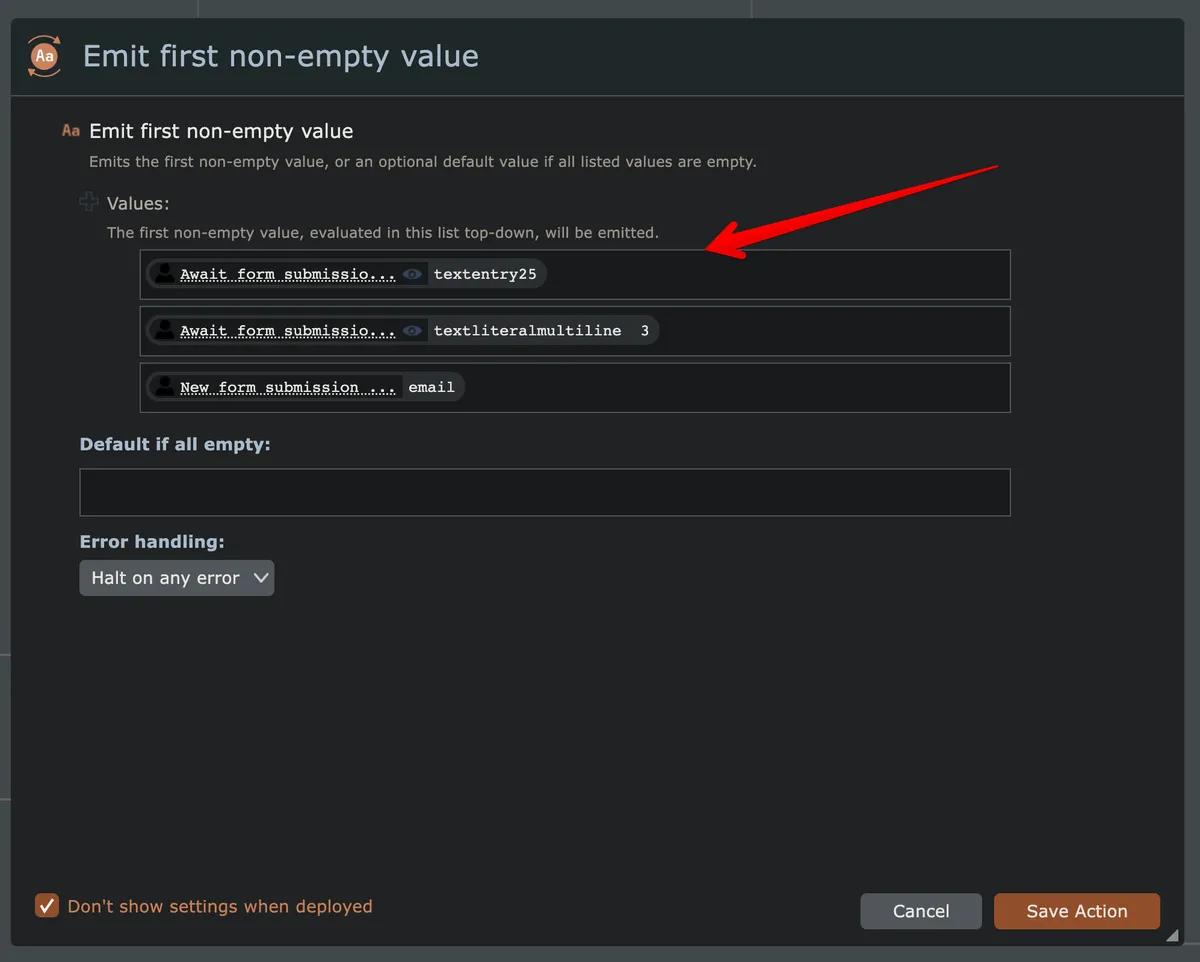
You can also define a default value to emit if all mapped values are empty.